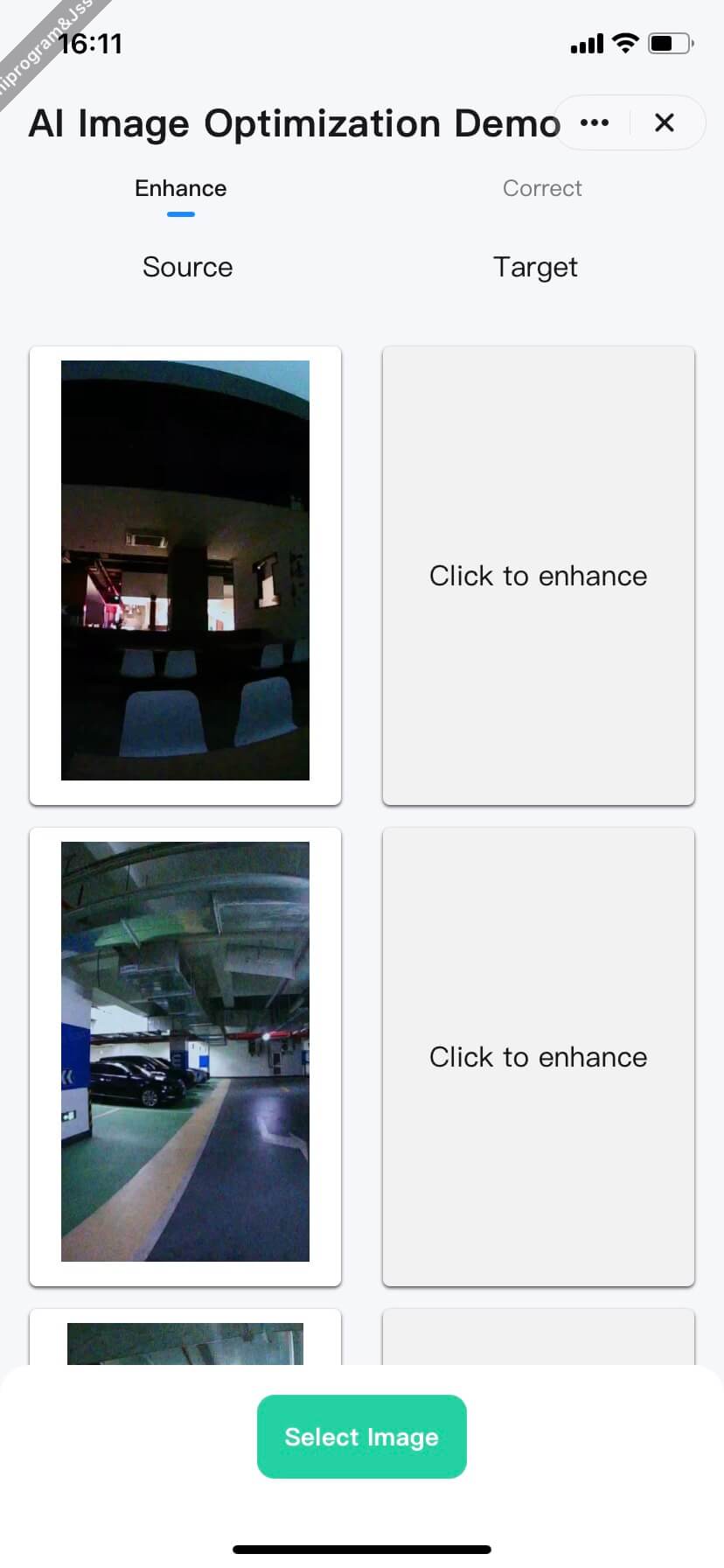
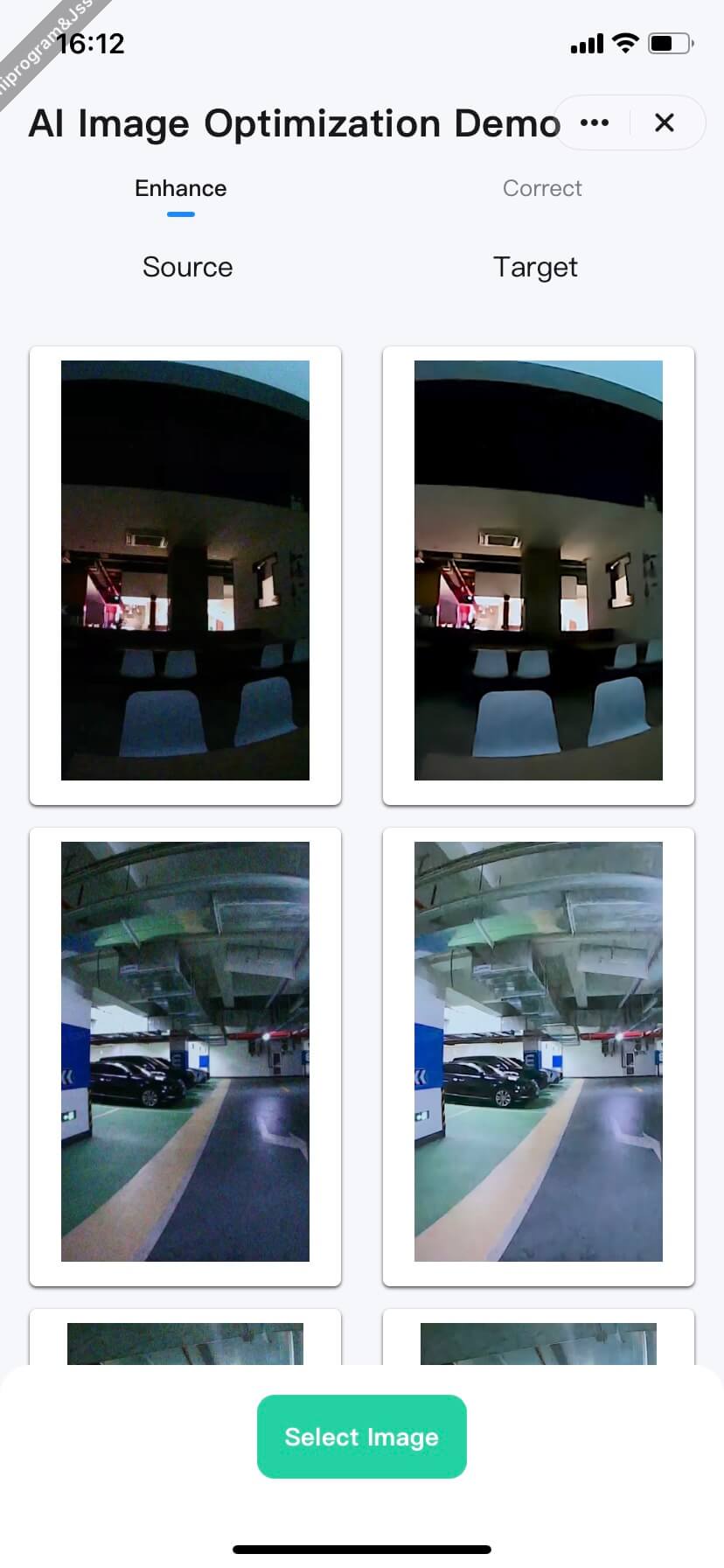
Image Clarity Enhancement On-App AI
### Features
Enhance the clarity of images from the network or local photo album.
It relies on the following key capabilities:
- **Select an image**.
- [chooseImage](/en/miniapp/develop/ray/api/media/image/chooseImage): Allows end users to select an image from the local album or take photos using the camera.
- **Download files**.
- [downloadFile](/en/miniapp/develop/ray/api/network/download/downloadFile): Downloads file resources to the local device.
### Interaction process
```mermaid
sequenceDiagram
participant Cloud
participant User
participant Panel
participant System Album
participant AI Engine
rect rgb(15, 142, 167)
Note over Panel: Select an image
User ->> Panel: Tap "Select image"
Panel ->> System Album: chooseImage()
System Album ->> User: Shows album interface
User ->> System Album: Select an image
System Album -->> Panel: Returns original image URI list
end
rect rgb(200, 34, 255)
Note over Panel: Download image remotely
User ->> Panel: Tap "Optimize"
Panel ->> Cloud: downloadFile()
Cloud ->> Panel: Download the image
Panel -->> Panel: Return local image path
end
rect rgb(84, 163, 119)
Note over Panel,AI Engine: Image processing
Panel ->> AI Engine: enhanceClarityForImage (Original URI)
AI Engine ->> AI Engine: AI analytics and clarity enhancement
AI Engine ->> Panel: Return a temporary URI
end
rect rgb(255, 62, 130)
Note over Panel,User: Return the result
Panel ->> Panel: Get cache path
Panel ->> User: Display enhanced preview image
end
```