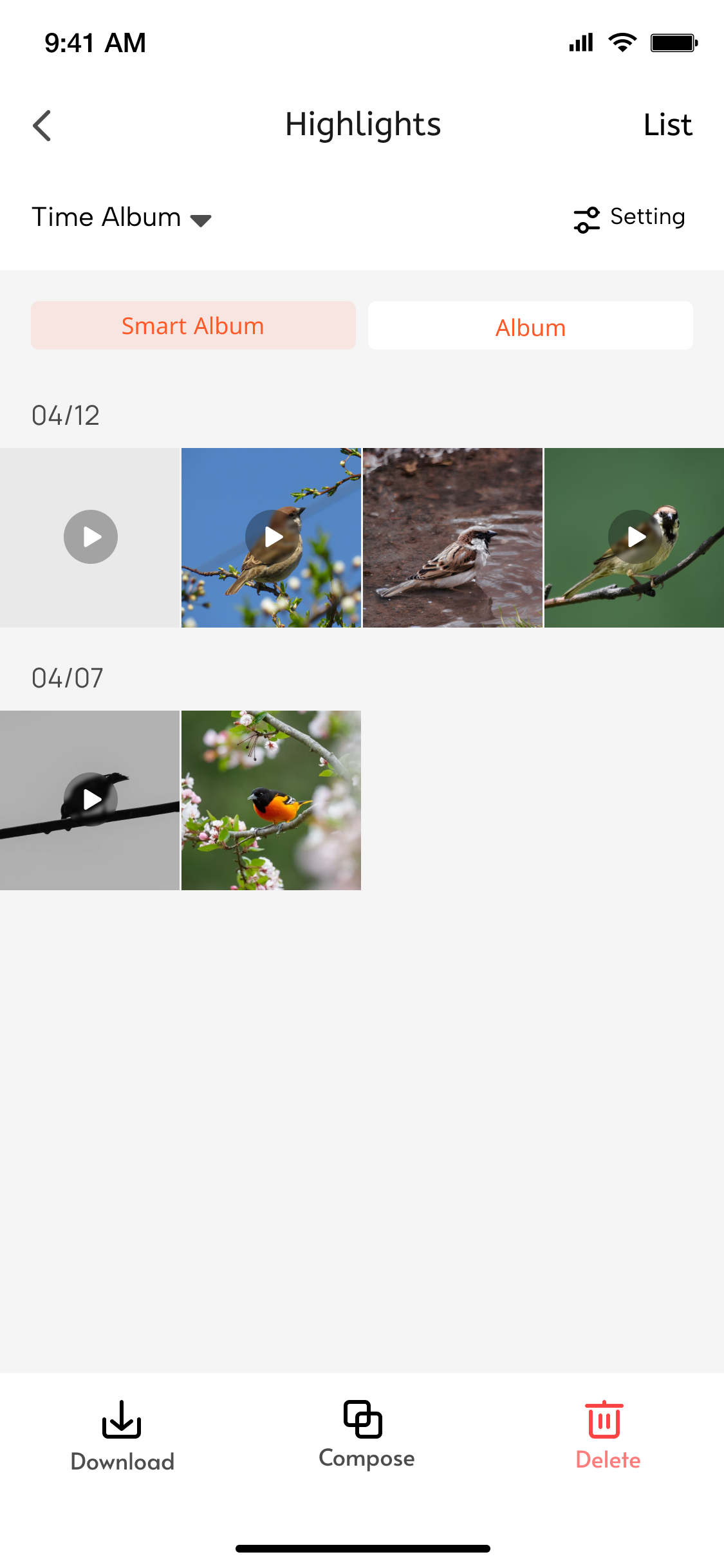
## Highlights Full Album
### Function Introduction
1. The Highlights Full Album mainly includes: all video snippets from highlights, supporting video download, AI editing, and deletion.
2. Highlights service details setup mainly rely on the following two key capabilities:
- **Get Highlights File List**
Developers can use the [albumVideoFileList](/en/miniapp/develop/ray/api/ipc/highlight/timeAlbum/albumVideoFileList) API to obtain the full list of video files for highlights.
- **Delete Highlights Video File**
When configuring highlights service information for the first time, developers can use the [albumFileDelete](/en/miniapp/develop/ray/api/ipc/highlight/timeAlbum/albumFileDelete) API to delete highlights video files.
### Interaction Flow
```mermaid
sequenceDiagram
participant User
participant Panel
participant Cloud
rect rgb(227, 242, 253)
Note over User, Panel: Initialization phase
User ->> Panel: Enter Highlights panel
Panel ->> Cloud: albumVideoFileList-api
Cloud -->> Panel: Return full list of video files
Panel ->> User: Display video list UI
Note right of Panel: Grid layout display
includes thumbnail+filename+delete button
end
rect rgb(255, 243, 224)
Note over User, Cloud: Deletion operation phase
User ->> Panel: Click delete button (File ID:123)
Panel ->> User: Show confirmation dialog
User ->> Panel: Confirm deletion
Panel ->> Cloud: albumFileDelete-api
(Parameter: fileId=123)
Cloud ->> Cloud: Execute delete operation
alt Deletion successful
Cloud -->> Panel: Return success status
Panel ->> User: Show success toast
Panel ->> Panel: Update local list
else Deletion failed
Cloud -->> Panel: Return error message
Panel ->> User: Show error toast
end
end
```