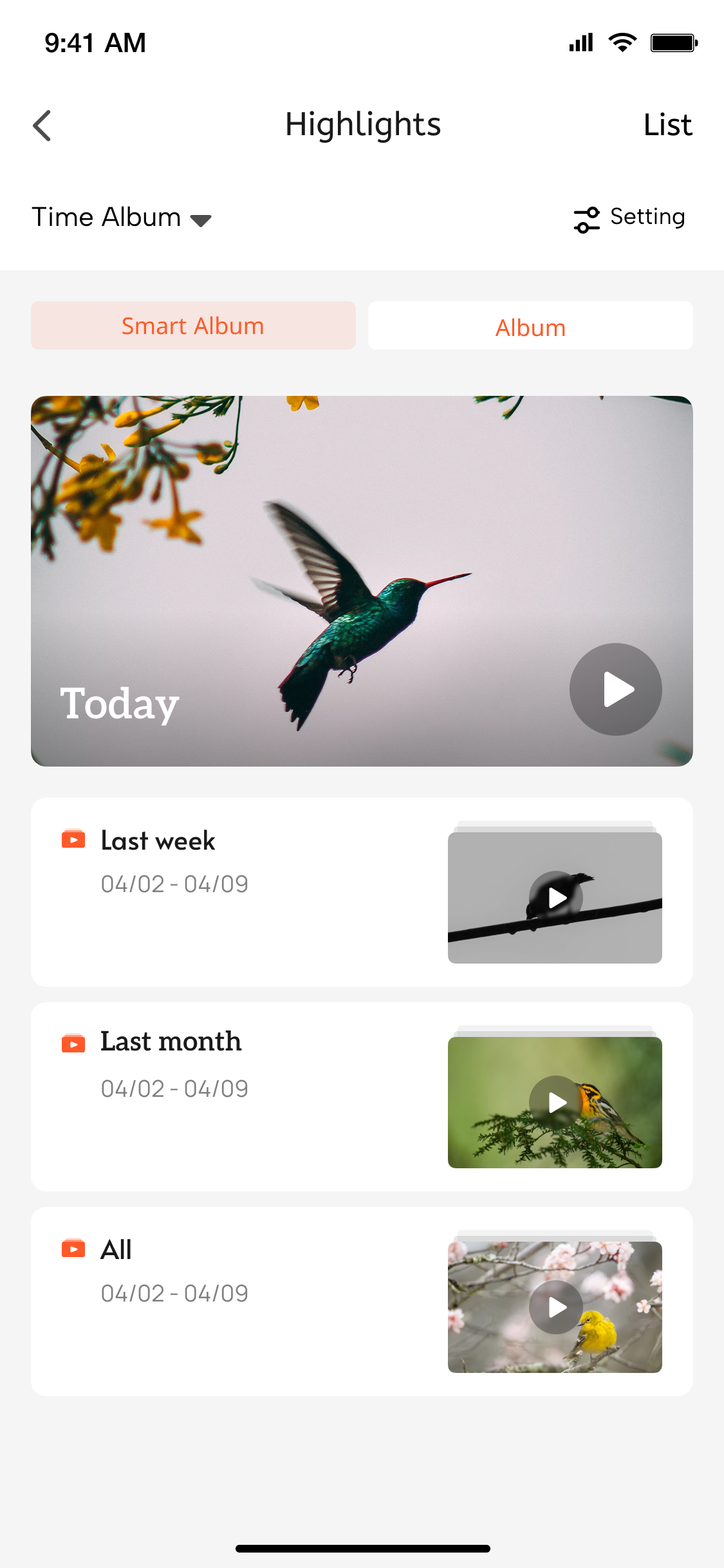
## Highlights Smart Album
### Function Introduction
1. The Highlights Smart Album mainly includes: AI-edited videos for today, AI-edited videos for the past week, AI-edited videos for the past month, and all AI-edited videos.
2. The setup of Highlights service details mainly relies on the following key capability:
- **Get Highlights Service Configuration Information**
Developers can use the [albumVideoDateCount](/en/miniapp/develop/ray/api/ipc/highlight/timeAlbum/albumVideoDateCount) API to obtain intelligent video highlights based on date statistics.
### Interaction Flow
```mermaid
sequenceDiagram
participant User
participant Panel
participant Cloud
Note over User, Panel: User enters video panel
User ->> Panel: Open Highlights panel
rect rgb(227, 242, 253)
Note over Panel, Cloud: Data Request Phase
Panel ->> Cloud: albumVideoDateCount-api request
Note left of Cloud: Parameter description:
type=today|lastWeek|
lastMonth|all
(default returns all)
alt Type parameter present
Cloud ->> Cloud: Filter video data by type
else No type parameter
Cloud ->> Cloud: Return all video data
end
Cloud -->> Panel: Return video list data
end
rect rgb(232, 245, 233)
Note over Panel, User: Data Display Phase
Panel ->> Panel: Parse video data
Panel ->> User: Display video list UI
Note right of Panel: Group display by date dimension
Show video thumbnails + time tags
end
```