AI Oral Health Screening On-App AI
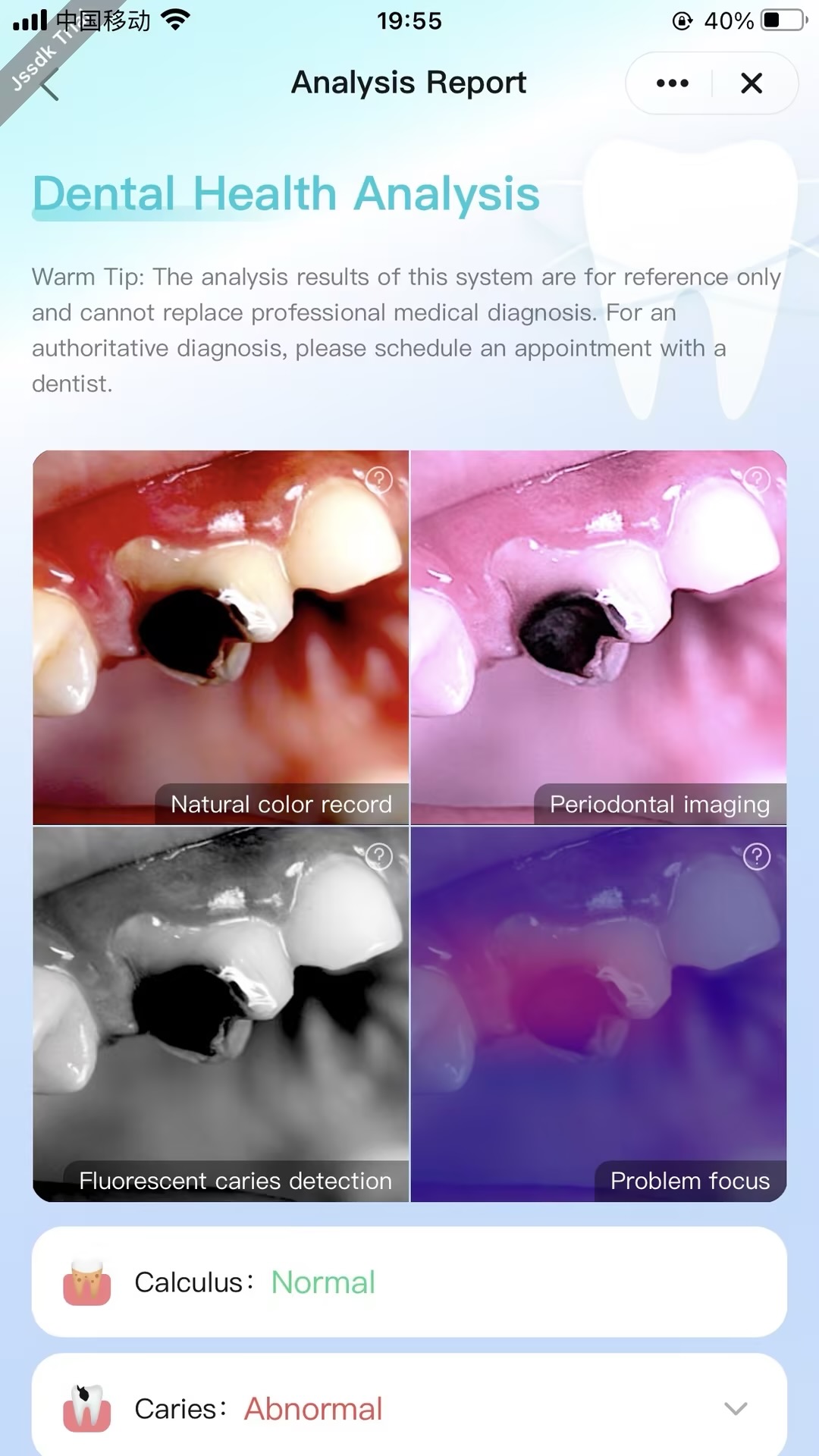
Feature Introduction
Based on on-device On-App AI technology, intelligent oral health screening is achieved by analyzing oral mirror image data captured by users themselves.
Process Overview
-
Import Image: Supports users taking a photo or importing oral assets from the local album.
-
Intelligent Screening (steps must be executed in the following order):
- Step 1: Initialize the oral health screening instance.
- Step 2: Listen to the initialization progress of the oral health screening instance (unregister the listener when the page is unmounted).
- Step 3: Start the oral health screening.
Interaction Flow
sequenceDiagram
    participant User
    participant Panel
    participant App Service
    participant AI Engine

    rect rgb(200, 230, 255)
        Note over Panel,App Service: 1. Service Initialization
        Panel ->> App Service: oralDiseaseInit()
        Panel ->> App Service: onOralModelDownProgress()
        App Service ->> AI Engine: Download oral model file
        loop Progress Monitoring
            AI Engine -->> App Service: Model download progress
            App Service -->> Panel: Update UI progress bar
        end
        AI Engine -->> App Service: Model loading complete
        App Service -->> Panel: Initialization complete
    end

    rect rgb(230, 240, 200)
        Note over User,Panel: 2. Asset Preparation
        alt Take a Photo
            User ->> Panel: Tap to take photo
            Panel ->> User: Open camera
            User ->> Panel: Capture oral photo
        else Select Locally
            User ->> Panel: Select local image
            Panel ->> User: Open album picker
        end
        Panel ->> Panel: Cache oral image
        User ->> Panel: Tap [AI Analysis] button
    end

    rect rgb(200, 240, 230)
        Note over Panel,AI Engine: 3. Intelligent Screening
        Panel ->> App Service: oralDiseasePredictionRun(oral image)
        App Service ->> AI Engine: Execute oral health analysis
        AI Engine ->> AI Engine: Image preprocessing
        AI Engine ->> AI Engine: Disease feature recognition
        AI Engine ->> AI Engine: Health assessment calculation
        AI Engine -->> App Service: Return screening results
        App Service -->> Panel: Callback analysis results
    end

    rect rgb(240, 200, 230)
        Note over Panel,User: 4. Result Display
        Panel ->> Panel: Parse screening data
        Panel ->> User: Render visualization report
        Panel ->> User: Display health recommendations
    end

    rect rgb(255, 200, 200)
        Note over Panel,App Service: 5. Resource Cleanup
        User ->> Panel: Leave page / close app
        Panel ->> App Service: offOralModelDownProgress()
        App Service ->> AI Engine: Release model resources
        AI Engine -->> App Service: Resources released
    end