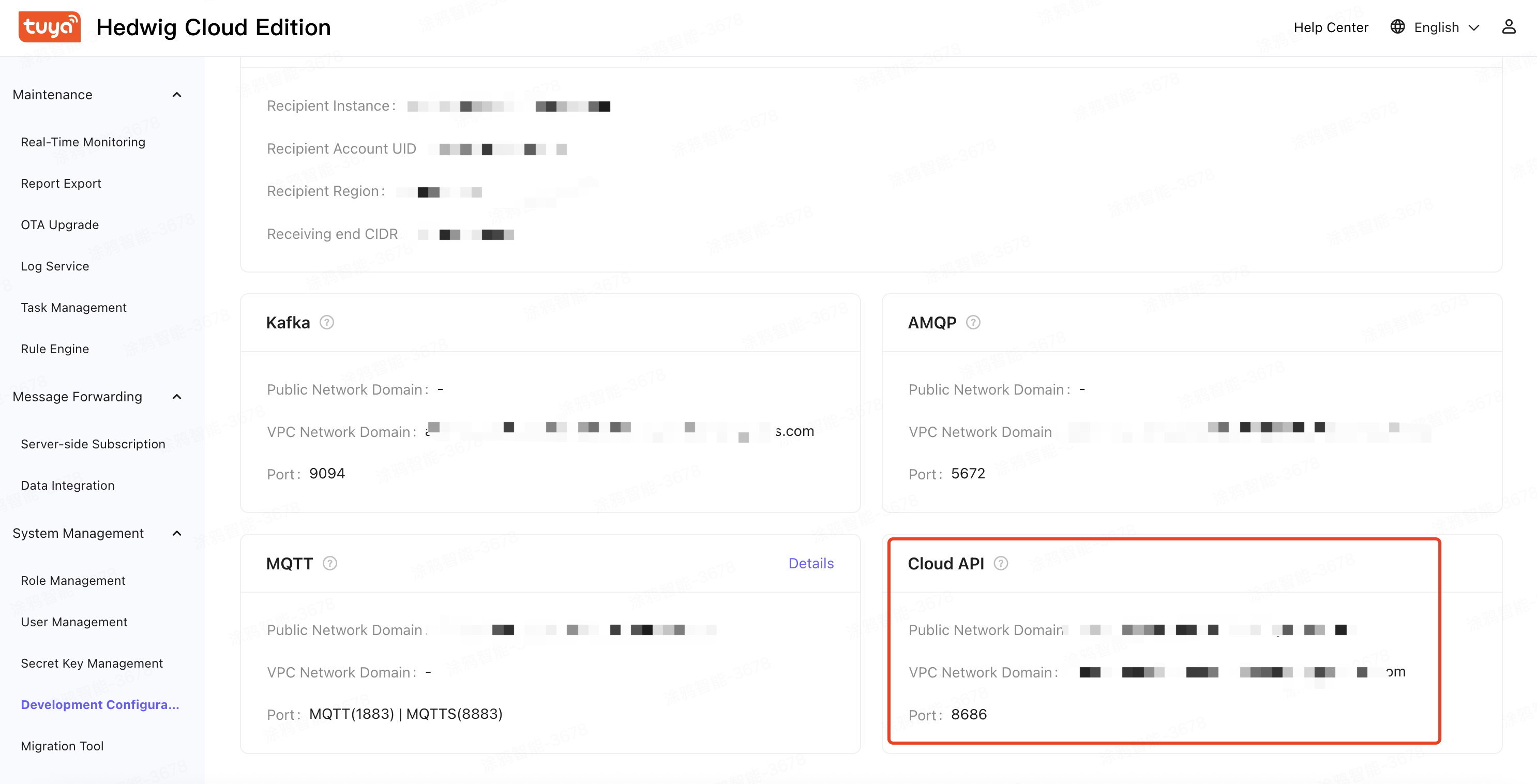
Get Parameters
If you have purchased your own service instance, it will be delivered to your console address, you need to obtain the following parameters on your own console page
obtain the key ID and key
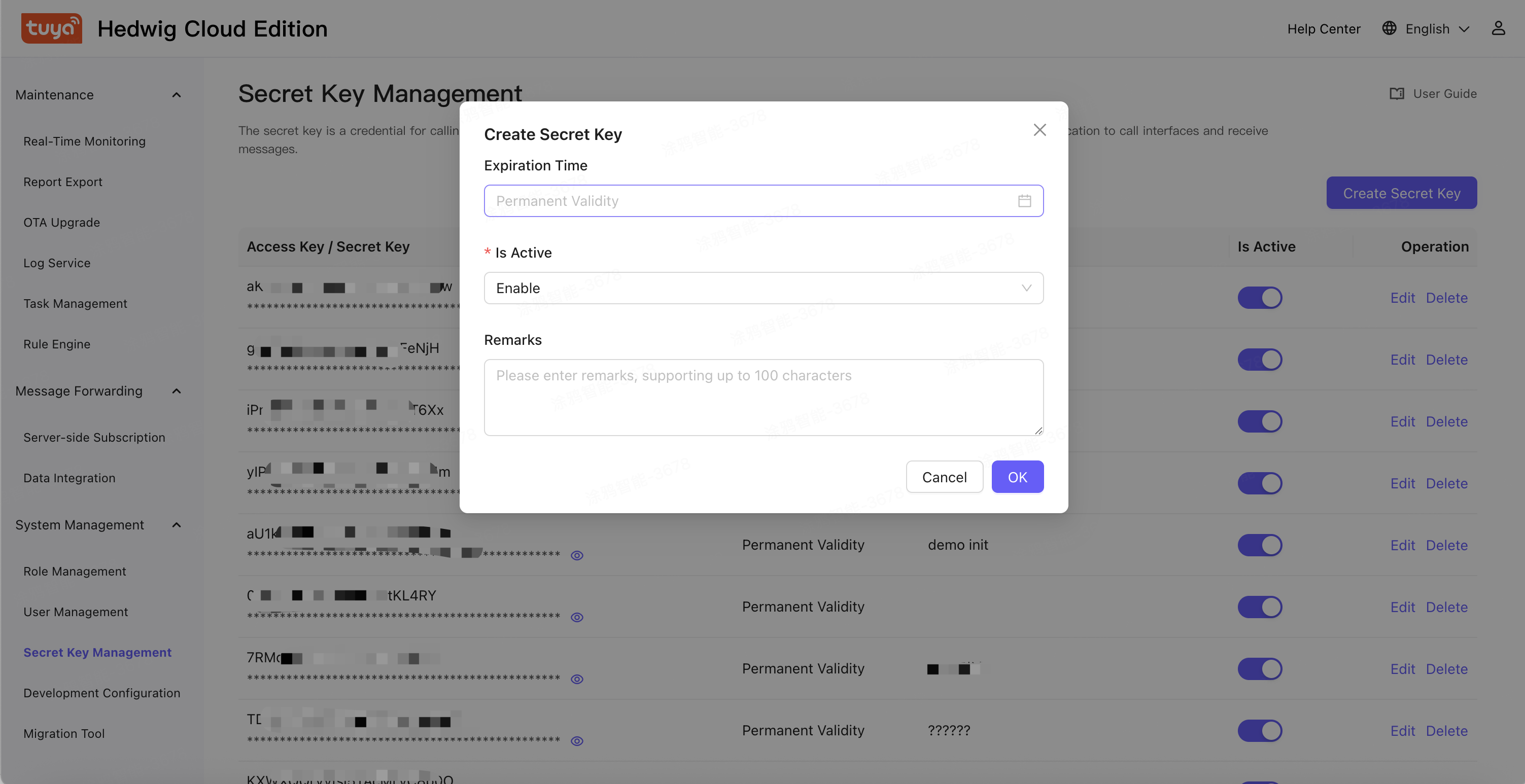
Attention Key ID(AccessKey) and Key (SecretKey) it is the key used to encrypt the signature string and verify the signature string on the server side. For your data security, you must keep it strictly confidential. You are responsible for the security risks caused by key leakage. 1 in the left-side navigation pane of the instance, choose system Management> Key Management , click create Key , create a key: test key.
-
In the left-side navigation pane of the instance, choose system Management> Key Management , click create Key , create a key: test key.
-
Save the Key information and use the Access Key and Secret Key to calculate the signature when calling the API. The Access Key is transmitted in the parameter. The Secret Key is the Key and is not transmitted. You need to keep it strictly and cannot disclose it.
Get Endpoint
In menu 「Development Configuration」 >> 「cloud API」. Page to bottom