

AI Assistant UI BizBundle
Last Updated on : 2025-11-25 09:24:37Copy for LLMView as MarkdownDownload PDF
Overview
AI Assistant UI BizBundle provides capabilities related to AI assistant voice recognition, content generation, and command execution.
Integration
Version requirement: v6.0.0 or later.
Add the components of this UI BizBundle to the Podfile and run the command pod update.
source 'https://github.com/tuya/tuya-pod-specs.git'
source "https://github.com/TuyaInc/TuyaPublicSpecs.git"
source 'https://github.com/CocoaPods/Specs.git'
target 'your_target_name' do
# Depends on the AI Assistant UI BizBundle
pod "ThingSmartAIAssistantBizBundle"
# Depends on the Panel BizBundle
pod 'ThingSmartPanelBizBundle'
end
Things to note
To use the voice recognition feature, you need to set NSMicrophoneUsageDescription in info.plist.
<key>NSMicrophoneUsageDescription</key>
<string>Chat with AI</string>
Usage
-
Generate an AI assistant miniapp. For more information on how to create an agent, see AI Agent Dev Platform.
-
Open the AI assistant miniapp.
import ThingModuleManager

func gotoAIAssistant() {
    let link: String = "your ai assistant miniapp url"
    let impl = ThingSmartBizCore.sharedInstance().service(of: ThingModuleRouteBlueprint.self)
    let _ = (impl as AnyObject).openRoute(link, withParams: nil)
}
- Please confirm that the configuration of
thingAppKeyhas been completed in thething_custom_config.jsonfile. For details, you can refer to Integrate with Framework. - The Home function will be used within the AI assistant miniapp. Therefore, you need to create a Home first to avoid permission error.
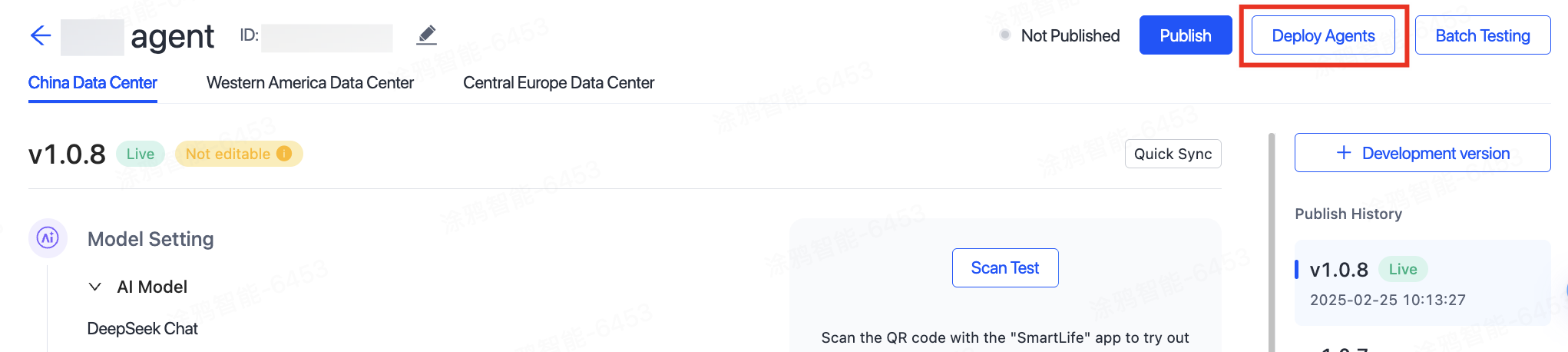
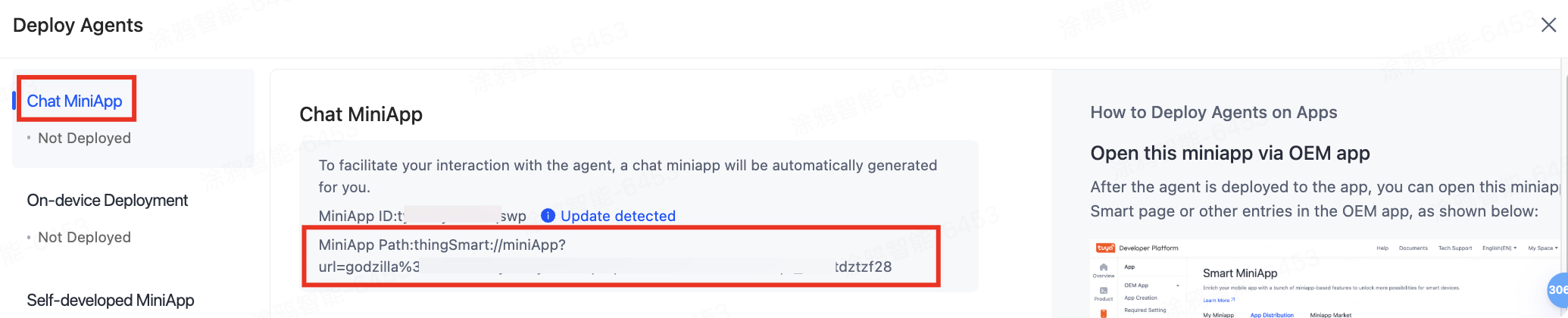
- You can obtain the miniapp path when deploying an agent as shown below:
Is this page helpful?
YesFeedbackIs this page helpful?
YesFeedbackMarketing Cooperation
Business Cooperation
Customer Service
Media Inquiry





