

AI Audio UI BizBundle
The AI Audio UI BizBundle upgrades standard audio devices such as Bluetooth earphones, glasses, and speakers into AI-enabled products. After the upgrade, devices support AI-powered recording and translation. With professional recording algorithms and advanced language models, the bundle supports real-time accurate transcription and translation for more than 100 languages worldwide.
- Before you integrate this BizBundle, complete Fast Integration.
- Demo address of the AI Audio BizBundle: tuya-aivoice-android-sdk-sample.
Features
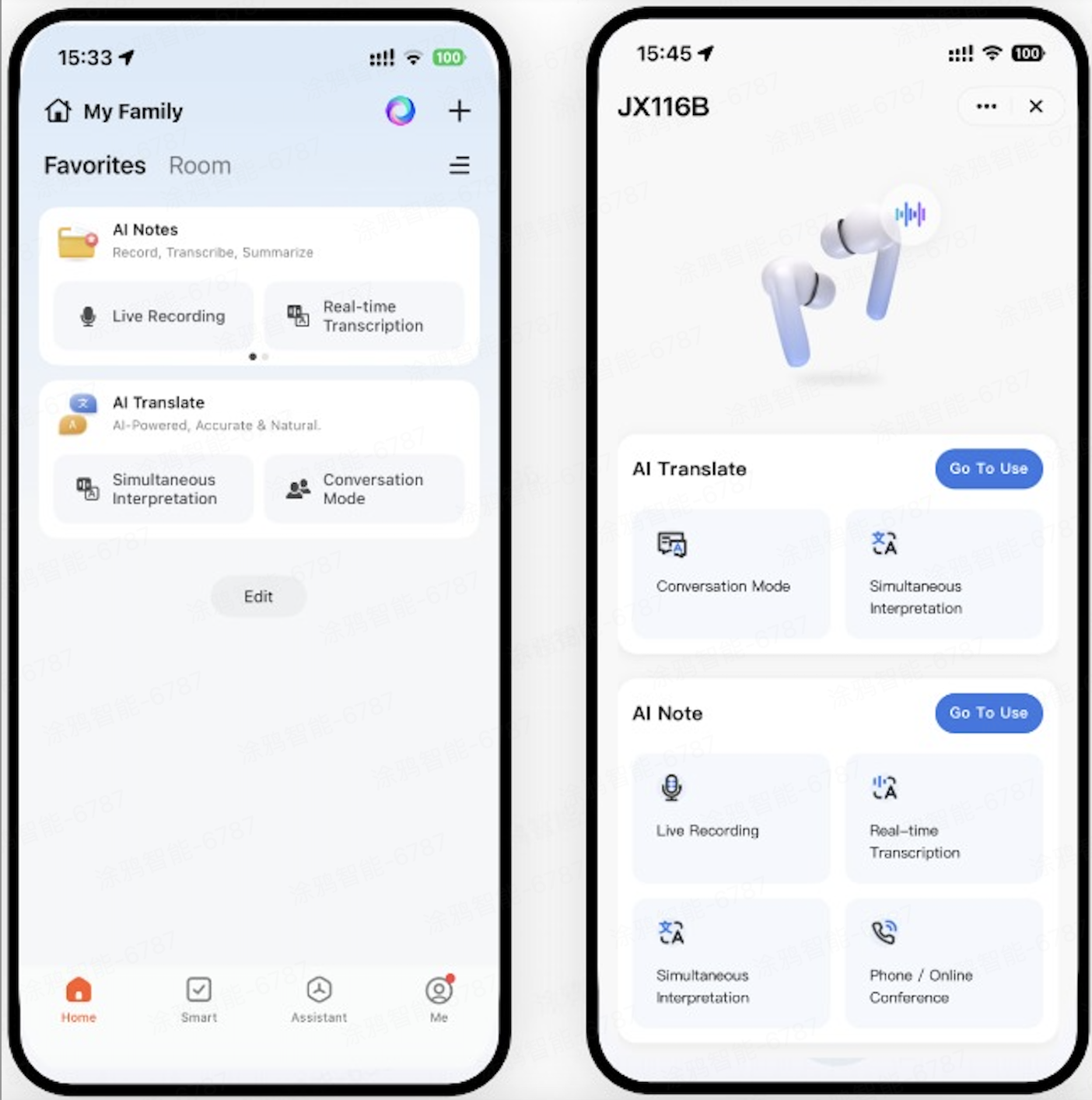
The AI Audio BizBundle provides AI notes and AI translation capabilities. You can configure the entry for the AI Notes or AI Translate miniapps on pages, or access the features from the device details page.
The main features are as follows. You can choose to display these features via miniapp entry or the device details page based on your product requirements:
- AI Notes: Recording, real-time transcription, simultaneous interpretation, AI transcription and summary, and sharing.
- AI Translate: Simultaneous interpretation, face to face translation, and text translation.
AI Notes
- Recording: Professional recording algorithms and advanced language models provide real-time accurate transcription and translation in more than 100 languages.
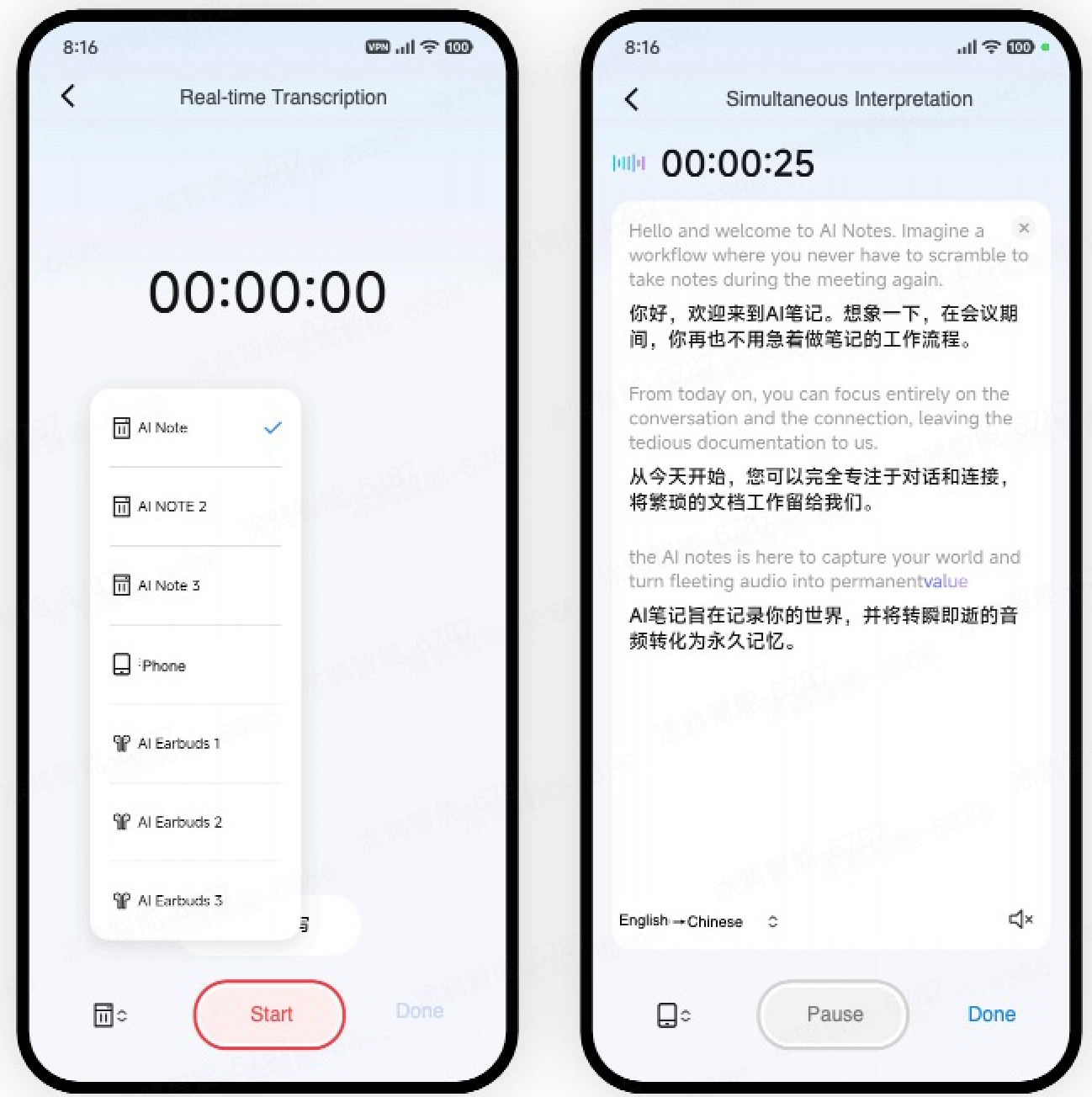
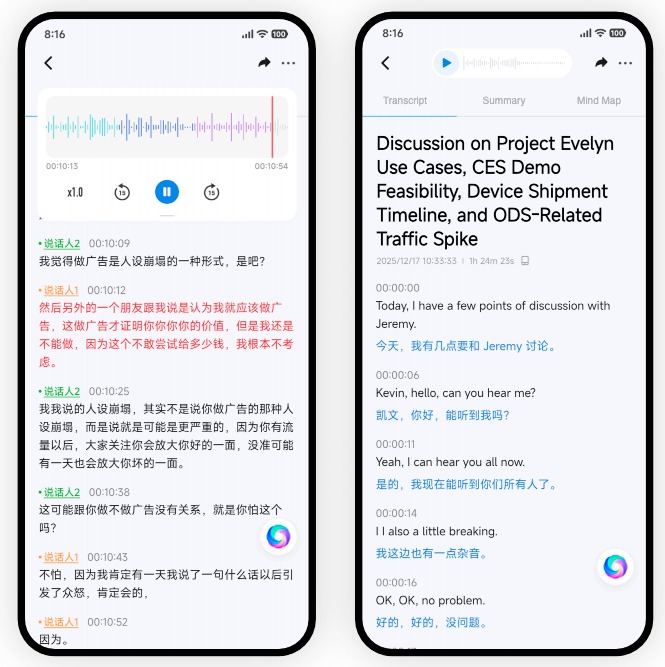
- Transcription: Automatically identify languages for accurate transcription. Support speaker diarization and translation.
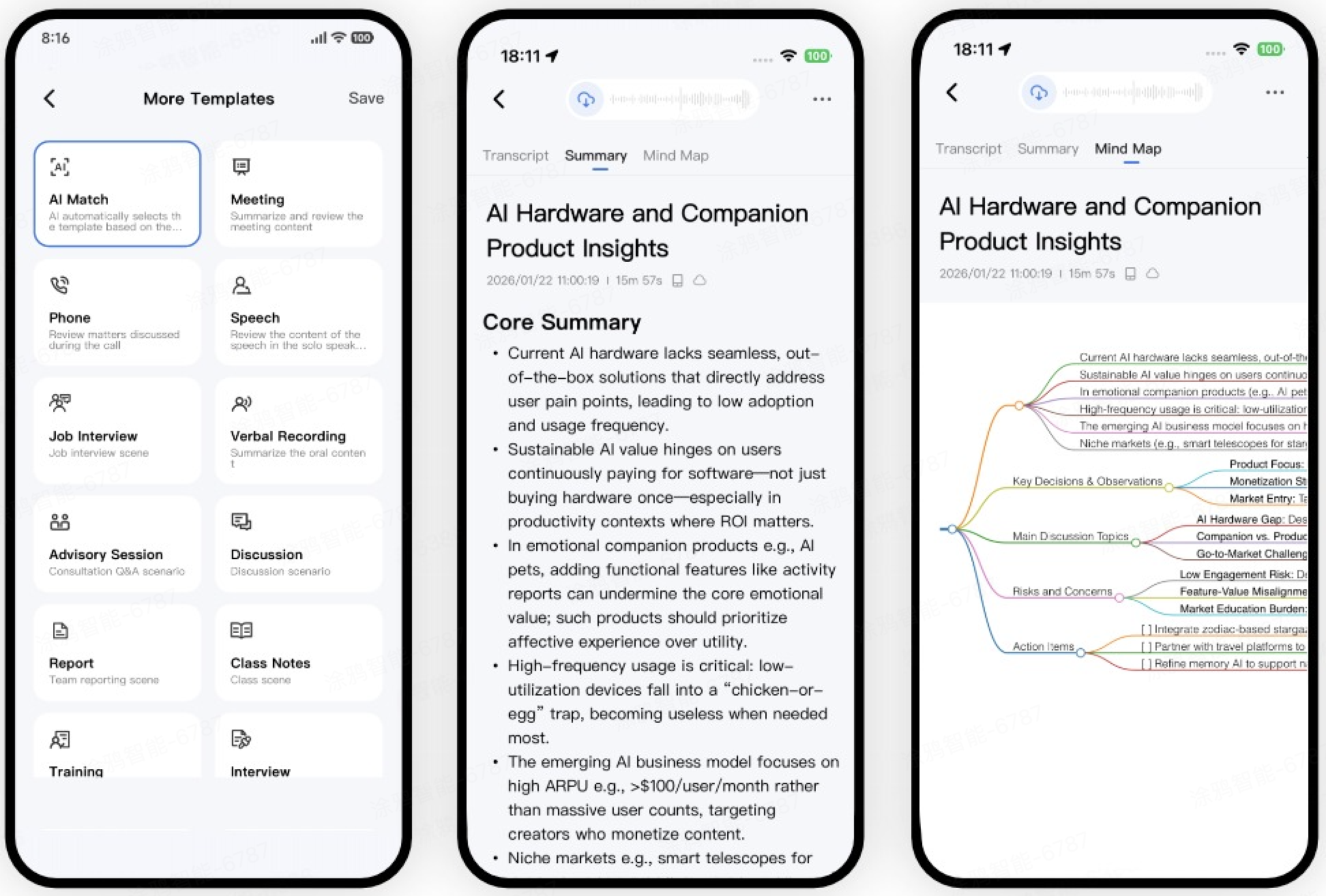
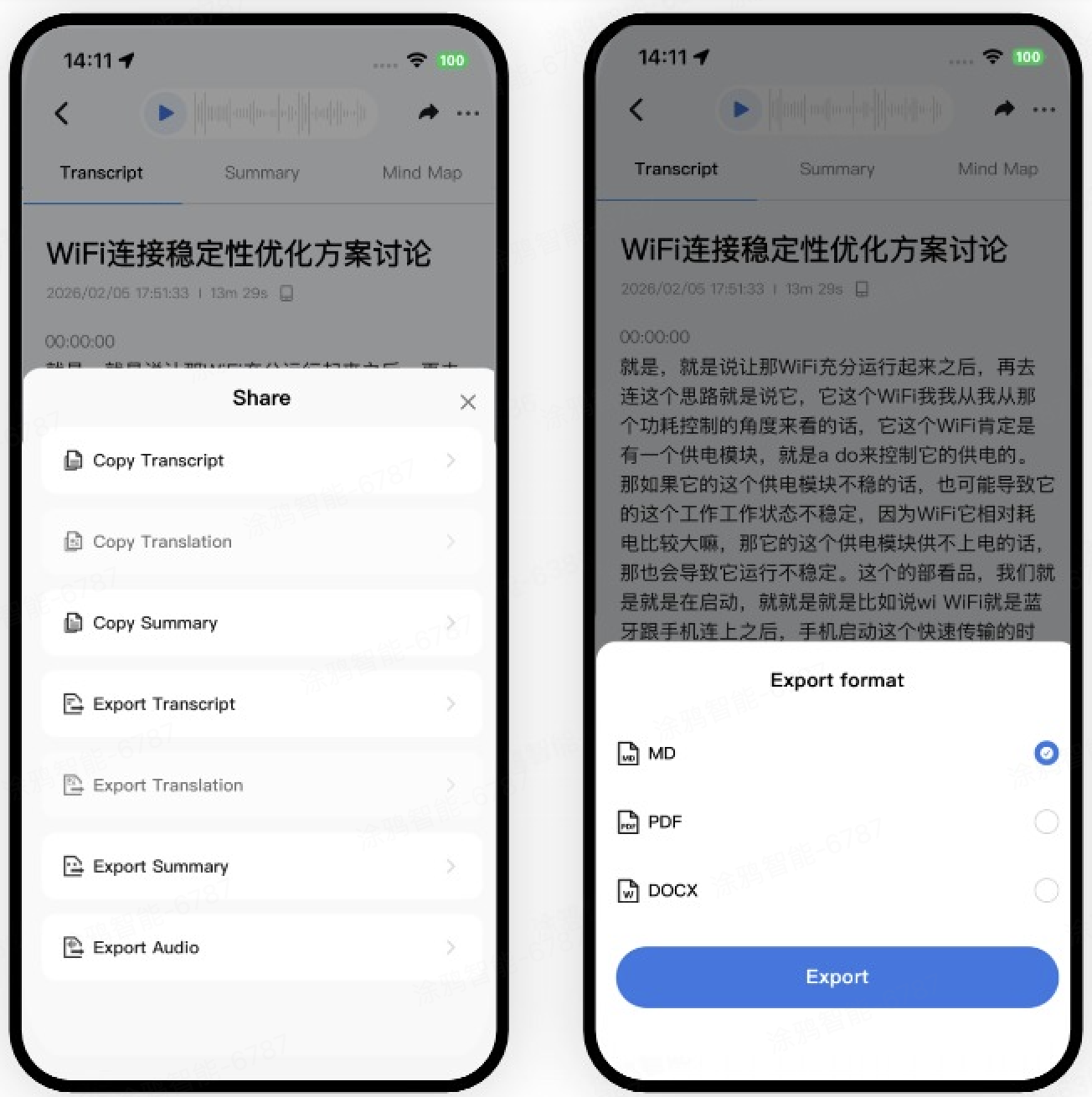
- Summary: Generate structured outputs such as meeting minutes, interview highlights, class notes, and to-do lists with one tap. It organizes cluttered information and supports various scenarios.
- Share and export: Save and share content efficiently.
AI Translate
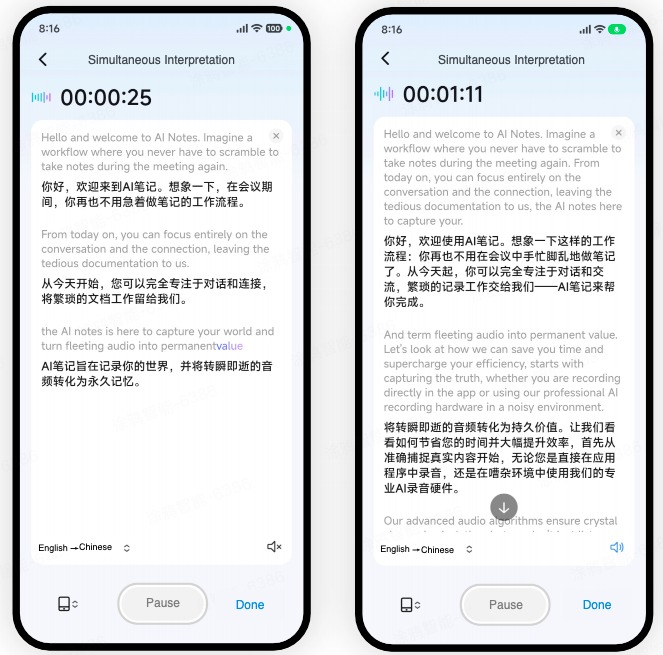
- Simultaneous interpretation: Real-time simultaneous interpretation for more than 100 languages.
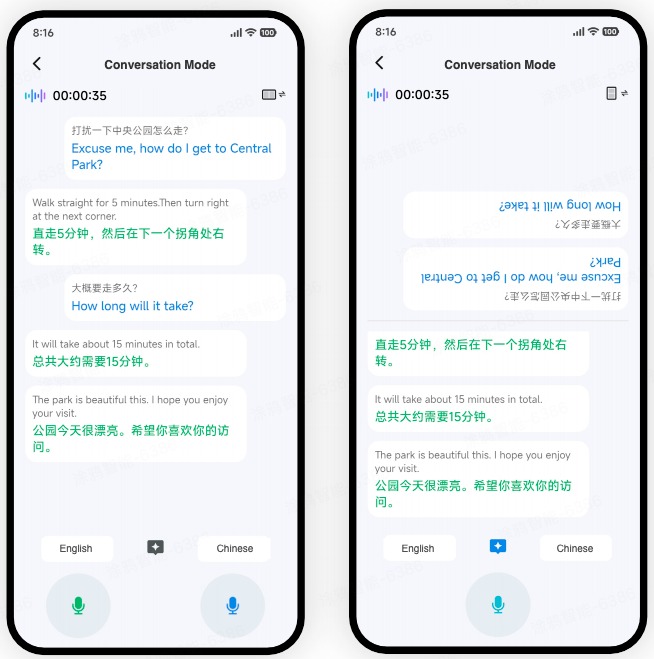
- Face to face translation: Enable face to face multilingual communication.
Integrate with the UI BizBundle
Create a project
Integrate SmartLife App SDK for Android into your project with Android Studio and add the framework of the UI BizBundle to your project. For more information, see Integrate with Framework.
Configure build.gradle of module
Add the following dependency to the file build.gradle of the module:
dependencies {
    api enforcedPlatform("com.thingclips.smart:thingsmart-BizBundlesBom:${biz_bom_version}")

    api "com.thingclips.smart:thingsmart-bizbundle-wearkit"
    api "com.thingclips.smart:thingsmart-bizbundle-device_activator"
    api "com.thingclips.smart:thingsmart-bizbundle-qrcode_mlkit"
    api ("com.thingclips.smart:thingsmart-bizbundle-basekit"){
        exclude group:"com.thingclips.smart",module:"thingplugin-annotation"
    }
    api "com.thingclips.smart:thingsmart-bizbundle-devicekit"
    api "com.thingclips.smart:thingsmart-bizbundle-bizkit"
    api "com.thingclips.smart:thingsmart-bizbundle-homekit"

    api "com.thingclips.smart:thingsmart-bizbundle-panelmore"
    api "com.thingclips.smart:thingsmart-bizbundle-family"
    api "com.thingclips.smart:thingsmart-bizbundle-miniapp"
    api "com.thingclips.smart:thingsmart-bizbundle-share"

    api "com.thingclips.smart:thingsmart:${sdk_version}}"
    api "com.thingclips.smart:thingsmart-ipcsdk:${ipc_sdk_version}"
}
To open a miniapp by miniapp ID, call:
AI Notes (miniapp ID: tyylldwlb8411tg8u2)
AI Translate (miniapp ID: ty0u9m1s5ea1k71m2h)
To navigate to a specific page in a miniapp (custom route), use these routes:
AI Notes
Home: thingSmart://miniApp?url=godzilla%3A%2F%2Ftyylldwlb8411tg8u2%2Fpages%2Fhome%2Findex
Recording: thingSmart://miniApp?url=godzilla%3A%2F%2Ftyylldwlb8411tg8u2%2Fpages%2Fhome%2Findex%3FmodeKey%3DliveRecording
Simultaneous interpretation: thingSmart://miniApp?url=godzilla%3A%2F%2Ftyylldwlb8411tg8u2%2Fpages%2Fhome%2Findex%3FmodeKey%3DsimultaneousInterpretation
Real-time transcription: thingSmart://miniApp?url=godzilla%3A%2F%2Ftyylldwlb8411tg8u2%2Fpages%2Fhome%2Findex%3FmodeKey%3DrealTimeRecording

AI Translate
Home: thingSmart://miniApp?url=godzilla%3A%2F%2Fty0u9m1s5ea1k71m2h%2Fpages%2Fhome%2Findex
Simultaneous interpretation: thingSmart://miniApp?url=godzilla%3A%2F%2Fty0u9m1s5ea1k71m2h%2Fpages%2Fsimultaneous%2Findex
Face to face interpretation: thingSmart://miniApp?url=godzilla%3A%2F%2Fty0u9m1s5ea1k71m2h%2Fpages%2FFaceToFace%2Findex
Add permission declaration
The AI Audio UI BizBundle requires microphone access. You must add the microphone usage description to your app.
Add the following permission in AndroidManifest.xml of your app project:
<uses-permission android:name="android.permission.RECORD_AUDIO"/>
Is this page helpful?
YesFeedbackIs this page helpful?
YesFeedback




