

On-App AI Video Privacy Protection: 3ms Portrait Segmentation and Dual-End Real-Time Background Blur Solution
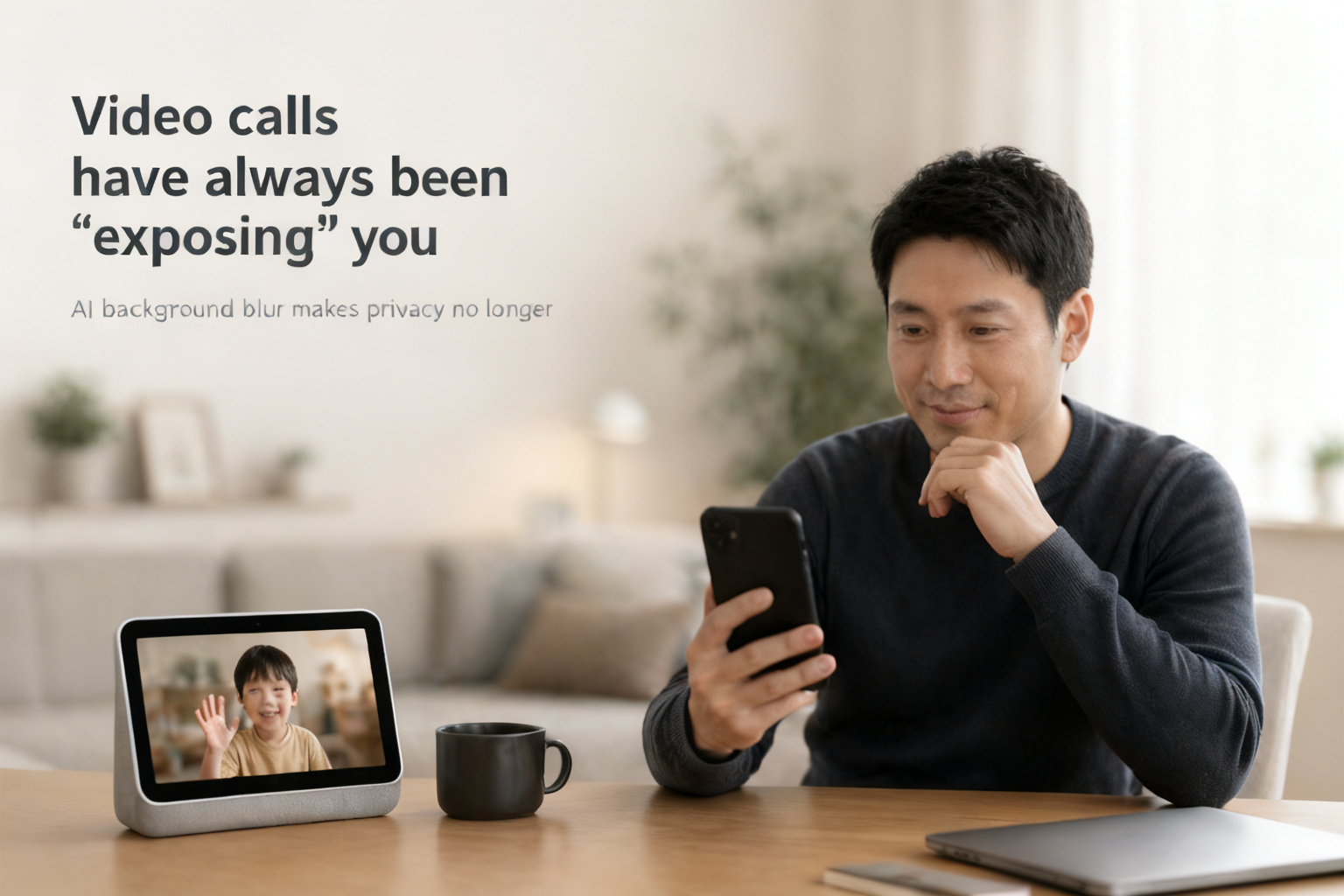
More and more household users conduct remote video calls through screen-equipped IPCs, but one issue has always troubled them — the moment the video connects, the home environment, documents on the desk, and clutter behind them are all exposed to the other party. This means that while video calls bring people closer, they also introduce privacy leakage risks.
This is where On-App AI’s opportunity lies: making the app not just "connect video," but automatically protect user privacy the instant a call begins — blurring the background, highlighting the portrait, making every call worry-free.
Tuya On-App AI Video Call Privacy Protection is an intelligent feature built into branded apps that provides real-time privacy protection during calls based on AI portrait segmentation.
1. Real-World Scenario

Mr. Li frequently travels for business. He installed a screen-equipped IPC at home so he can video chat with his elderly parents and children anytime.
One day, while waiting for a meeting in a client’s conference room, his child initiated a video call through the home device. He answered out of habit, only to realize the whiteboard behind him was filled with the client’s project plans, and several colleagues were sitting nearby.
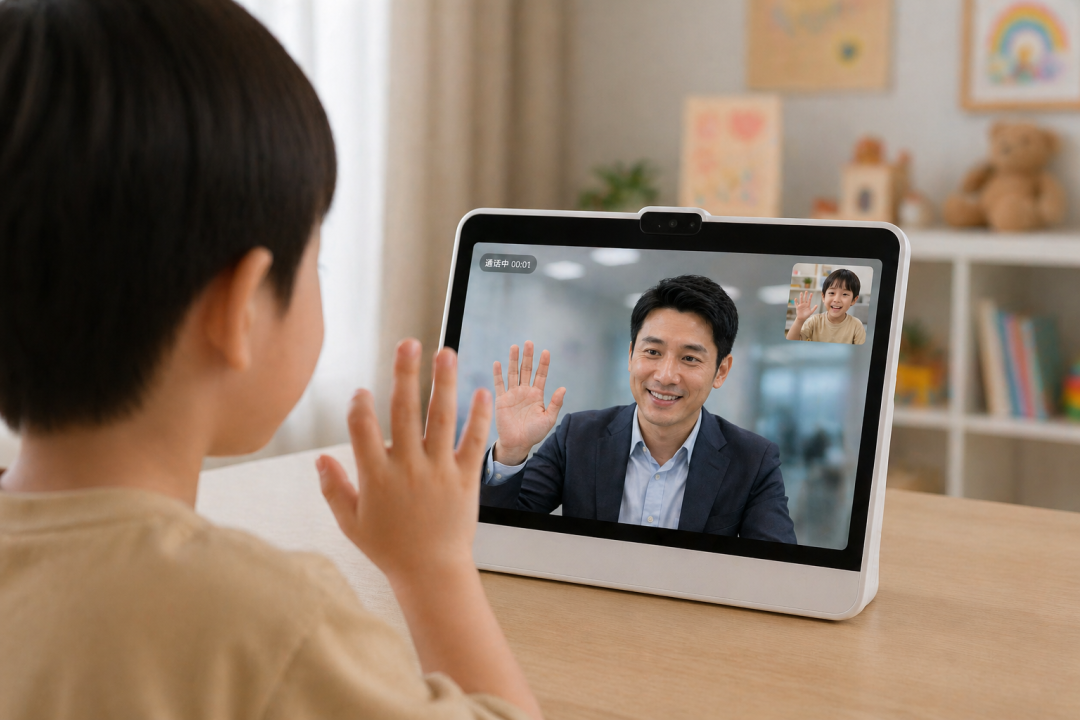
Fortunately, the app already had background blur functionality integrated. He tapped the "Background Blur" button on the call page, and everything behind him was instantly covered with a soft blur effect, leaving only a clear portrait. All his child saw was dad’s smiling face — not the sensitive information in the office environment.
For him, this isn’t a flashy special effect — it’s genuine peace of mind. He can answer video calls from home anytime, anywhere, without worrying about background privacy exposure.
Case Analysis:
From the previous "fully transparent" state where all content was transmitted, to today’s AI one-tap blur providing proactive protection, the privacy protection experience in video calls has undergone a qualitative transformation.
Before: When users received video call requests from screen-equipped IPCs at home, everything captured by the phone camera after answering was directly transmitted to the other device — including home furnishings, passing family members, and personal items on the desk.
Now: The app has built-in AI background blur functionality that automatically achieves during calls:
- Real-time portrait subject recognition, maintaining clarity
- Automatic blur of the background environment
- Both phone-side and device-side display blurred frames
- One-tap toggle, user-controlled at all times
This upgrades the app from "connecting video" to "secure calling."
2. The Technical Solution Behind It
User Flow:
Screen device initiates call -> App answers -> Enable background blur -> AI real-time portrait segmentation -> Background blur + Clear portrait -> Both ends display blurred frames simultaneously.
Flow Analysis:
- Video Call: The screen device initiates a video call, answered on the app side, entering the video call page.
- Enable Feature: On the video call page, activate the blur function.
- Output: When a portrait appears in the phone camera, the effect of clear portrait with blurred background is presented.
The value of video call background blur: Rather than leaving users to worry about privacy leakage themselves, AI automatically identifies portraits and blurs backgrounds, completing privacy protection the instant the call is established.
Technical Advantage Comparison:
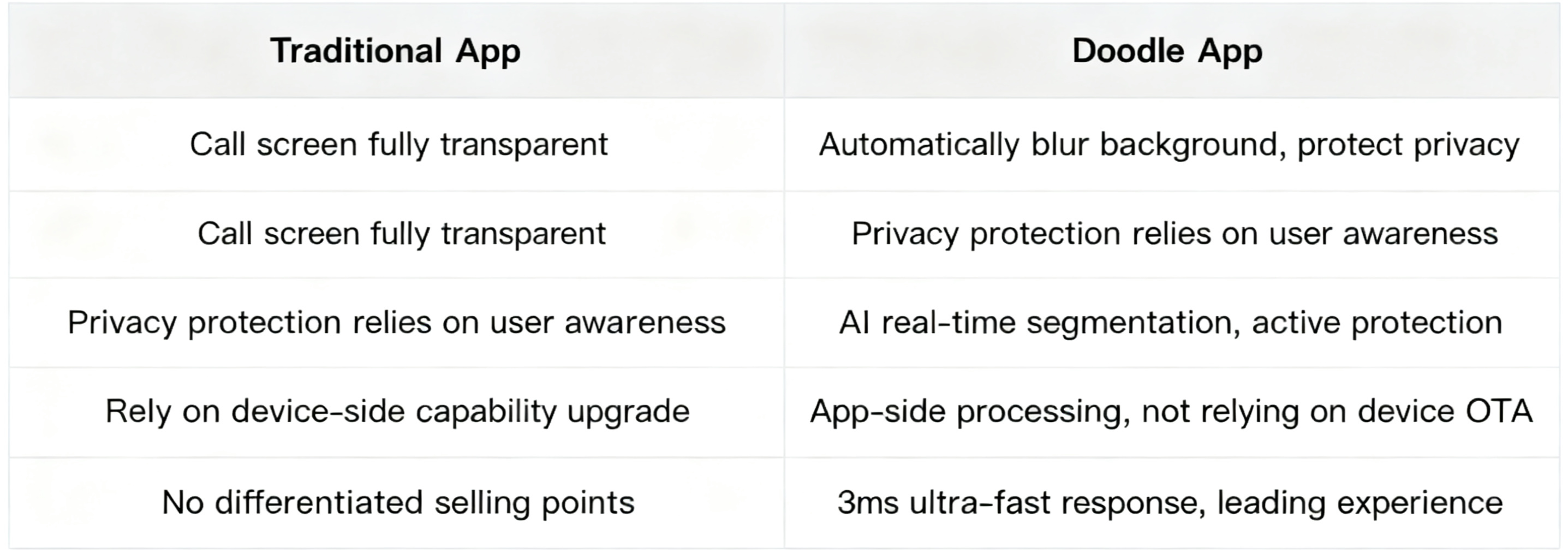
Powerful Technical Foundation:
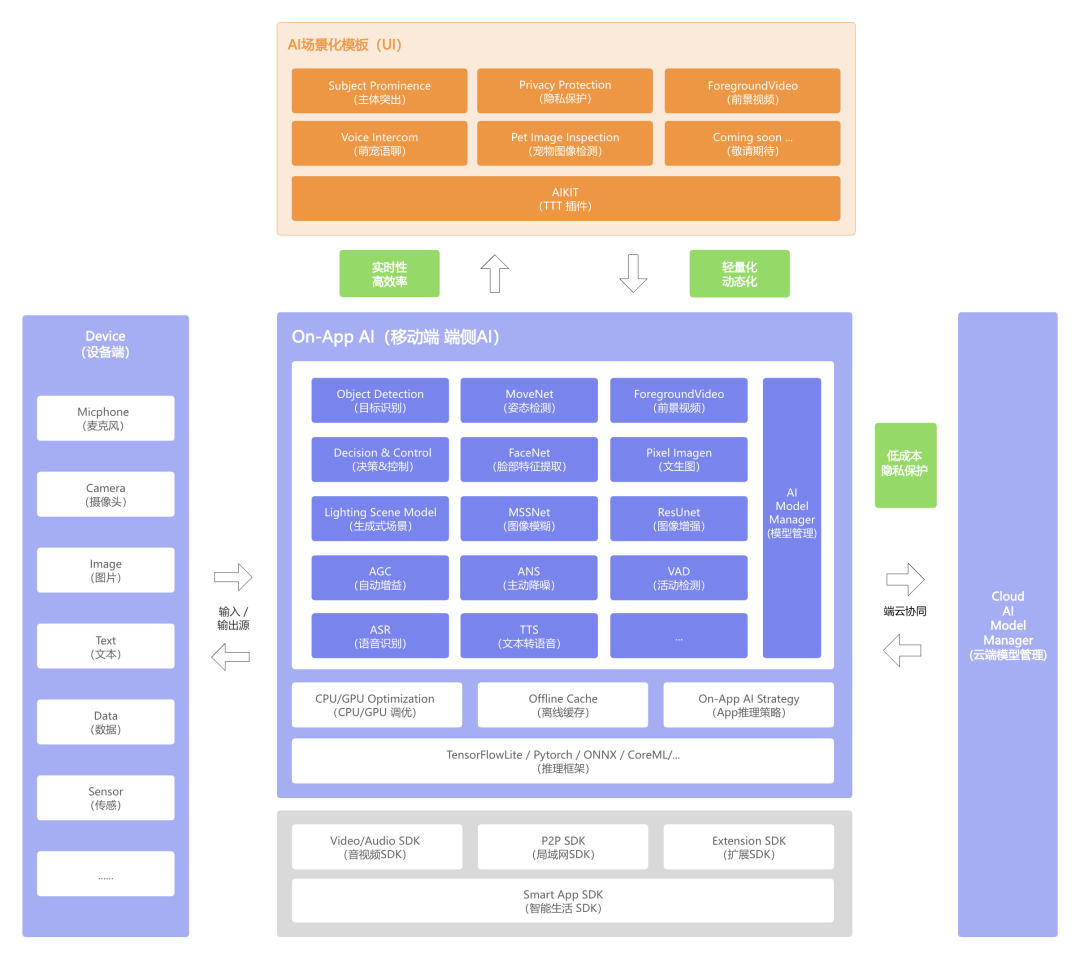
Below is the Tuya Smart On-App AI overall architecture diagram, encompassing four major modules: device side, cloud model management, mobile on-device AI, and AI scenario templates.
3. Multi-Scenario Partnership Empowerment
Privacy protection is no longer an add-on feature for smart devices — it’s a hard requirement for earning user trust. Through Tuya Smart’s On-App AI solution, partners can achieve a low-cost leap from ordinary functional products to high-end security products.
1. Partner Profiles: Who Can Seize the Opportunity?
- Smart home brand owners / Device manufacturers: Without upgrading hardware modules, empower screen-equipped IPCs with differentiated selling points through app-side algorithm capabilities.
- Child/Elderly care device manufacturers: Use real-time background blur to hide medical equipment or living details in rooms, protecting the privacy of those being monitored.
- Office and SaaS solution integrators: Embed background blur into office communication scenarios, protecting employee workspace privacy and preventing accidental commercial information leakage.
- Independent developers / Small studios: Leverage Tuya’s UI templates (mini-program based) and TTT integration methods for rapid integration into existing applications.
2. What Device Categories Can Be Extended?
- Screen-equipped smart panels & central controls: Protect home environment privacy during video conferences or remote care on home control devices.
- Future outlook: Leveraging AIKit’s powerful modular capabilities, beyond background blur integration, future expansion includes object detection, gesture recognition, human figure filtering, pet detection, and other advanced scenario templates.
4. Why Choose Tuya?
What Tuya provides is not just an AI technology, but a complete business solution that enables rapid deployment, value upgrade, and brand moat construction.
Powerful technical foundation: Based on Tuya’s mature AIKit + HomeSDK, providing full-pipeline support from model optimization (TensorFlow Lite / ONNX, etc.), inference acceleration (CPU/GPU tuning), to cloud model management.
Ultimate integration experience: Offering two integration methods — UI templates and TTT plugins. Whether you’re a senior developer or a beginner, you can complete integration in a short time.
Creating value for brands: No need to equip devices with expensive AI chips — app-side empowerment delivers flagship-grade experiences, instantly revitalizing shipped devices. Feature upgrades improve brand reputation and user stickiness. Meanwhile, Tuya provides unified hardware-software solutions to help customers achieve rapid product deployment and business loop closure.
Contact Us:
If you’re thinking about how to upgrade your brand app’s video call functionality from "usable" to "worry-free," we welcome further discussions on video call privacy protection scenario demos and industry deployment solutions.
Is this page helpful?
YesFeedbackIs this page helpful?
YesFeedback




