

Solution Management
Overview
Tuya provides a one-stop service for building and managing industry solutions. Based on specific industry scenarios and applications, you can easily build an industry solution by following Tuya’s unique three-step process. This topic describes how to create and manage a spatial intelligence solution within Spatial AI > Solution Management.
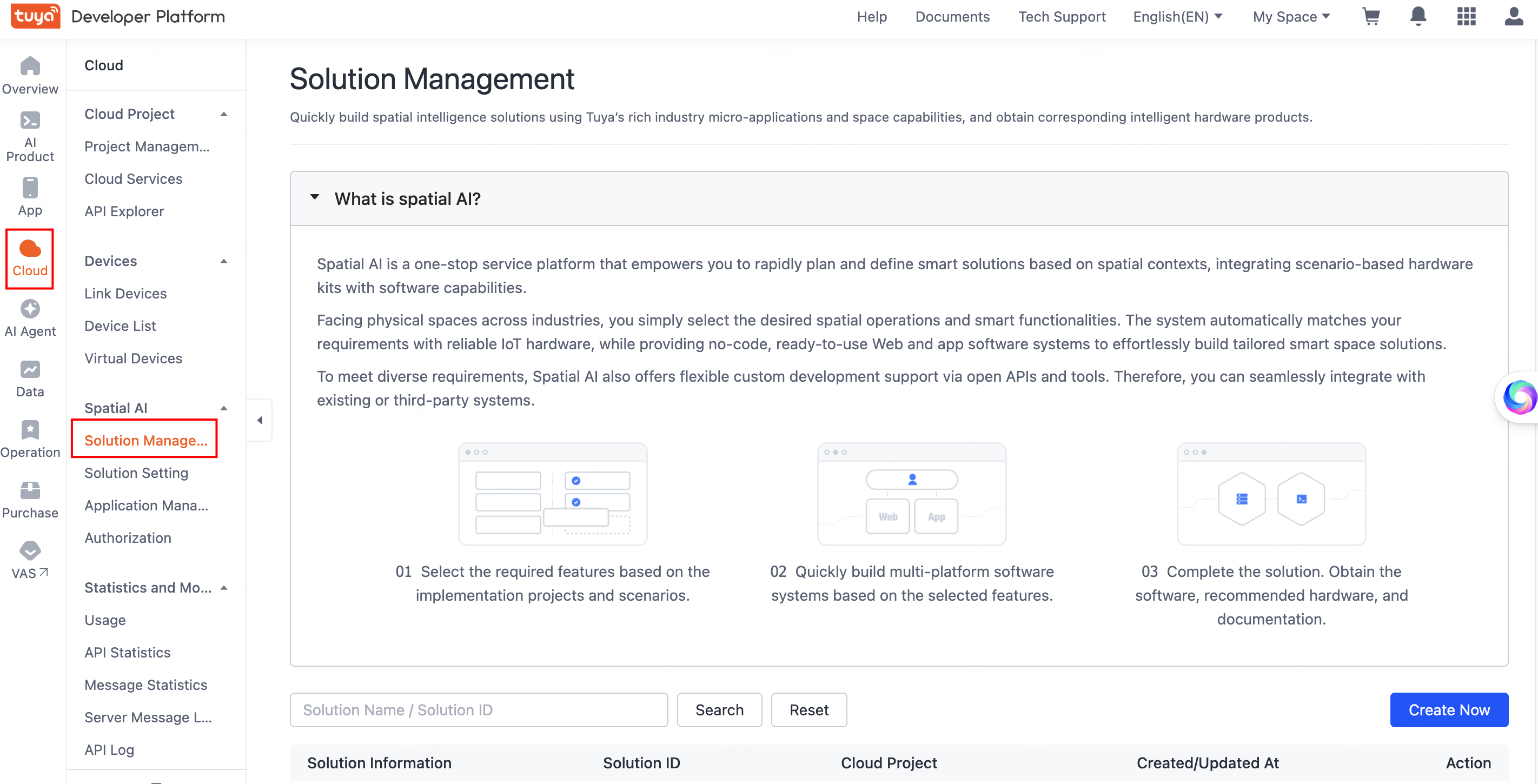
Create a solution
-
Log in to the Tuya Developer Platform. In the left-side navigation bar, choose Cloud > Spatial AI > Solution Management to go to the Spatial AI page.
-
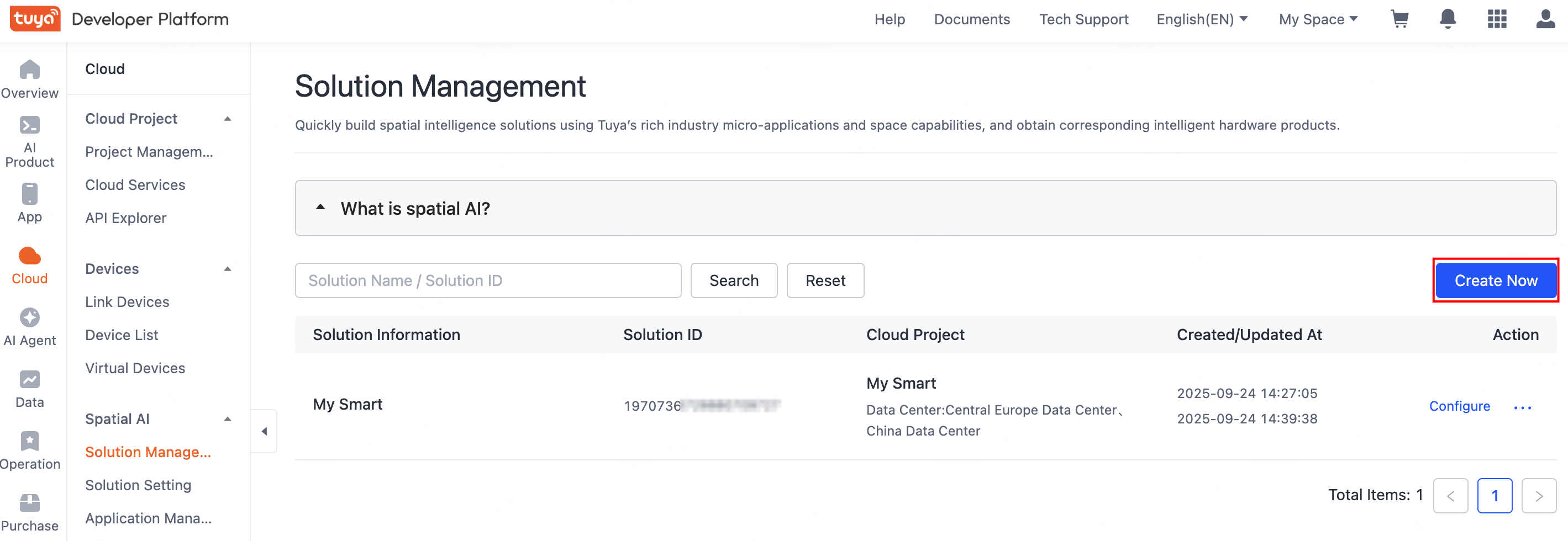
Before starting to develop a personalized solution, you must first create a spatial AI solution. Click Create Now.
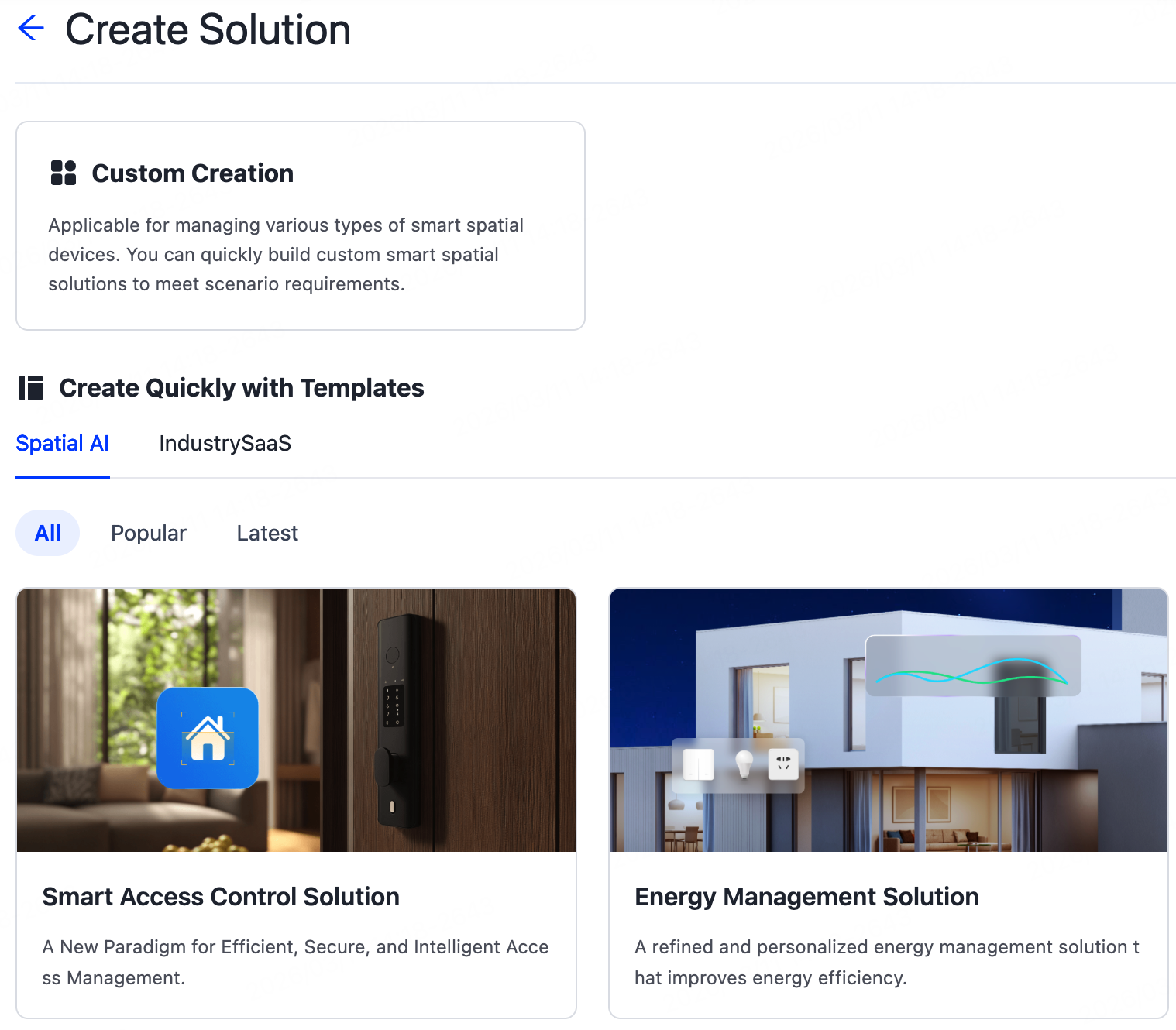
Two methods are supported for creating a solution: custom creation and template-based creation.
-
Create Quickly with Templates: Rapidly create a spatial AI solution using popular solution templates. Quick creation is recommended when your business scenario closely matches the existing template.
-
Custom Creation: Create a solution by manually configuring the solution information and adding microapps as needed. This method is recommended when no existing template matches your specific scenario.
-
-
Configure the solution’s basic information and select one or more data centers.
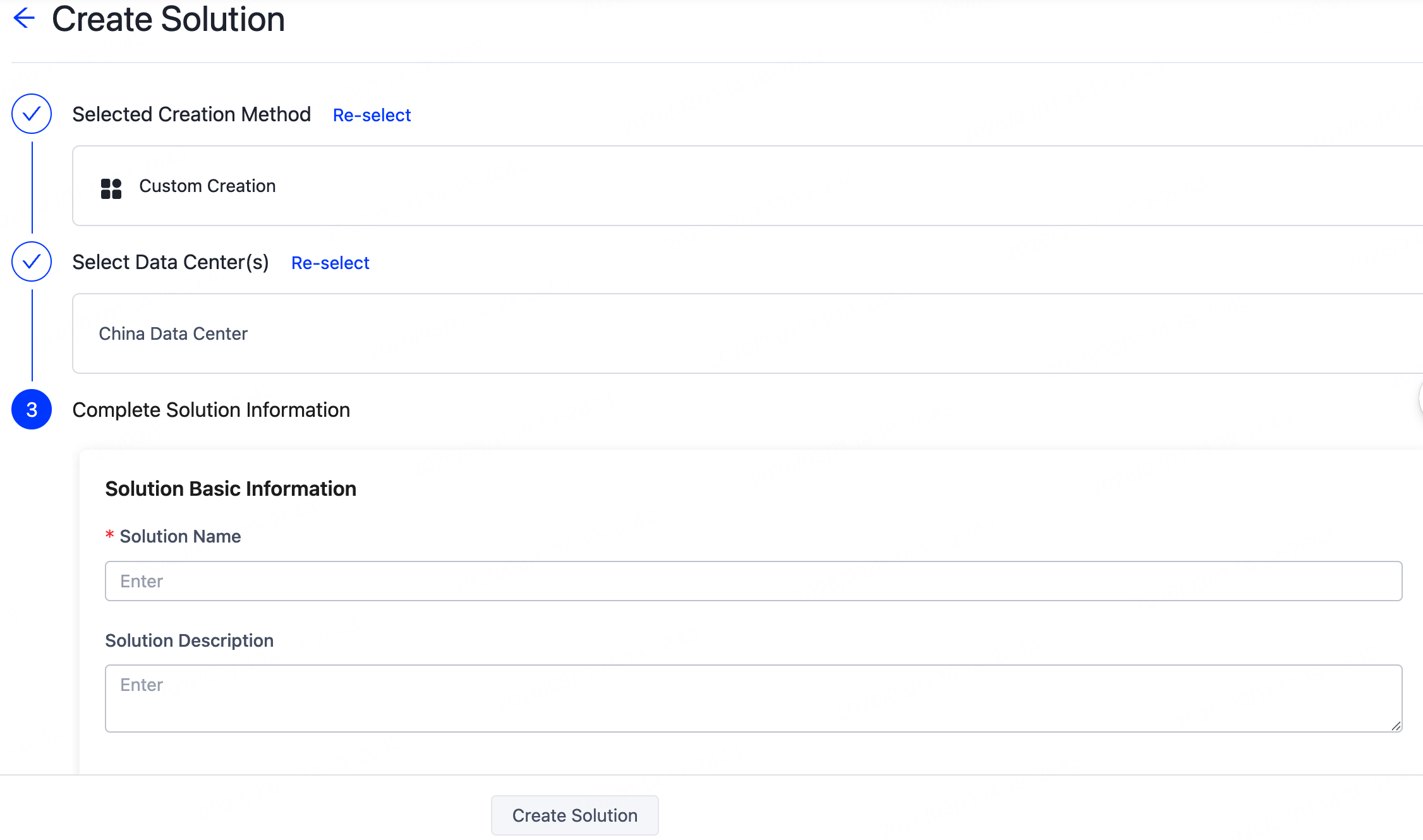
To ensure compliance with your business and data sovereignty, select data centers based on your country/region. For more information, see Mappings Between OEM App Accounts and Data Centers.
Configure the solution
After creating your solution, you need to continue developing it. For detailed development steps, refer to the documentation below:
Is this page helpful?
YesFeedbackIs this page helpful?
YesFeedback




