

Space Management
Last Updated on : 2025-10-21 02:09:59Copy for LLMView as MarkdownDownload PDF
Overview
The Space Management application is used to manage the spatial structure of enterprises and projects.
Features
Create space
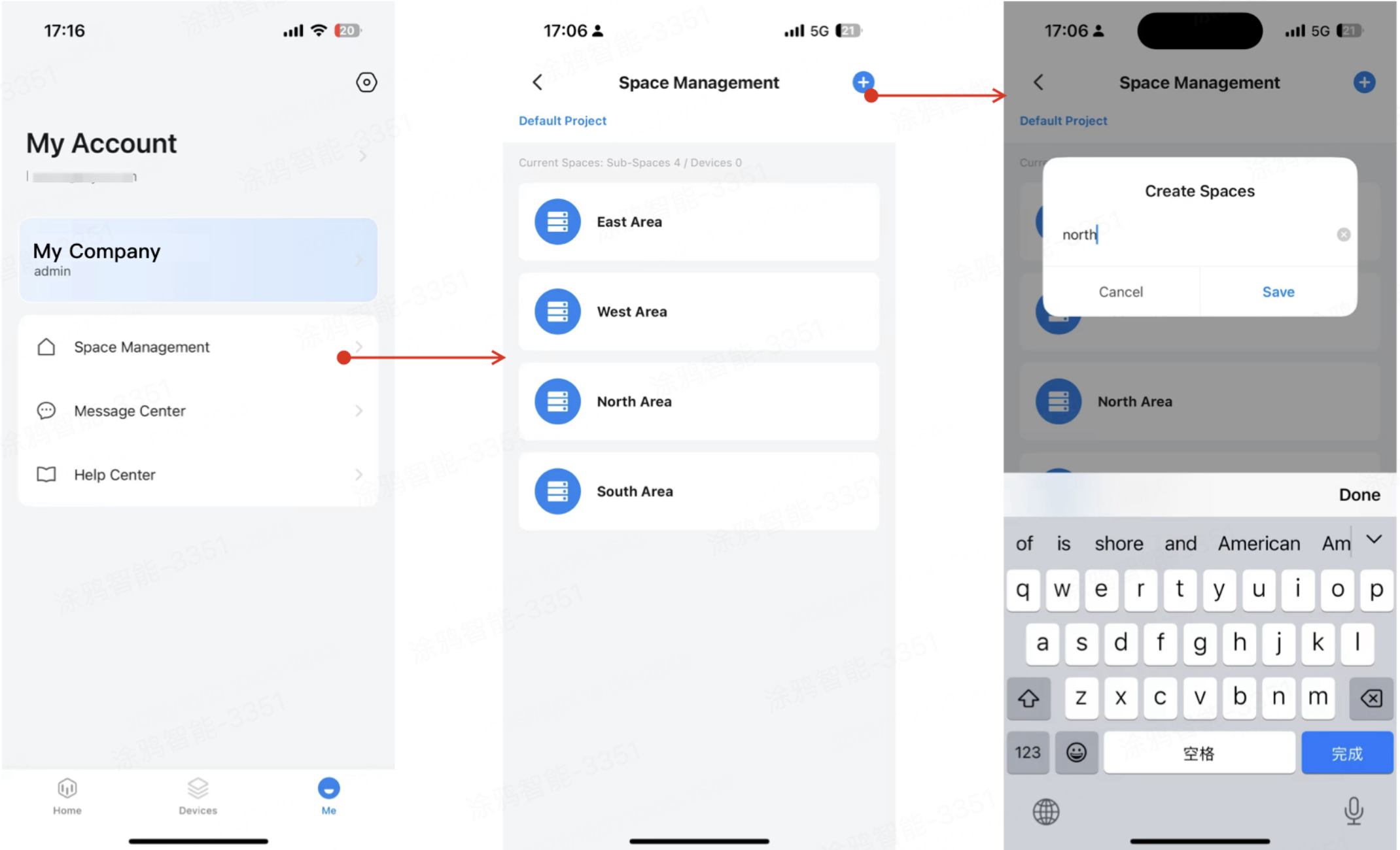
- At the bottom of the app, tap Me > Space Management. Select the node where you want to create a new space to enter its management page, and tap Add or the Add (+) button in the top right corner.
- Enter the space name and save to create the new space under the selected node.
Modify/delete space nodes
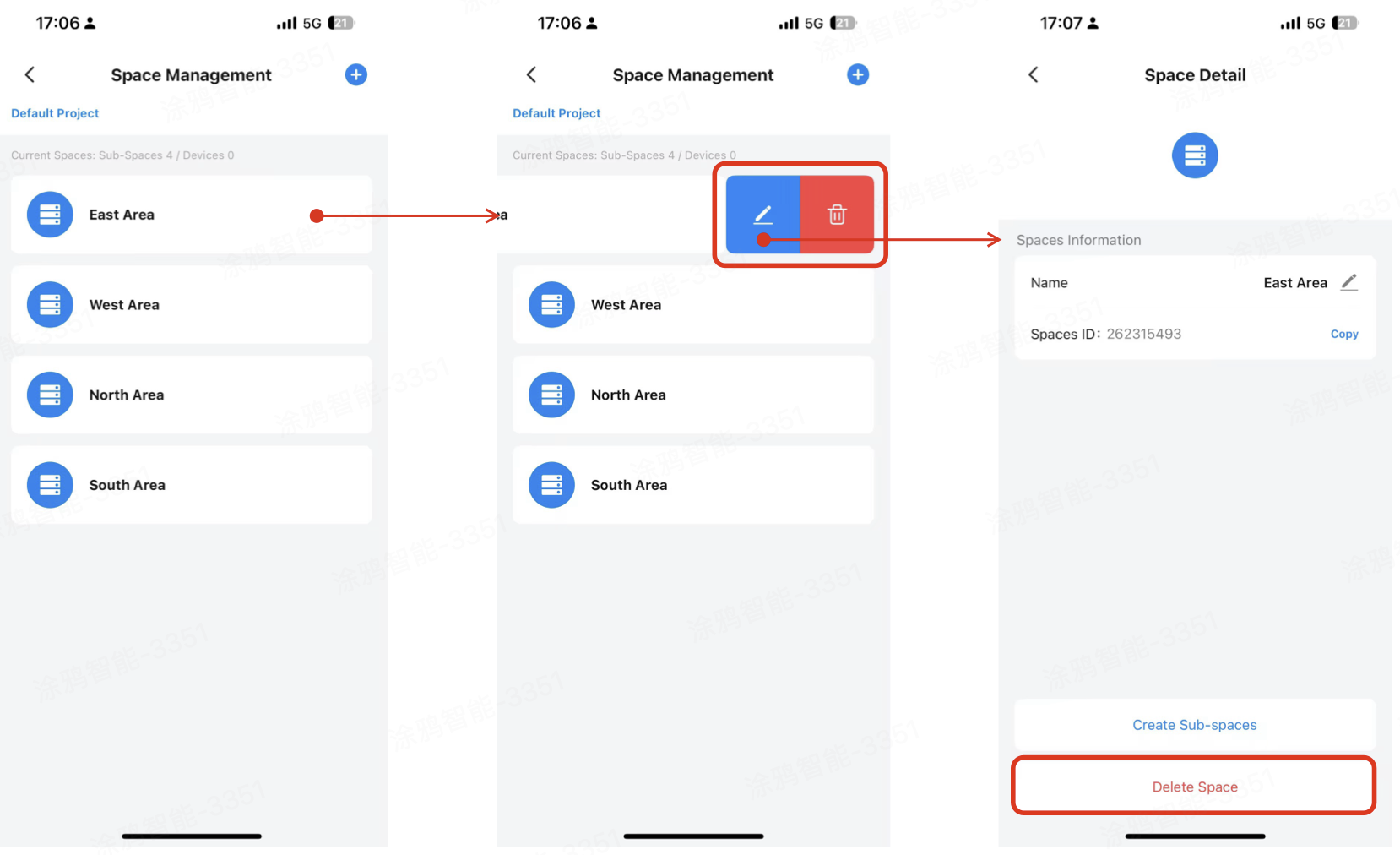
- Swipe left on the target space card to enter management mode.
- To edit the space, tap the Edit button to access the Space Detail page.
- To delete the space, tap the Delete button.
- On the Space Detail page, you can modify the space node name, copy the space ID, add a subspace, and delete the current space node.
A space cannot be deleted if it contains any subspaces or has devices still assigned to it.
Is this page helpful?
YesFeedbackIs this page helpful?
YesFeedbackMarketing Cooperation
Business Cooperation
Customer Service
Media Inquiry





