

Spatial Panel
Overview
Spatial Panel is a versatile application built on spatial capabilities, specifically designed to empower users in efficiently managing diverse spaces, such as offices, homes, and commercial environments. By visually presenting spatial data, this panel simplifies the management and control of devices and environmental factors within a space, enabling intuitive perception and intelligent control of spatial status. Thus, create a better experience for smart living and working environments.
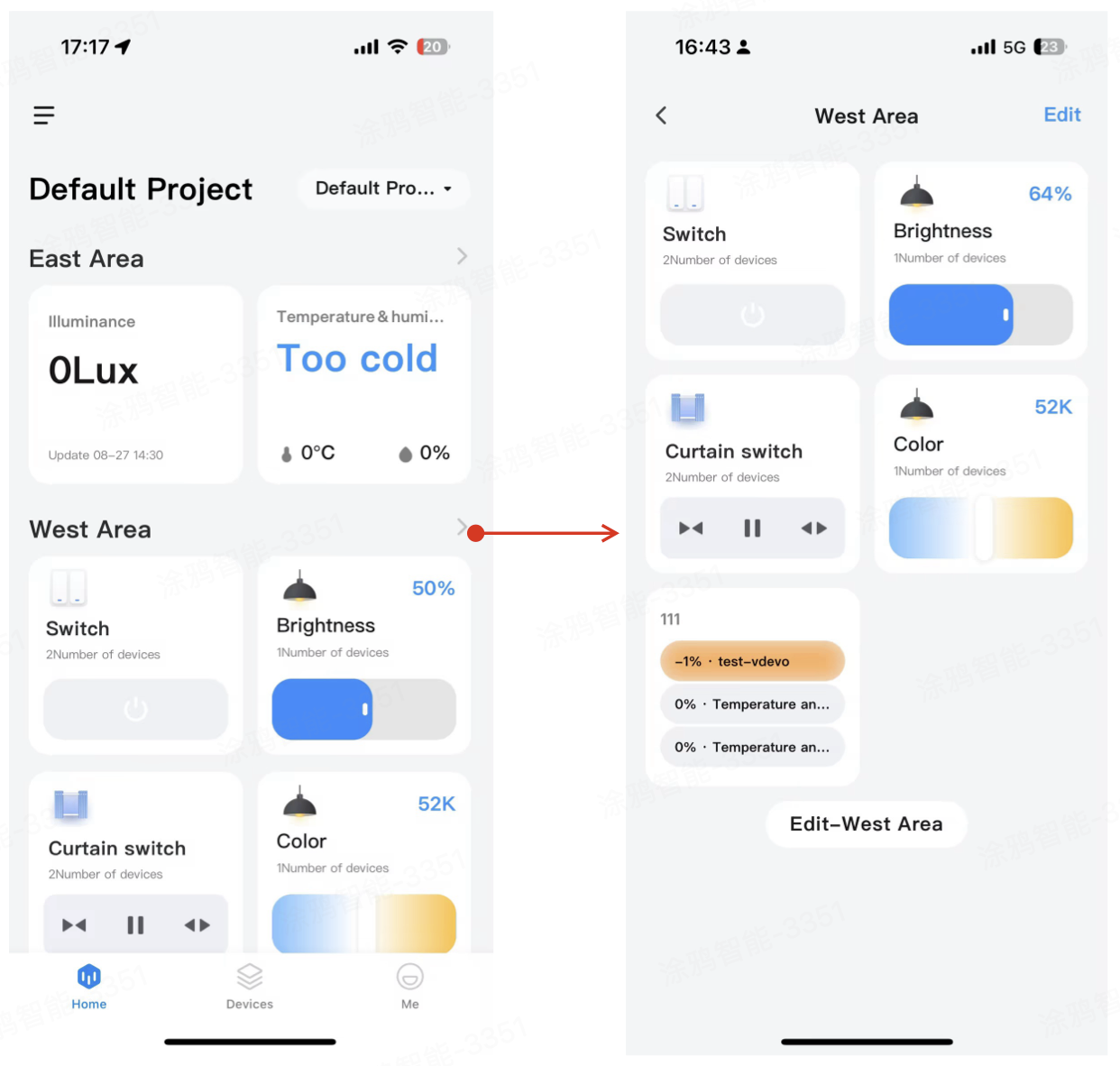
Application structure
Spatial Panel primarily consists of the following key functional modules:
- Project switching: Allow switching between different management projects, helping manage multiple spaces or locations easily. It is located in the top left corner of the page, as shown in Area A of the figure.
- Space switching: Select any level of space within the current project to flexibly manage devices and statuses across different spaces. It is located in the top right corner of the panel, as shown in Area B of the figure.
- Space cards: Display various data for each space, such as temperature, humidity, and illumination. You can directly operate the cards. They are located in the center of the panel, as shown in Area C of the figure.
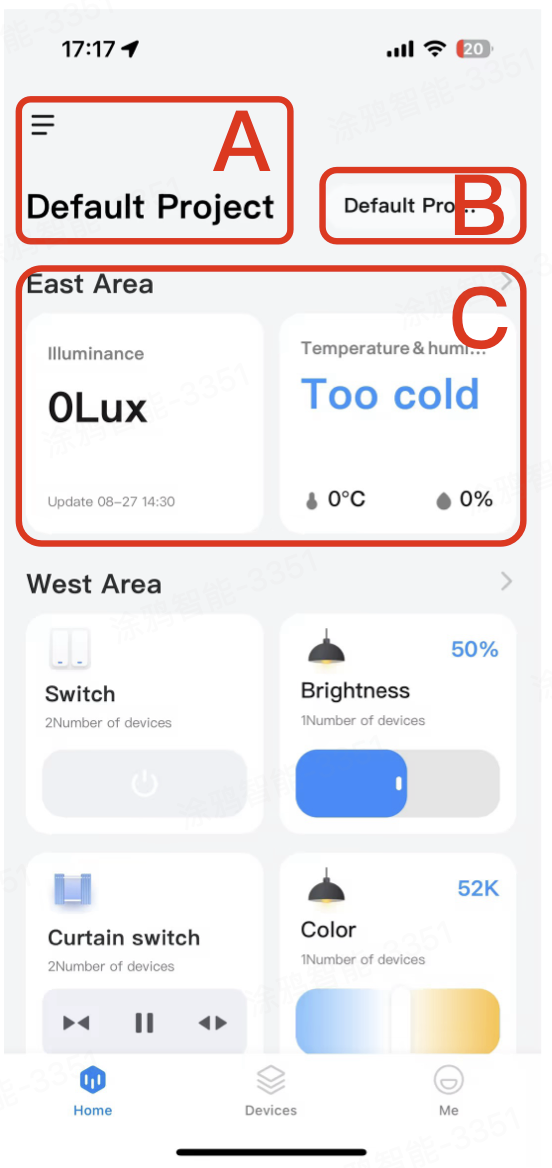
Features
Space details
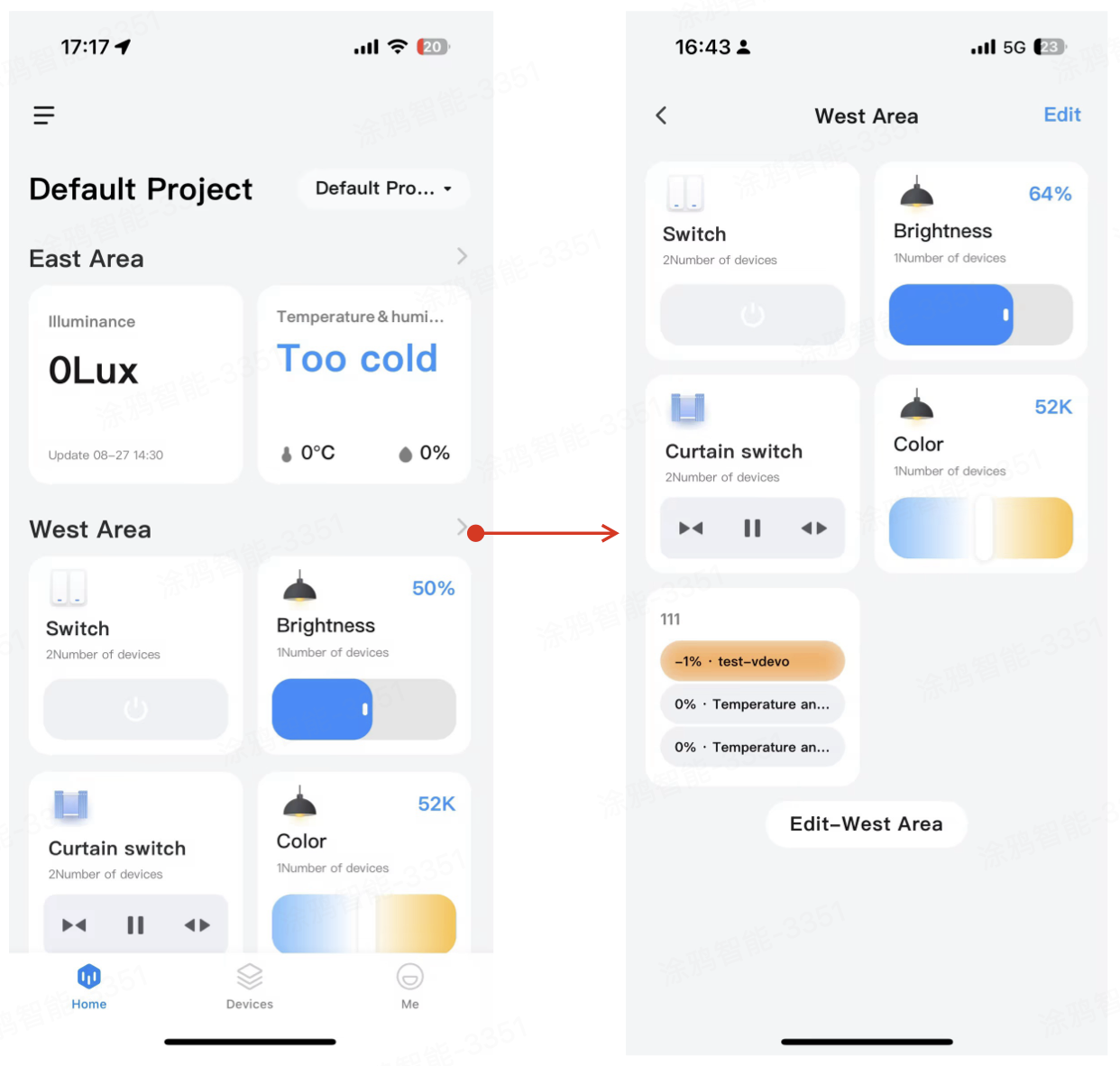
You can click a space card to access its details page and view comprehensive spatial information.
Add a spatial card
You can add spatial cards using either of the following two methods:
-
Method 1: Tap the Add (+) button at the bottom of the Spatial Panel application. On the space page that opens, tap Add and select the desired card.
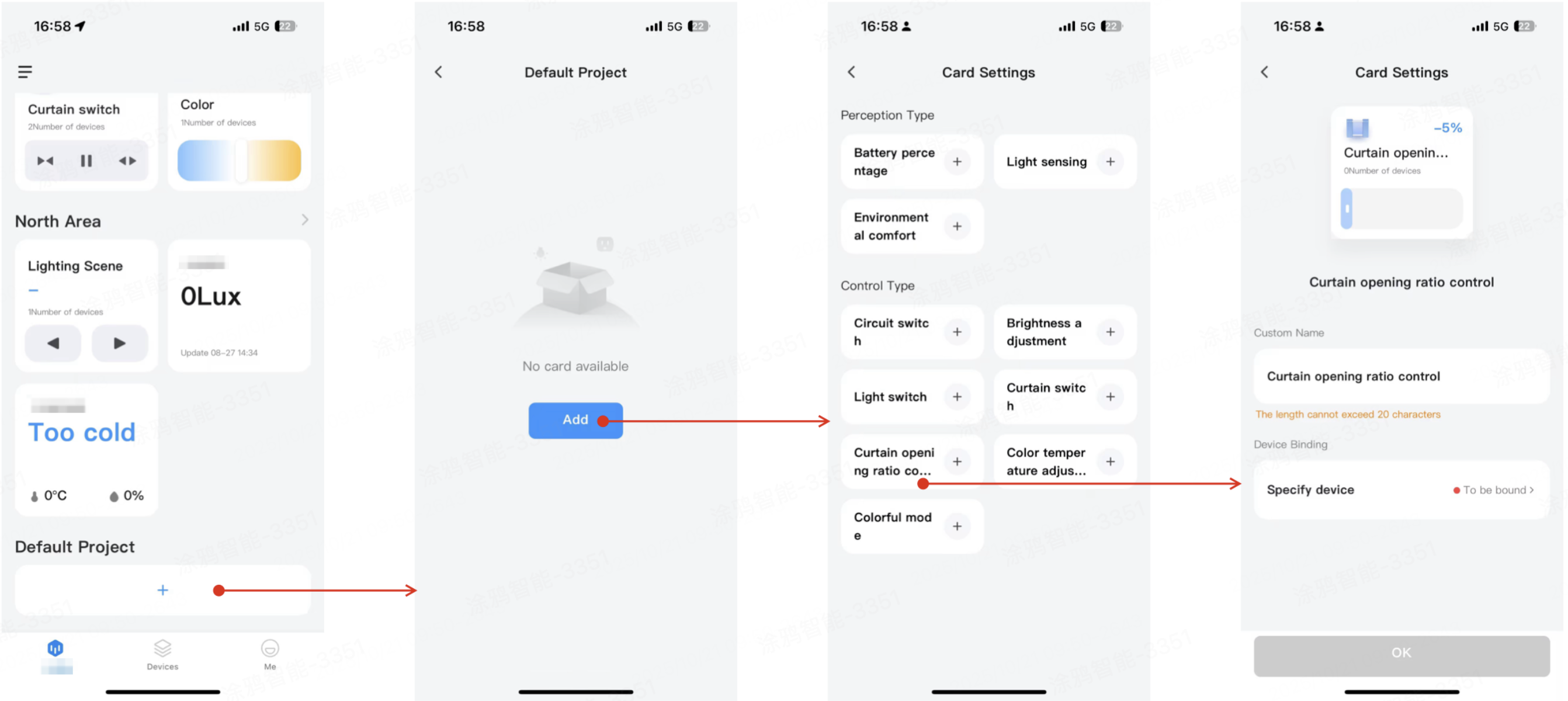
-
Method 2: Navigate to the specific space details page, tap Edit, then click Add Quick Card at the bottom of the edit page, and select the desired card.
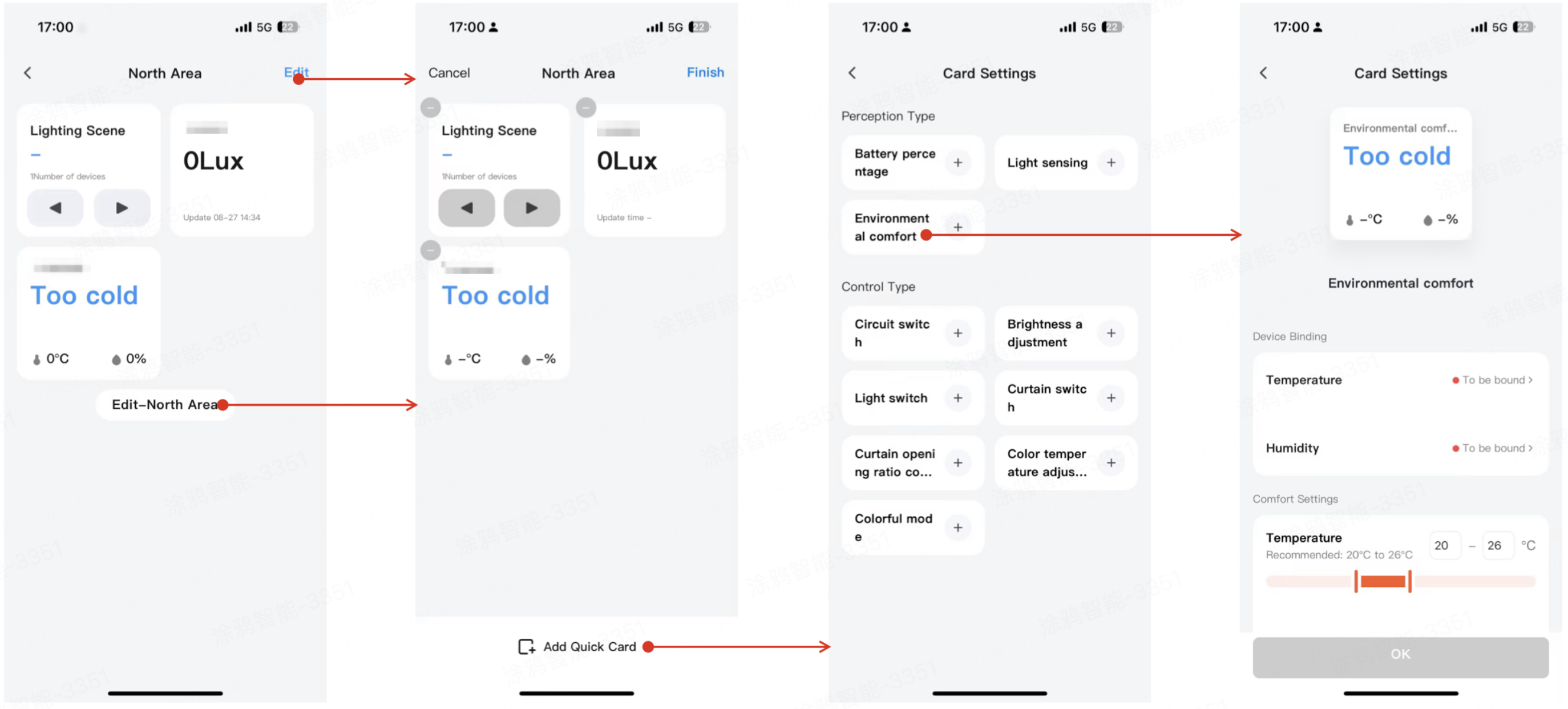
The cards are categorized into two types: Perception and Control. When adding a new card, the system will suggest corresponding cards based on the spatial capabilities currently matched within the space. Cards whose capabilities do not match will not be displayed.
- Spatial perception cards: Automatically generate various perceptual data, such as temperature, humidity, air quality, and illuminance, helping you monitor the spatial environment in real-time.
- Spatial control cards: Provide control options for devices within the space. For example, turn lights on/off, adjust curtains, and set the air conditioner.
Edit spatial panel
If you have edit permissions for the space, you can perform personalized configurations within the Spatial Panel. Specific operations include:
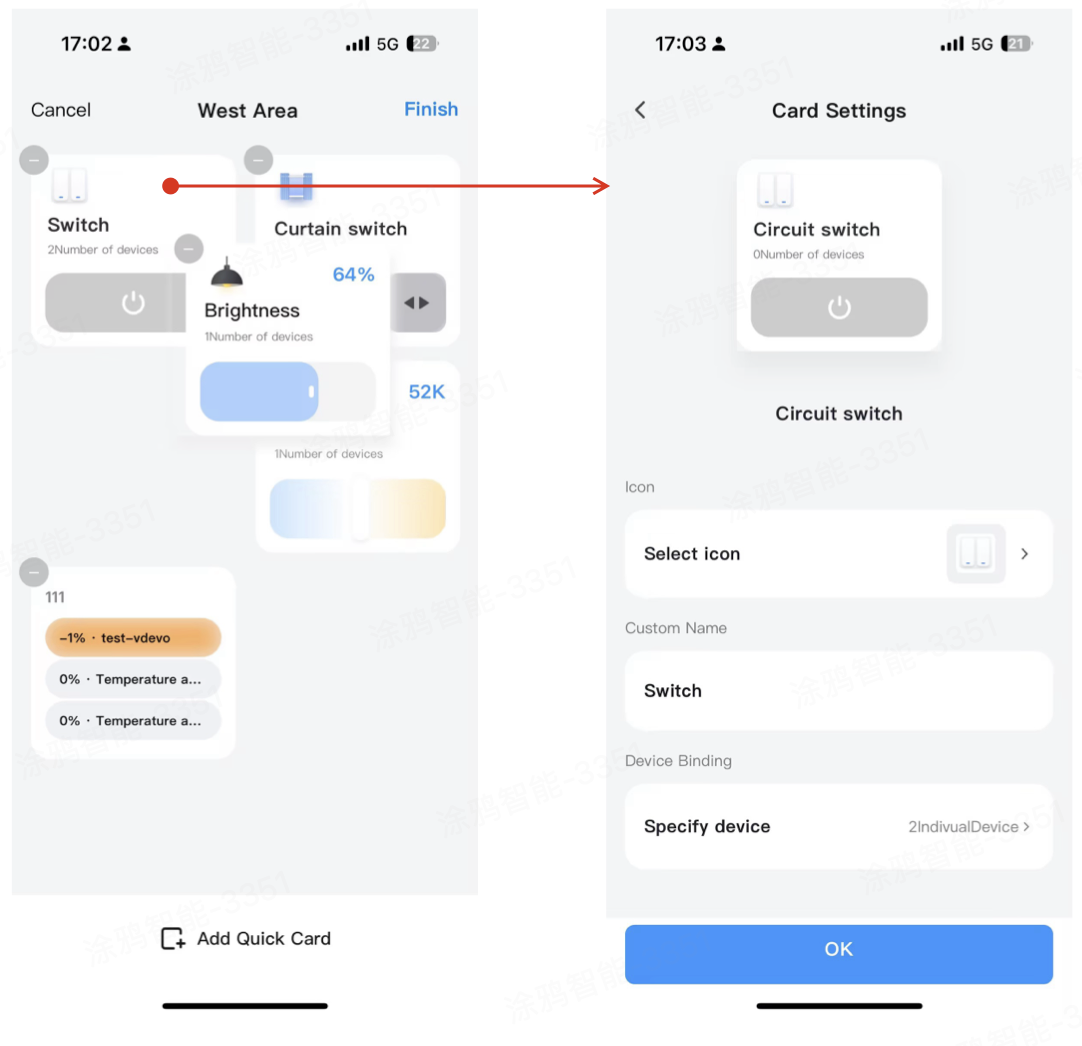
- Sort cards: Drag and drop to adjust the display order of cards on the panel, facilitating prioritized viewing of important information.
- Add cards: Add new functional cards as needed, such as environmental comfort or device status monitoring.
- Remove cards: In edit mode, tap the delete button in the top right corner of a card to remove it.
- Edit cards: In edit mode, tap an already added card to enter its editing page and make changes.
Is this page helpful?
YesFeedbackIs this page helpful?
YesFeedback




