

Two-way Video Talk
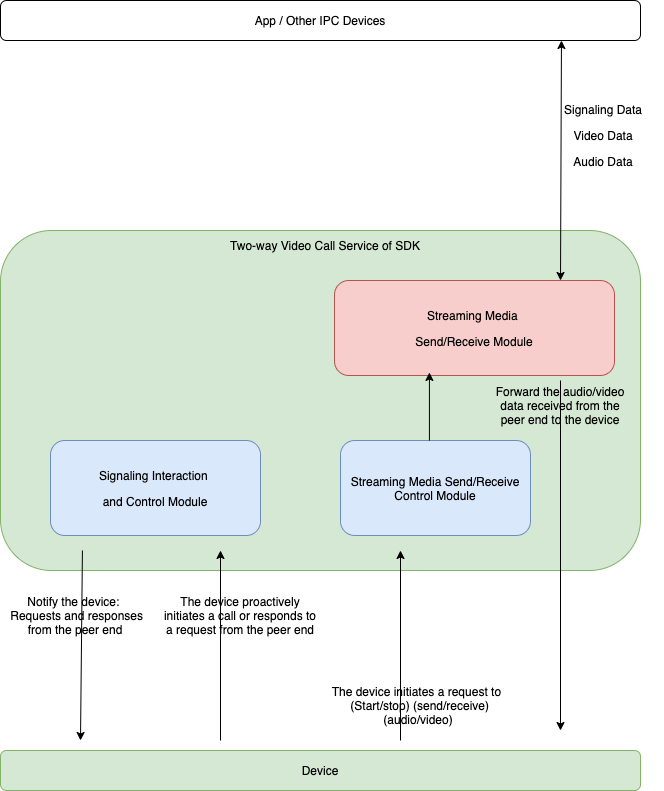
Two-way video talk refers to IP camera (IPC) devices equipped with a display screen that support two-way video calls with an app or other IPC devices.
Features
Typically, the IPC is responsible for capturing images and transmitting them to the peer end for display. Two-way means the IPC can receive a video stream from the peer end and play it on its own display screen.
Implementation framework
Product features
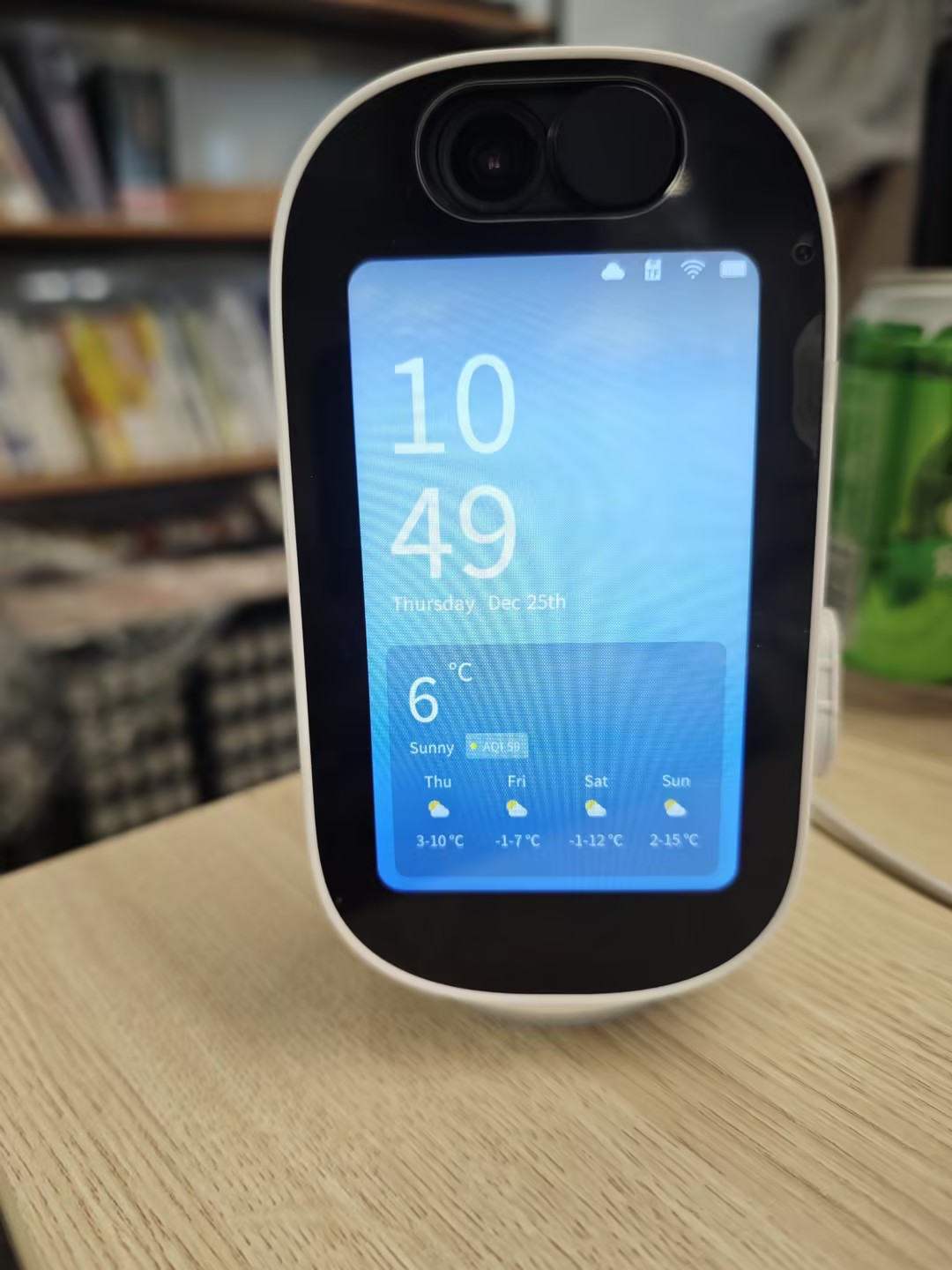
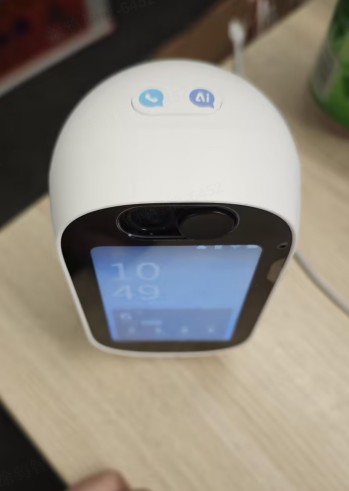
Device appearance
Front view
Top view
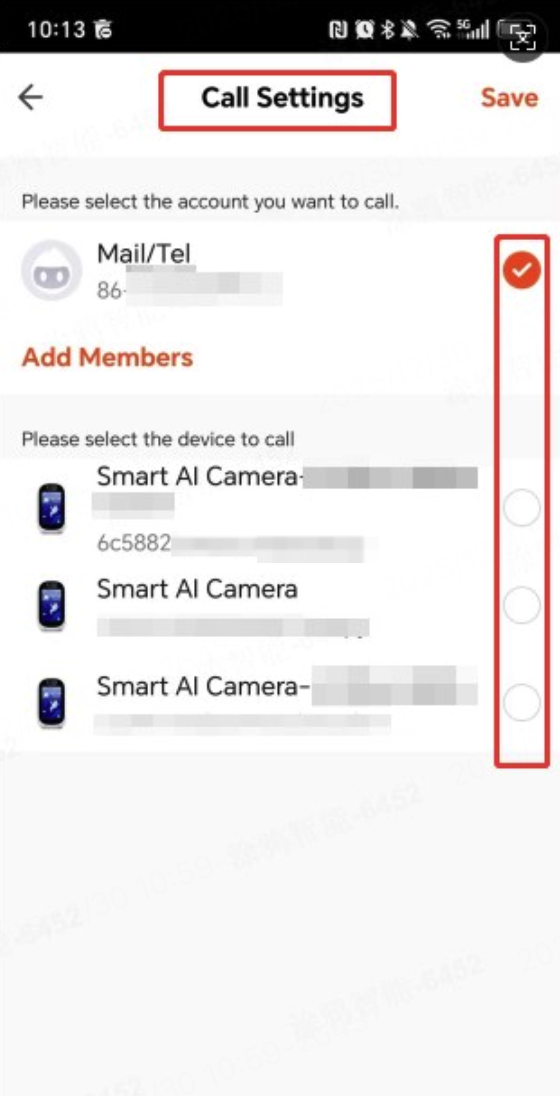
Binding configuration on the app
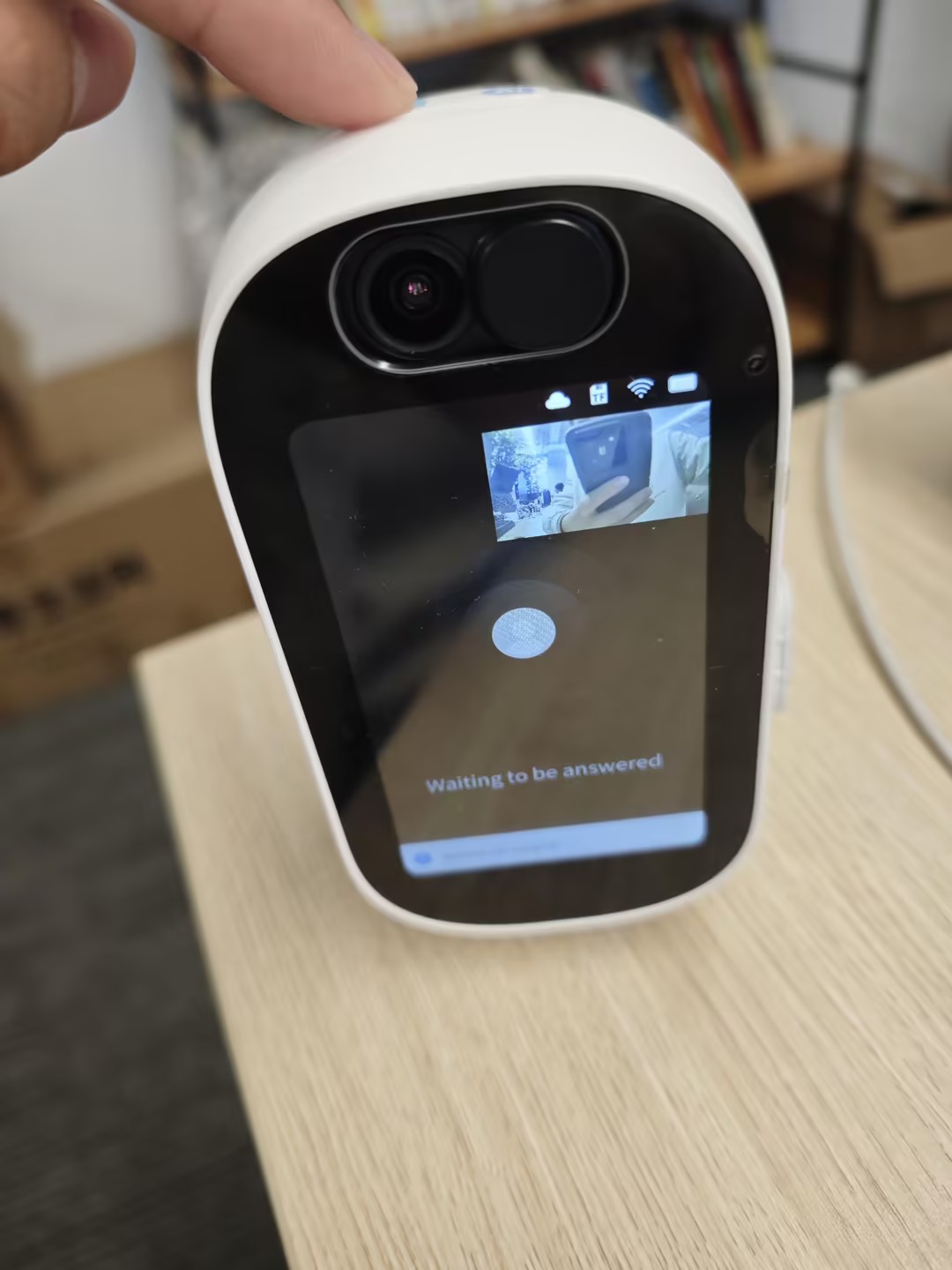
The following example configures the target for initiating active calls on the app via the device button.
Two-way talk
Press device button to initiate calls
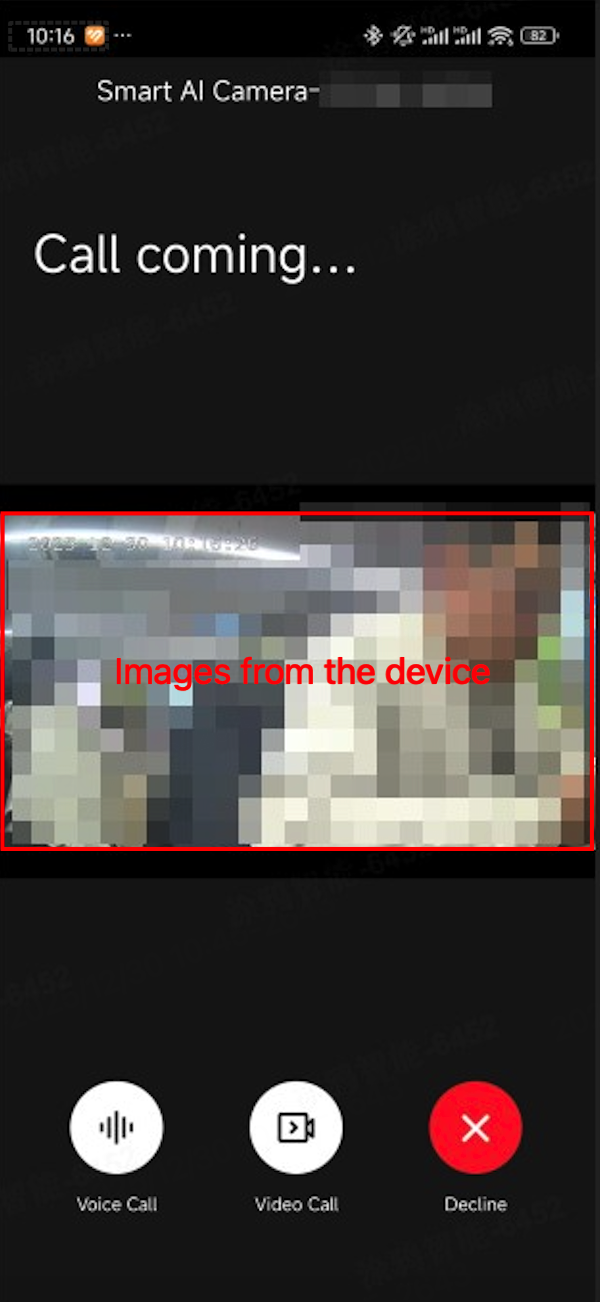
Receive a call request on the app
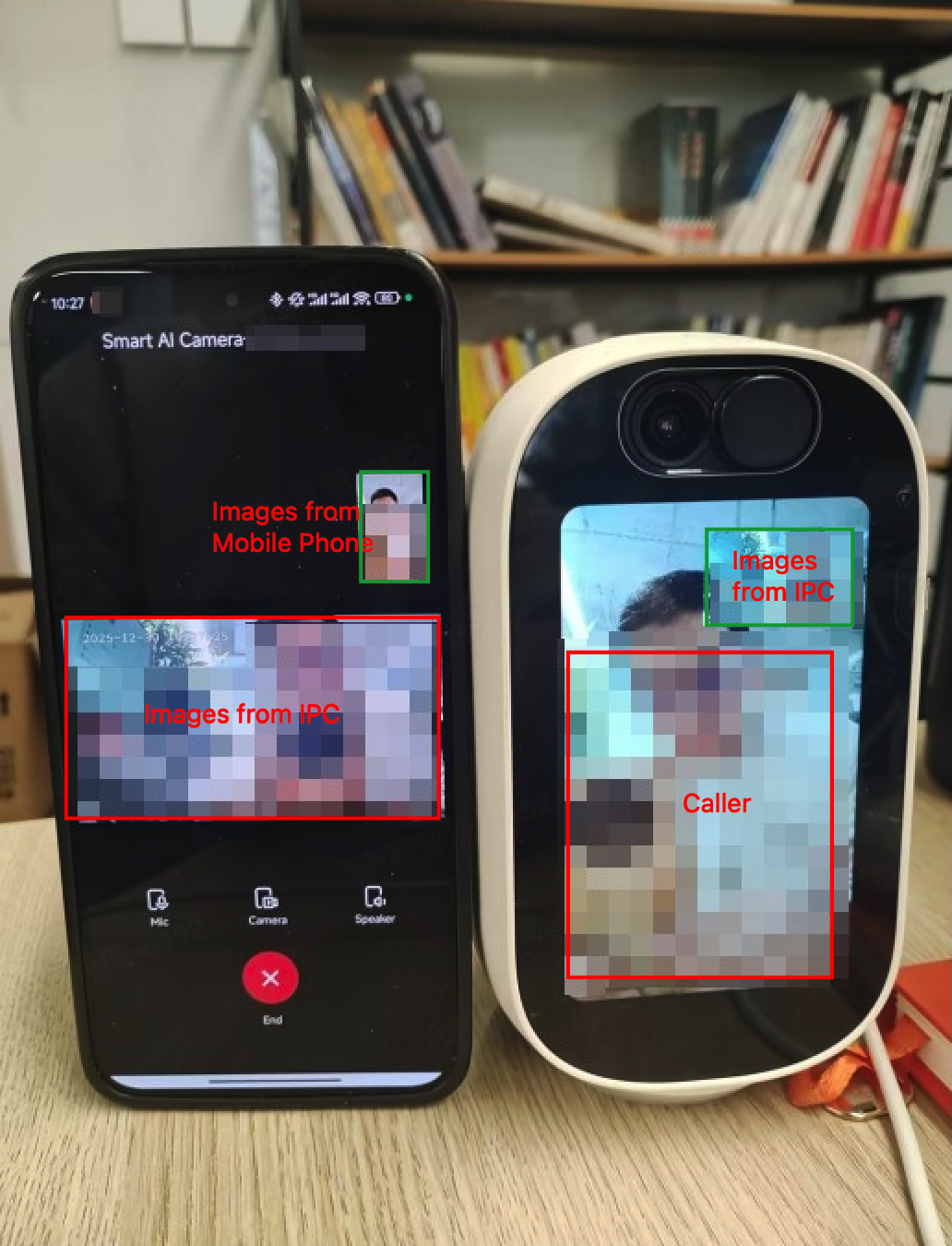
Answer the call
Components
svc_tmm_linksvc_ipc_tmm_control
APIs
Initialize control module
Initialize the two-way video talk control module, mainly including initializing resources and creating threads.
/*****************************************************************************
 * @brief      Initialize the control module.
 *
 * @param      cb: The event callback function, which includes receiving call requests, notifications and replies from the other party.
 * @param      priv_data: User data, returned via the callback.
 * @param      call_timeout_s: Set the call timeout in seconds. The default 30s is used if the set value is ≤0.
 *
 * @return
 *     - 0: success
 *     - Other values: error
*****************************************************************************/
OPERATE_RET tuya_tmm_control_init(TUYA_TMM_CONTROL_EVT_CB cb, VOID* priv_data, INT_T call_timeout_s);
Deinitialize control module
Deinitialize the two-way video talk control module, mainly including destroying resources and terminating threads.
/*****************************************************************************
 * @brief      Deinitialize the control module.
 *
 * @return
 *     - 0: success
 *     - Other values: error
*****************************************************************************/
OPERATE_RET tuya_tmm_control_deinit(VOID);
Initiate a call
/*****************************************************************************
 * @brief     Initiate a call to the target device.
 *
 * @param      target_device: The target device.
 * @param      category: The category of this device, which can be "" (empty string).
 * @param      stream_type: The type of the call stream.
 * @return
 *     - 0: success
 *     - Other values: error
*****************************************************************************/
OPERATE_RET tuya_tmm_control_call(CHAR_T *target_device, CHAR_T *category, TUYA_TMM_CONTROL_STREAM_TYPE_E stream_type);
Get the list of paried devices
/** @brief get the paired device list
 * @warning this will get the local list, no http request to cloud
 * @return the list head of paired device list, use tuya_list_for_each to visit, the type is TMM_ASSOC_DEV_T
 */
LIST_HEAD* tuya_tmm_link_get_paird_dev_list();
Get the list of available devices to call
/** @brief get the paired device list
 * @warning this will get the local list, no http request to cloud
 * @return the list head of paired device list, use tuya_list_for_each to visit, the type is TMM_ASSOC_DEV_T
 */
LIST_HEAD* tuya_tmm_link_get_paird_dev_list();
Accept a call request
Receive and accept a call request initiated by the peer end.
/*****************************************************************************
 * @brief     Accept an incoming call.
 *
 * @return
 *     - 0: success
 *     - Other values: error
*****************************************************************************/
OPERATE_RET tuya_tmm_control_answer(VOID);
Reject a call request
Receive and reject a call request initiated by the peer end.
/*****************************************************************************
 * @brief      Reject an incoming call.
 *
 * @return
 *     - 0: success
 *     - Other values: error
*****************************************************************************/
OPERATE_RET tuya_tmm_control_reject(VOID);
Proactively cancel a call
After having initiated a call, proactively cancel the call to the peer end before receiving an answer.
/*****************************************************************************
 * @brief      Cancel an outgoing call.
 *
 * @return
 *     - 0: success
 *     - Other values: error
*****************************************************************************/
OPERATE_RET tuya_tmm_control_cancel(VOID);
Proactively hang up the current call
/*****************************************************************************
 * @brief      Hang up the current call.
 *
 * @return
 *     - 0: success
 *     - Other values: error
*****************************************************************************/
OPERATE_RET tuya_tmm_control_hangup(VOID);
Stop initiating and receiving calls
Notify the server that this device stops initiating and receiving calls.
/*****************************************************************************
 * @brief     Stop initiating and receiving calls.
 *
 * @return
 *     - 0: success
 *     - Other values: error
*****************************************************************************/
OPERATE_RET tuya_tmm_control_stop(VOID);
Reject incoming calls
After receiving a call request, notify the peer end that this device is busy.
/*****************************************************************************
 * @brief      The device is busy.
 *
 * @return
 *     - 0: success
 *     - Other values: error
*****************************************************************************/
OPERATE_RET tuya_tmm_control_busy(VOID);
Product development
Development process
Receive an incoming call request
Proactively call the peer end
Is this page helpful?
YesFeedbackIs this page helpful?
YesFeedback




