

Multilingual Support
Last Updated on : 2026-03-18 02:00:09Copy for LLMView as MarkdownDownload PDF
Multilingual support helps you to set up a multilingual web UI, including system menus and prompts. Multilingual support, including English, Simplified Chinese, Traditional Chinese, Japanese, French, Italian, Spanish, and Arabic, helps you reach a global audience.
Procedure
-
Log in to the Tuya Developer Platform.
-
In the left-side navigation bar, choose Cloud > Spatial AI > Solution Setting to go to the Solution Setting page.
-
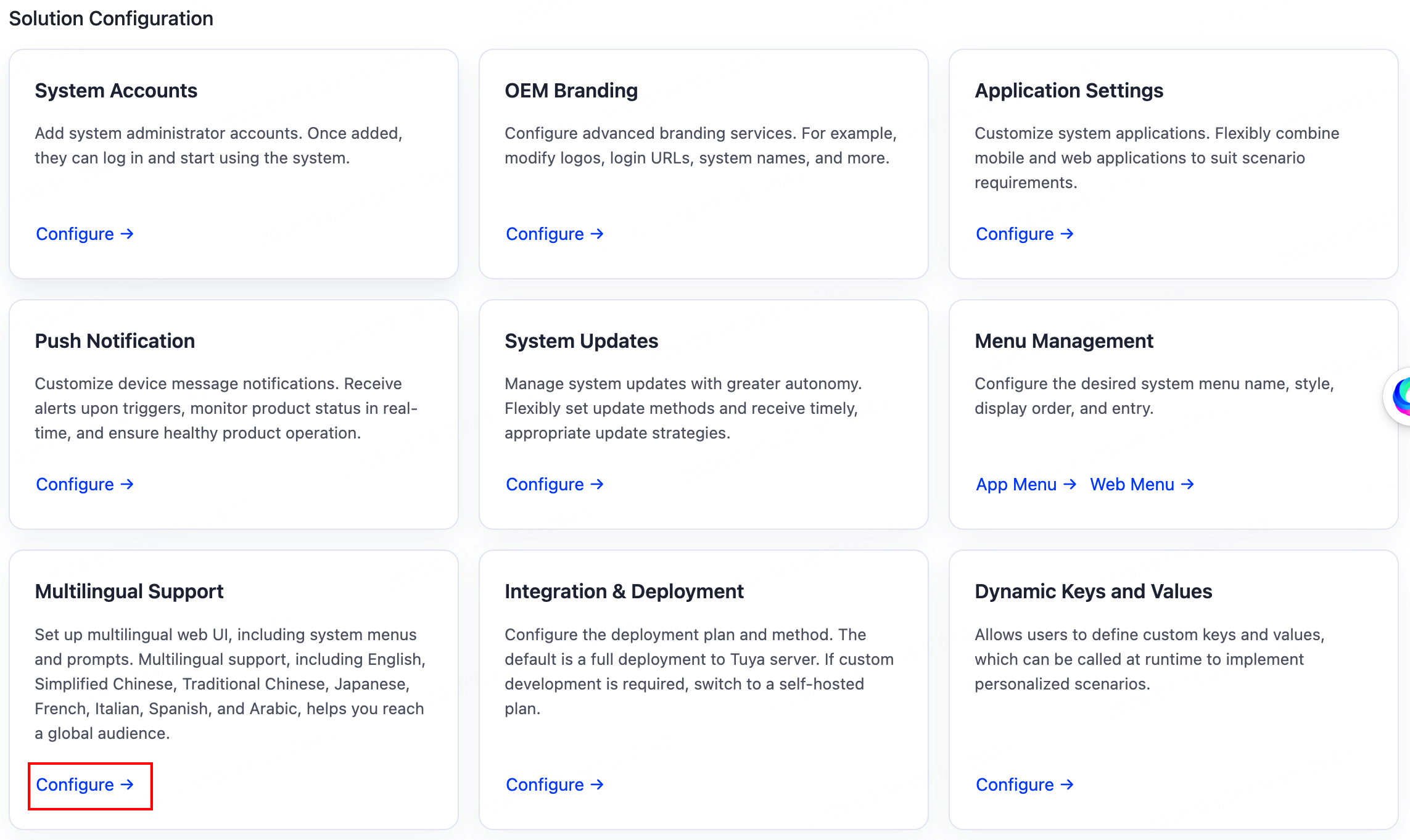
Select a running solution, and in the Solution Configuration section, click Configure in the Multilingual Support.
-
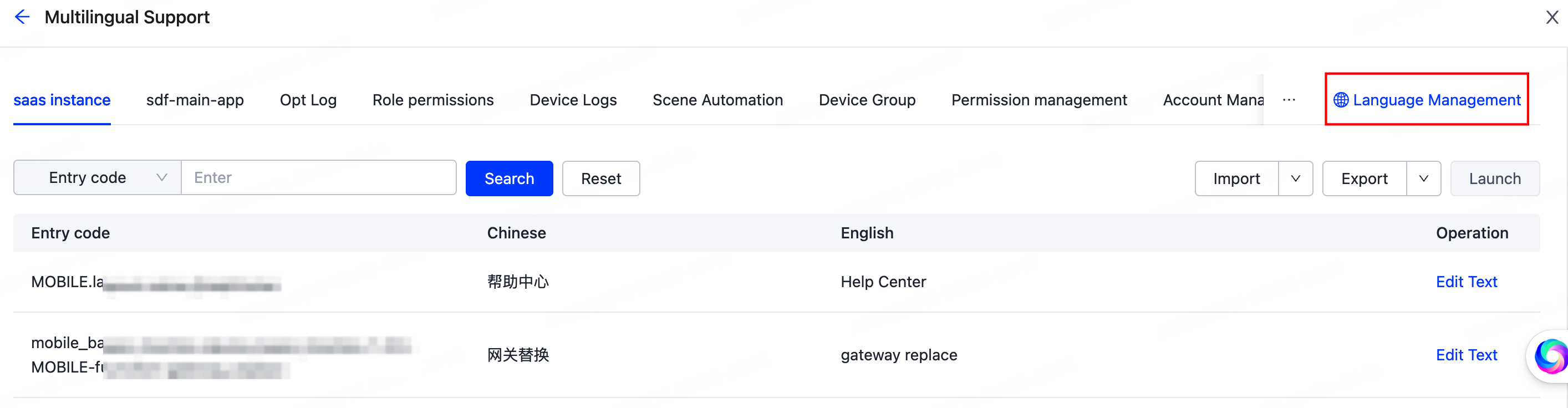
Click Language Management in the top right corner of the page to manage the languages supported by the microapps.
Is this page helpful?
YesFeedbackIs this page helpful?
YesFeedbackMarketing Cooperation
Business Cooperation
Customer Service
Media Inquiry





