

Push Notification
You can choose to configure and customize the push notifications for the solutions. Receive alerts upon triggers, monitor product status in real-time, and ensure healthy product operation.
Enable or disable notifications
-
Log in to the Tuya Developer Platform.
-
In the left-side navigation bar, choose Cloud > Spatial AI > Solution Setting to go to the Solution Setting page.
-
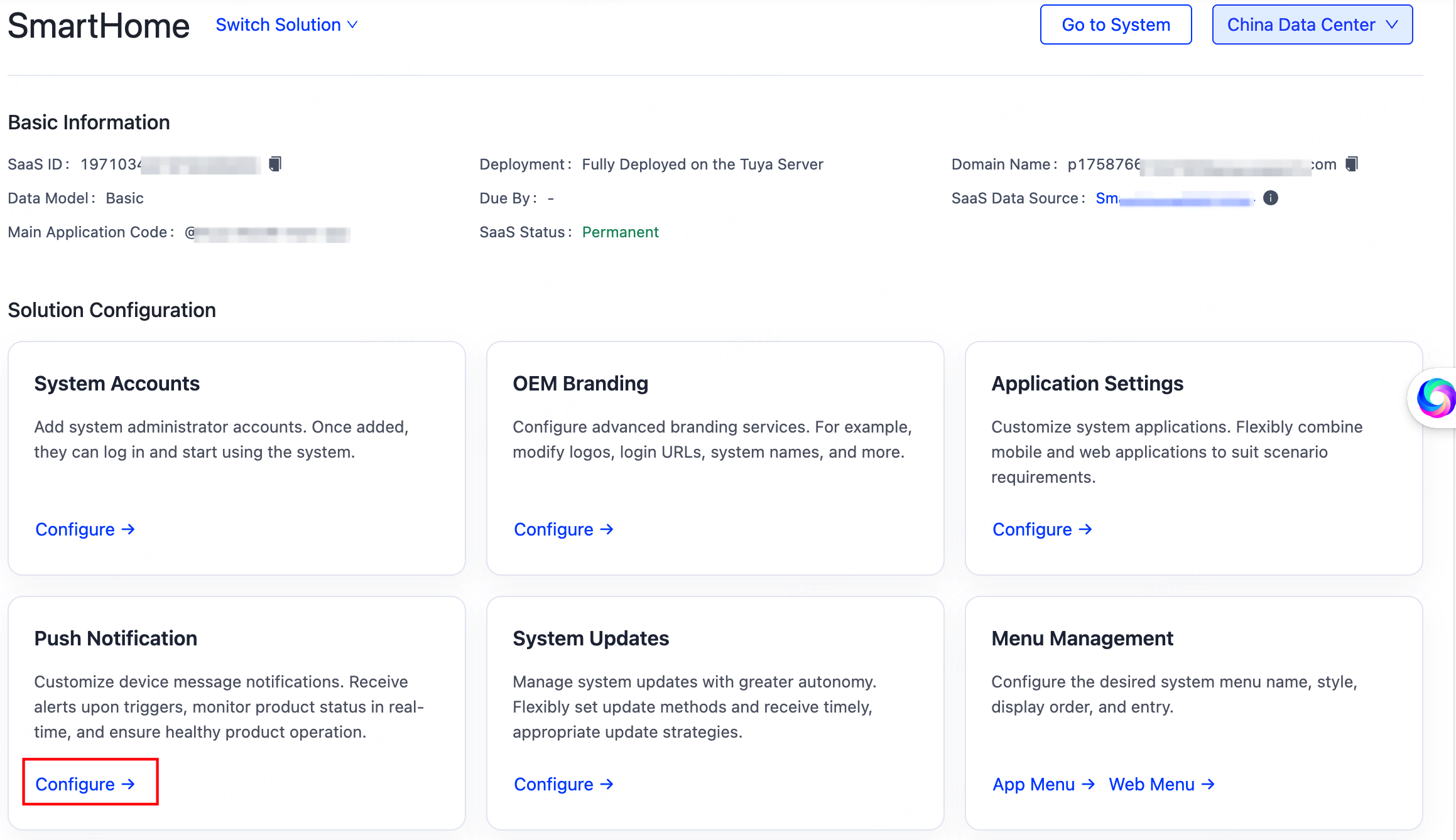
Select a running solution, and in the Solution Configuration section, click Configure in the Push Notification.
-
Click the Messages and Notifications toggle switch, and you can enable or disable the messages and notifications.
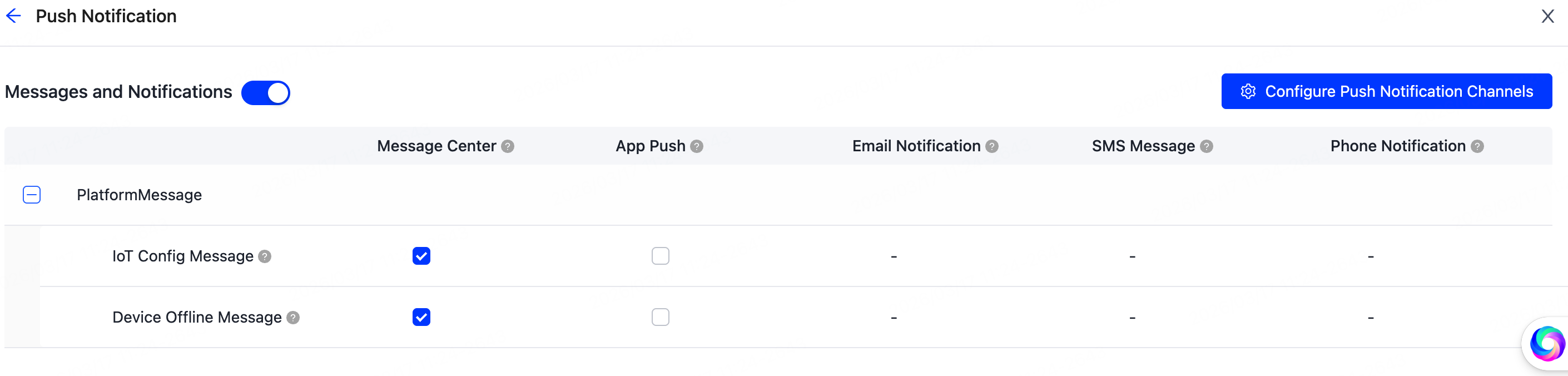
If you have enabled this switch, you can specify to send messages and notifications by various channels. Regarding notifications by email, SMS, and phone call, you shall set a quota for carrier usage.
Is this page helpful?
YesFeedbackIs this page helpful?
YesFeedback




