

System Updates
Last Updated on : 2026-03-18 01:52:50Copy for LLMView as MarkdownDownload PDF
Update system applications
Manage system updates with greater autonomy. Flexibly set update methods and receive timely, appropriate update strategies.
-
Log in to the Tuya Developer Platform.
-
In the left-side navigation bar, choose Cloud > Spatial AI > Solution Setting to go to the Solution Setting page.
-
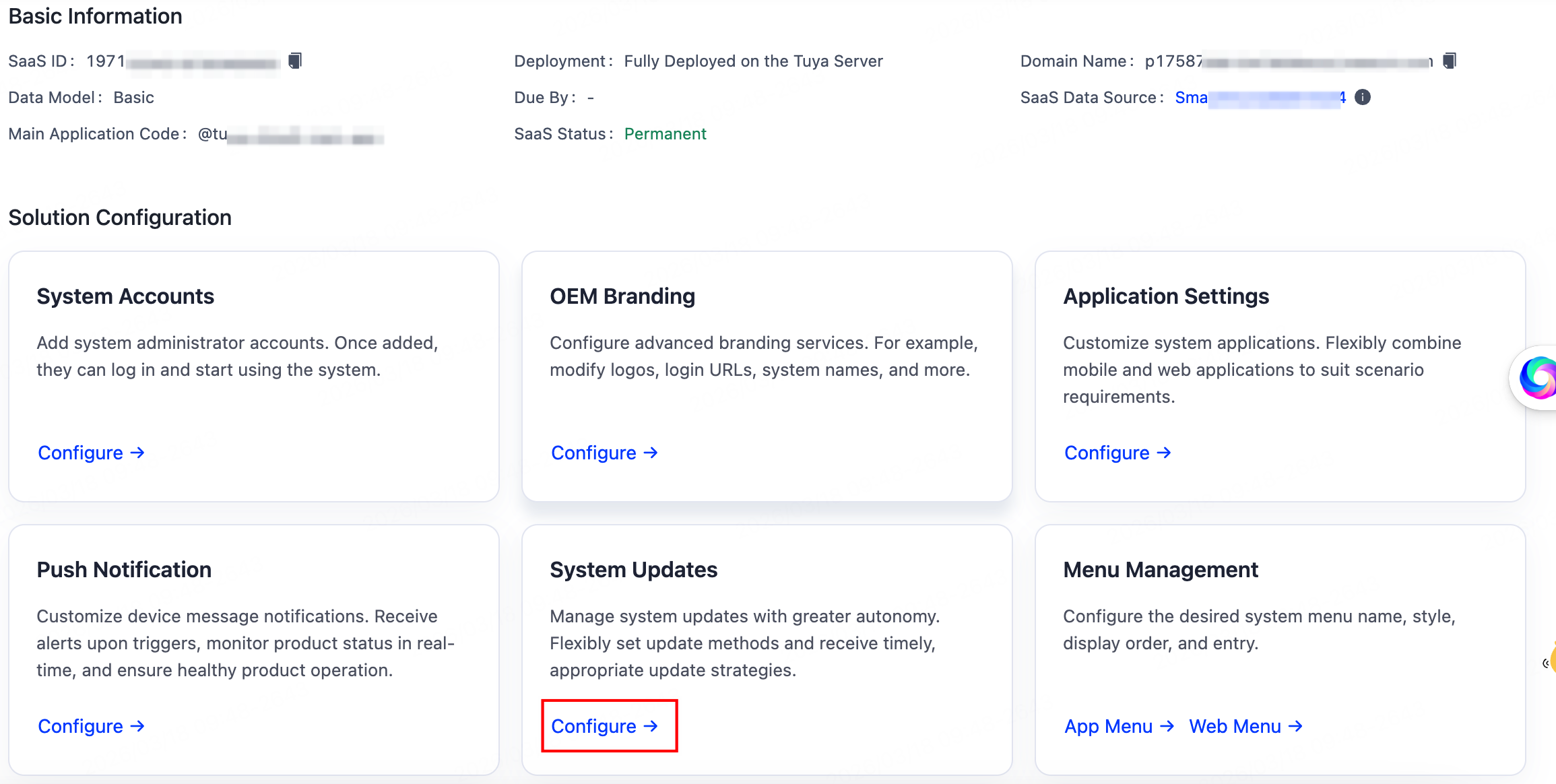
Select a running solution, and in the Solution Configuration section, click Configure in the System Updates.
-
In the section of SaaS Update Method, you can choose Automatic Update or Manual Update.
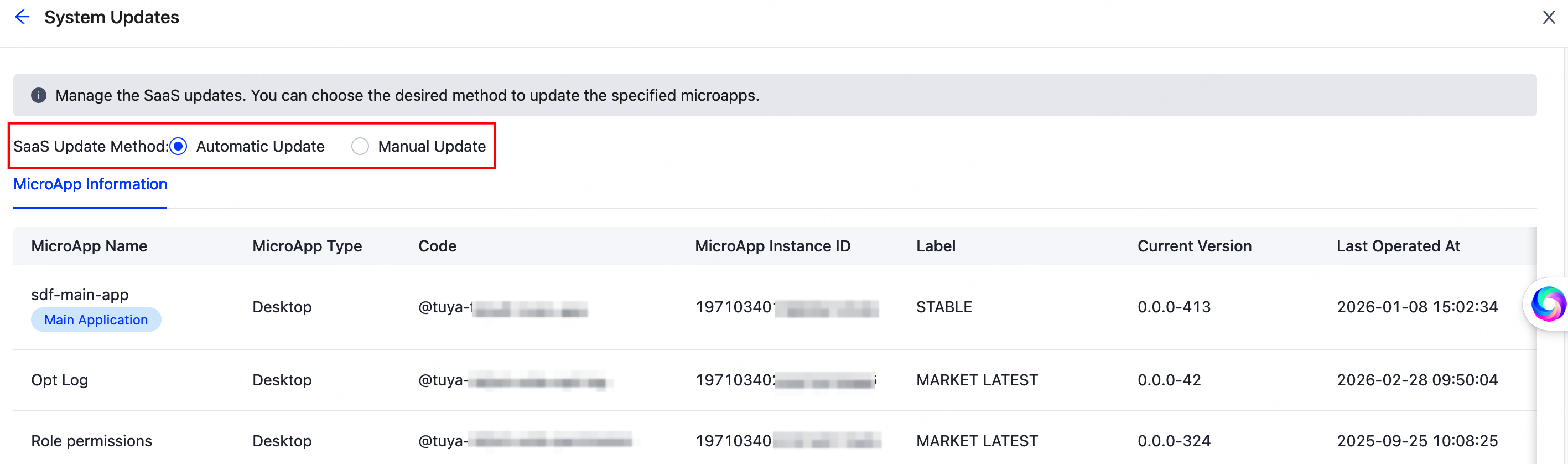
- If you choose the automatic update method, the microapps will be automatically updated to the latest released version.
- If you choose the manual update method, the microapps will only be updated to the latest version after you manually update them via the Application Settings feature.
Is this page helpful?
YesFeedbackIs this page helpful?
YesFeedbackMarketing Cooperation
Business Cooperation
Customer Service
Media Inquiry





