

Resource Consumption Management
After you deploy your custom agent for commercial use, you must pay for the billed resources it consumes. To ensure stable model calls, keep a sufficient balance in your account. You can view the actual resource usage on the Resource Consumption page.
Data filtering and querying
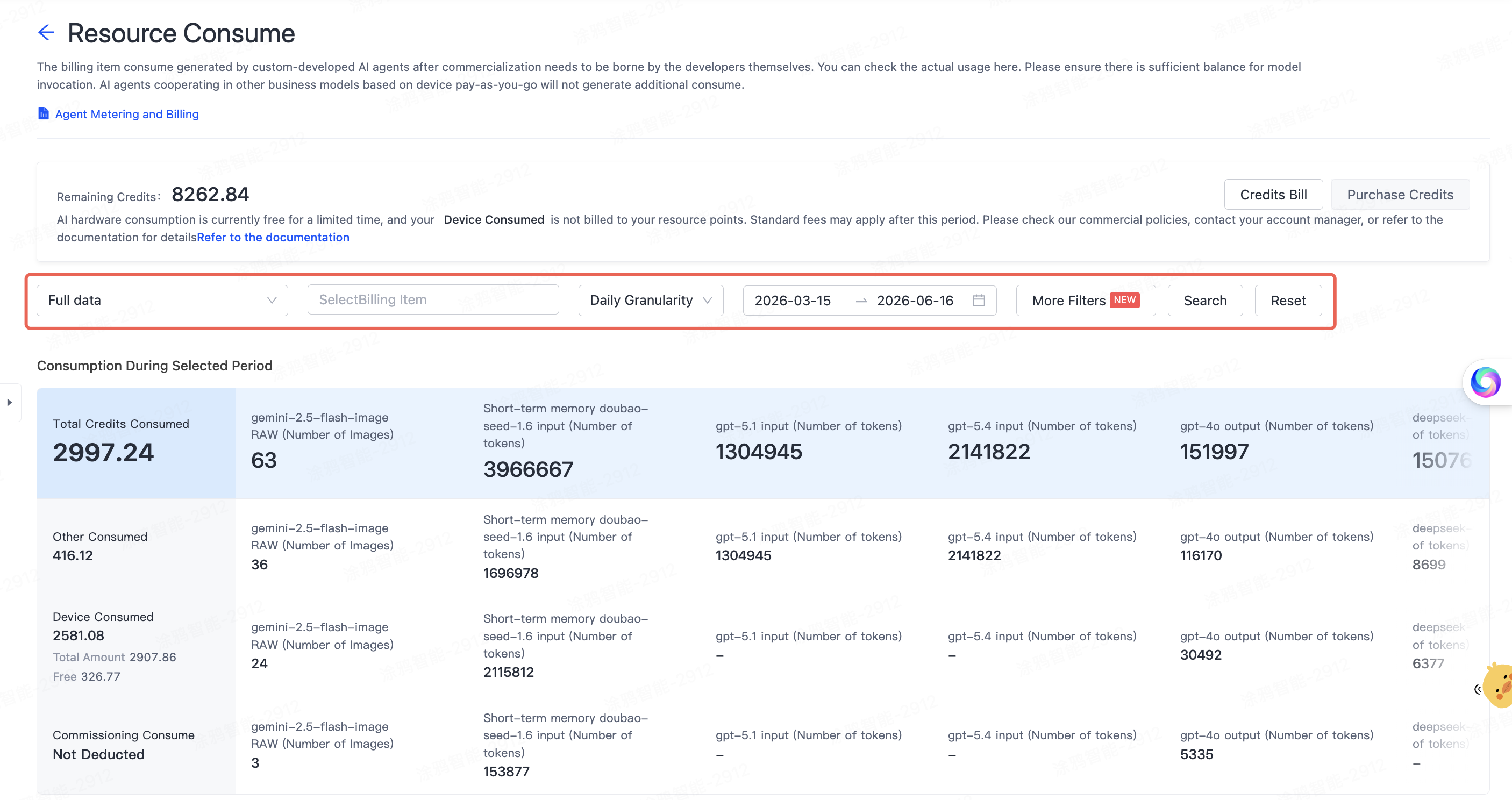
You can retrieve data across multiple dimensions to find the resource consumption for a specific time period or service.
-
Data dimensions: You can view data for all agents or a specific agent.
-
Billing item selection: You can filter a specific model or service.
-
Chart granularity: You can view trends by Day, Week, or Month.
-
Time range: You can customize the time range for the query.
-
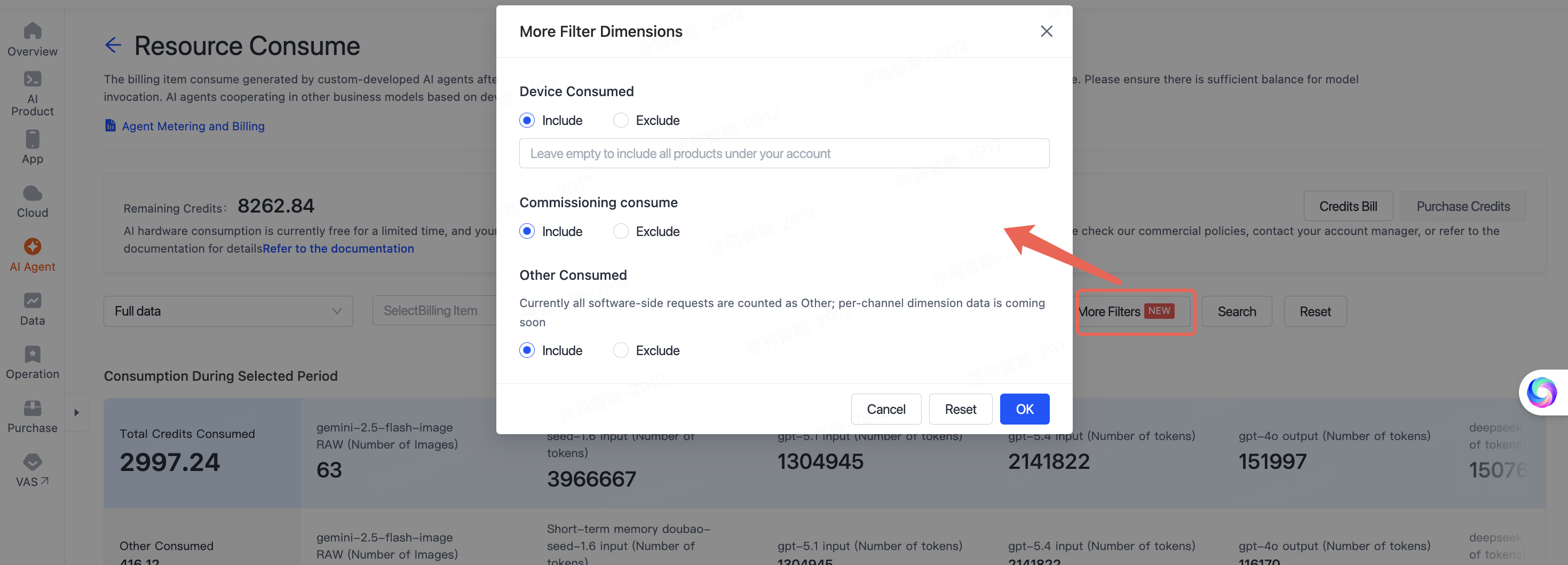
More filtering dimensions: You can set the filtering for the agent deployment dimension. For example, you can set the product ID (PID) of the deployed agent in the Device Consumed dimension, or exclude specific data by using the Exclude filter.
Consumption statistics for selected period
The total resource consumption within the selected time period is displayed in a table. The table includes four dimensions and shows the detailed usage of each model and service item by item.
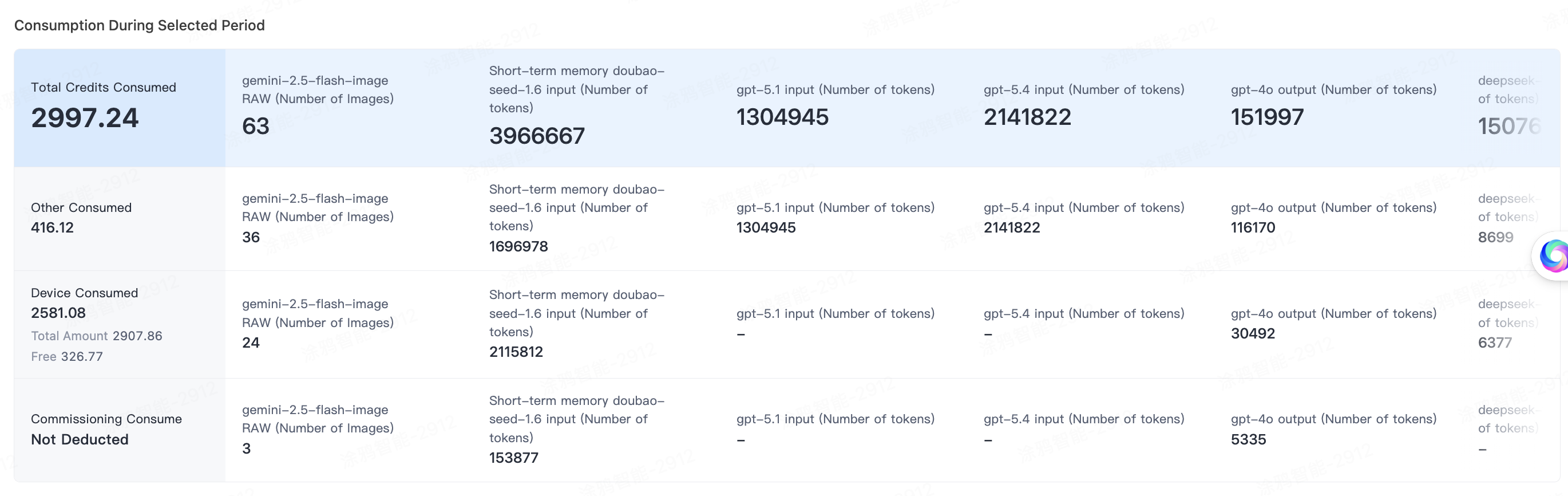
- Total credits consumption: The sum of the other three dimensions, representing the total credits consumed by all services during this period.
- Device consumption: The total call volume generated by device operation minus the waived consumption.
- Debugging consumption: Consumption generated during the debugging phase, which is not billed.
- Other consumption: Usage that requires additional charges beyond basic services, such as AI agent calls on the software side.
Visualized trend charts
Line charts in multiple dimensions show the trend of resource consumption over time.
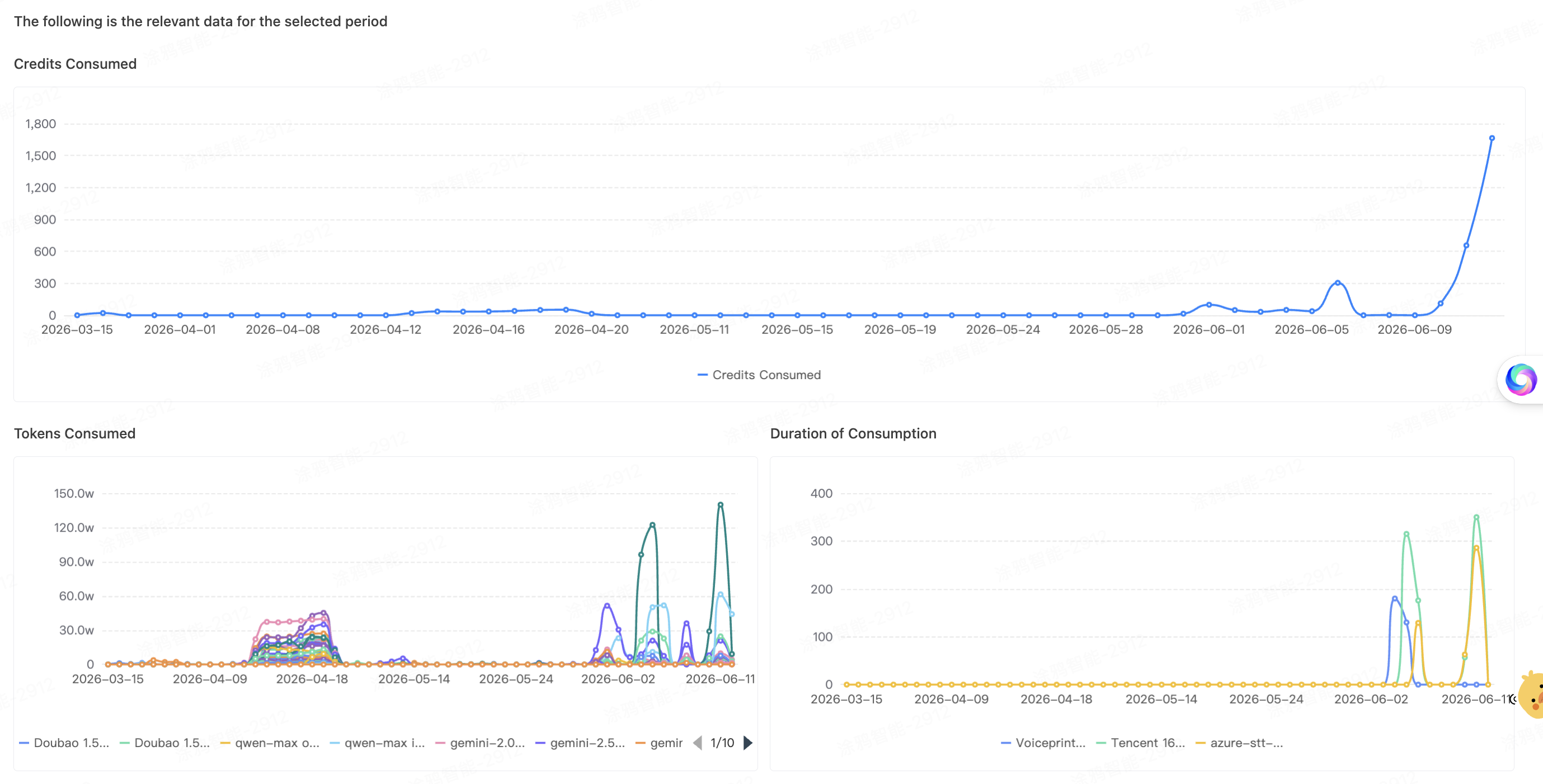
- Consumed credits: The time trend of total credits consumption.
- Consumed tokens: Comparison of the input and output token consumption of various large text models, such as Qwen-max and Gemini.
- Consumed duration: The call duration trend of speech recognition services, such as Tencent automatic speech recognition (ASR).
- Number of characters: The character consumption trend of text-to-speech (TTS) services, such as Volcengine TTS and Microsoft TTS.
- Number of consumptions: The trend of total API call counts.
Relevant details (daily bill)
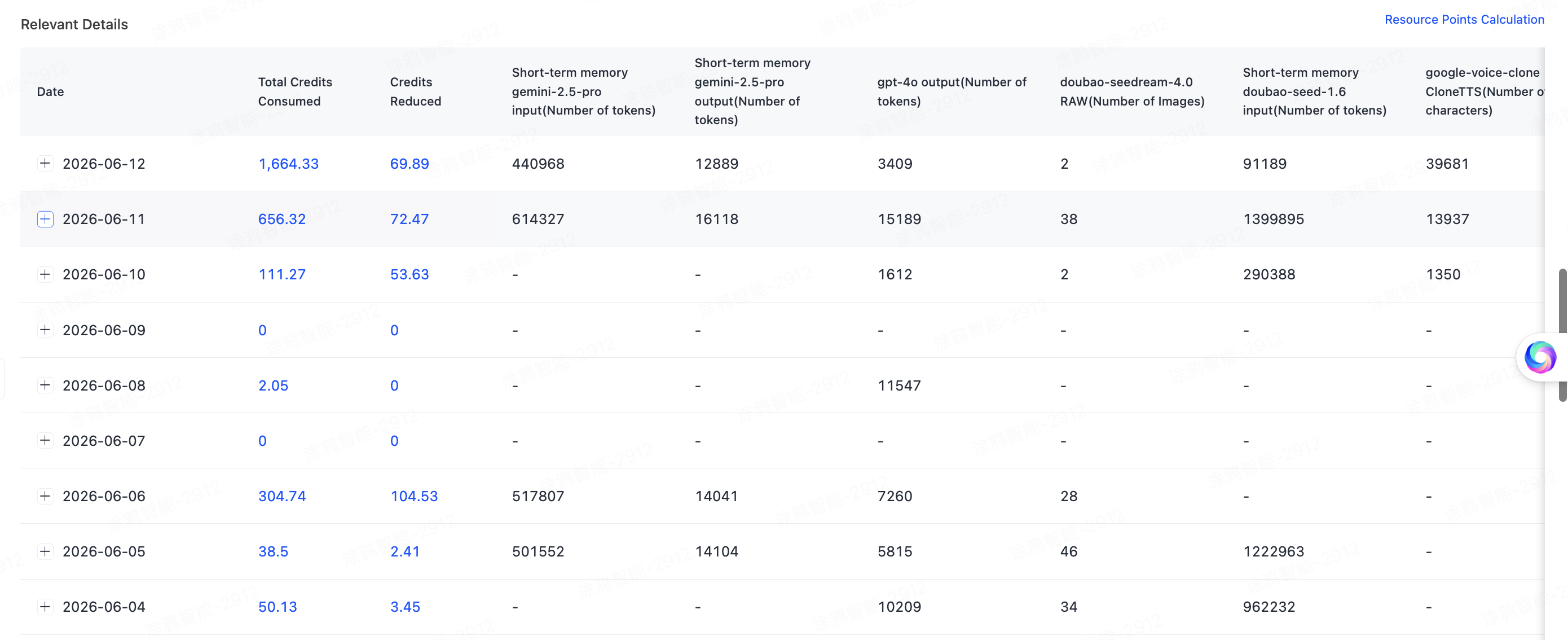
You can check the usage on specific dates through the daily data details table at the bottom of the page.
- Multi-level data: Based on the agent deployment relationship, the table supports a three-level expanded view of "Date > Agent > Specific product instance". For more information, see Agent Deployment and Billing.
Example: You can view the overall resource consumption data by a specified date. The first-level expansion shows the summarized agent information, and the second-level expansion allows you to query the detailed consumption data of the corresponding product. - Full coverage: The table records the actual call volume of various AI capabilities in detail, covering multiple modalities such as text, image, and voice.
- Transparent fees: The table clearly displays the Total Credits Consumed and Credits Waived to help you verify the actual bill.
Is this page helpful?
YesFeedbackIs this page helpful?
YesFeedback




