

Get Development Kit
This topic describes how to request and download RTOS Gateway SDK-WR11-G development framework from Tuya Wind IDE.
Step 1: Install Tuya Wind IDE
Install the Tuya Wind IDE as instructed in the guide.
Step 2: Request type development kit
The RTOS Gateway SDK-WR11-G is a branch of the TuyaOS gateway development framework. You must request access to the TuyaOS gateway development framework first. Follow these steps:
-
Open Tuya Wind IDE. Click Resource Center and search for the type development kit.
-
Development Mode: Choose TuyaOS OS Development.
-
Type Development Kit: Choose Gateway Development: Gateway Device Development Kit.
-
Development Platform: Choose wireless SoC/realtek/Wi-Fi/RTL8711DAF.

-
-
Find the latest version from the search results and click Request Permission. Wait for the request to be approved.
Step 3: Download type development kit
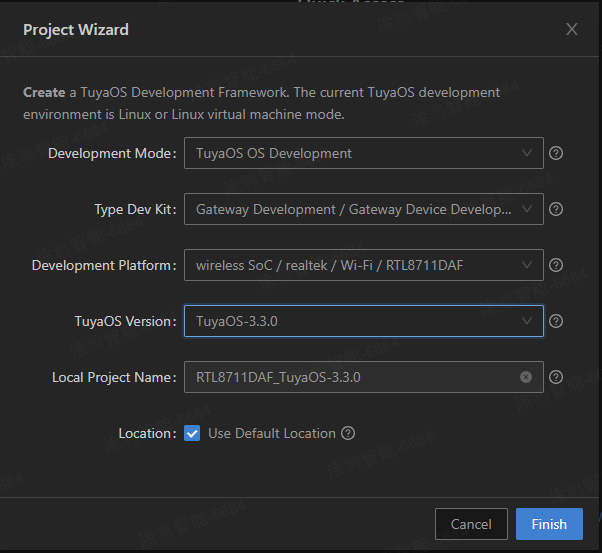
After your permission request is approved, download the type development kit. Click Create Framework on the home page, complete the following configurations, and click Finish to download.
-
Development Mode: Choose TuyaOS OS Development.
-
Type Dev Kit: Choose Gateway Development/Gateway Device Development Kit.
-
Development Platform: Choose wireless SoC/realtek/Wi-Fi/RTL8711DAF.
-
TuyaOS Version: Choose the latest version.
-
Local Project Name: Give your project a name.
Step 4: Request product development kit
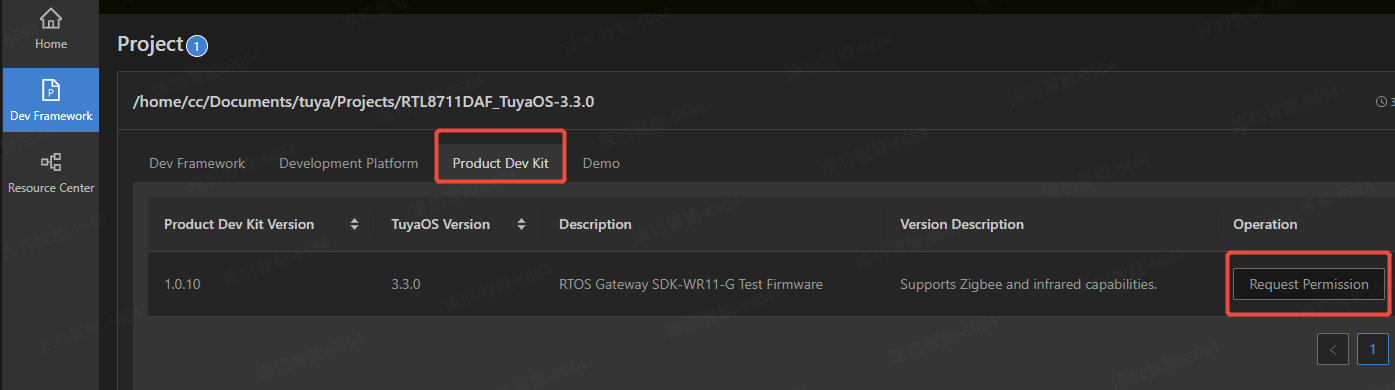
Click Dev Framework on the left navigation pane and then choose the Product Dev Kit tab.
Find the latest version and click Request Permission. Wait for the request to be approved.
Step 5: Download product development kit
-
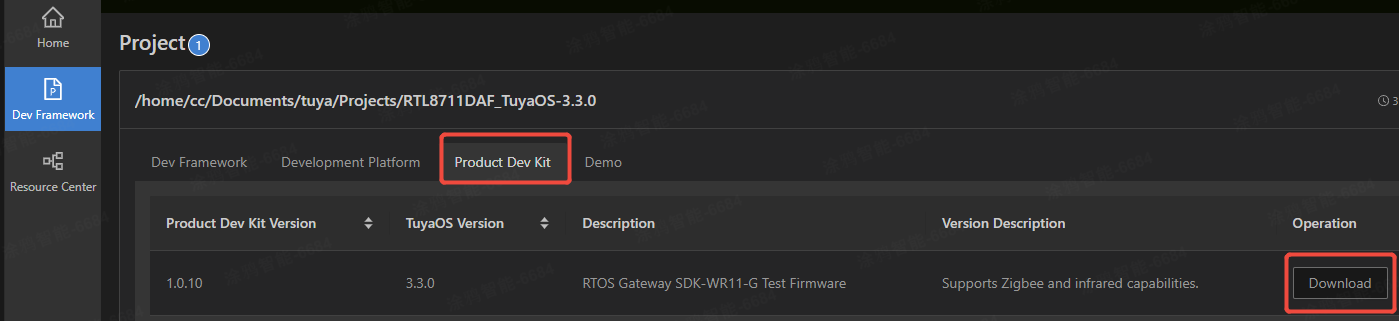
After downloading the type development kit, find the downloaded development framework in the Dev Framework.
-
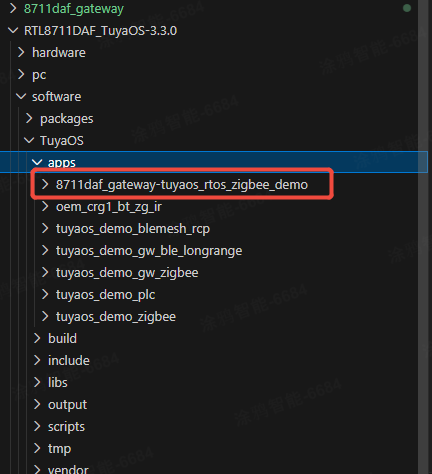
Click Download. The product development kit will be downloaded to the
TuyaOS/appsdirectory.
Is this page helpful?
YesFeedbackIs this page helpful?
YesFeedback




