

Access Management
Overview
Access Management is an application designed to assist administrators in implementing efficient and secure access control. It is primarily used for managing access devices (such as door locks), user authorizations, and access records, ensuring secure and efficient entry/exit management.
Application structure
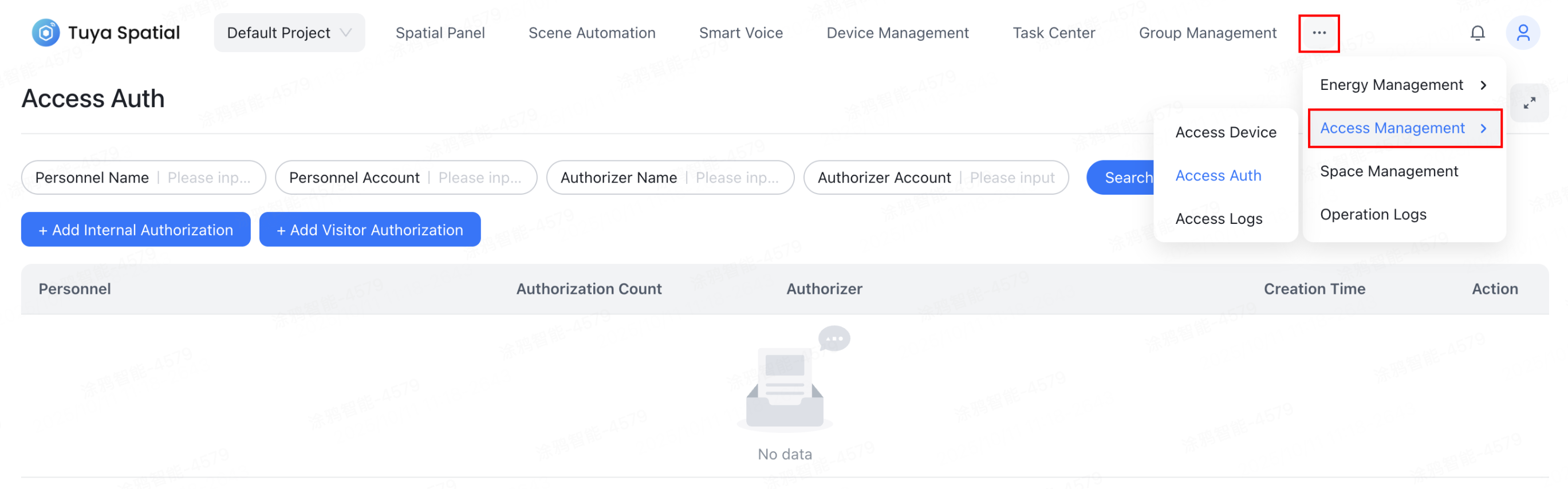
Access management consists of three core functional modules:
-
Access device management
- Manage access control devices such as door locks.
- Monitor device status in real-time to ensure normal operation.
-
Access permission management
- Assign and manage access permissions for employees or visitors.
- Flexibly control personnel access based on time and location.
-
Access logs
- Automatically record every access event and permission assignment operation.
- Provide clear, auditable logs for easy tracking and review.
Features
Manage access devices
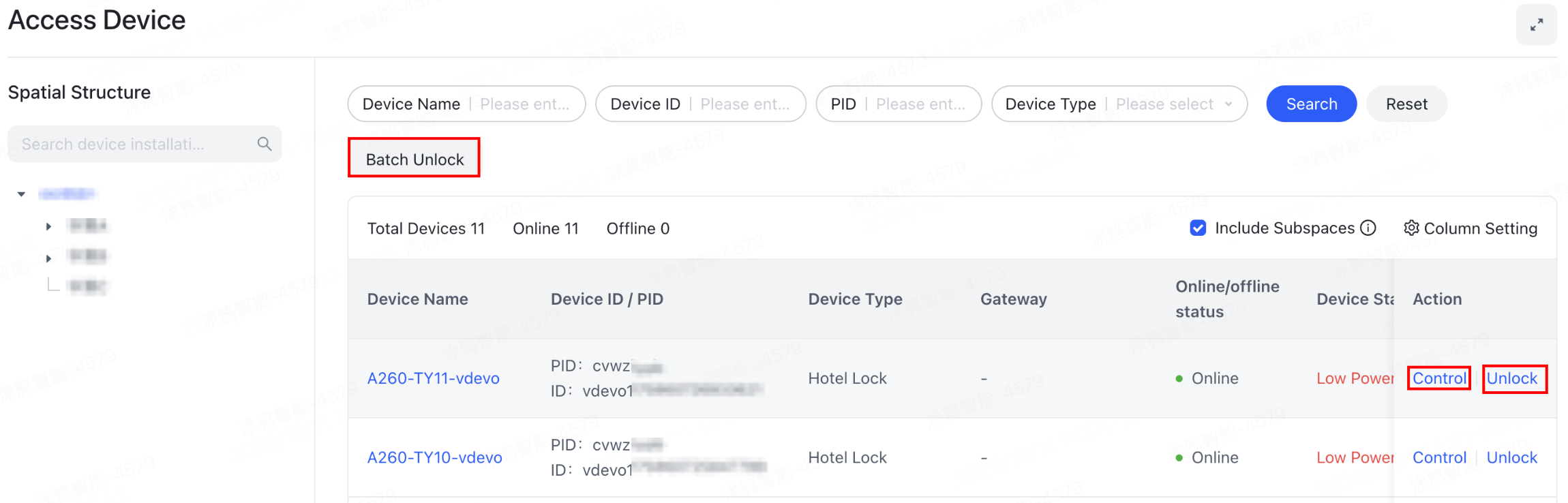
Manage access control devices such as door locks, including remote unlocking capability. The device card shows various status information simultaneously.
Manage access permissions
Access permissions are organized and displayed by personnel. Permissions for the same individual across different times and for different devices are aggregated for convenient management.
You can view the quantity of authorized permissions and their details, including device information and location, authorization time period, and authorization method.

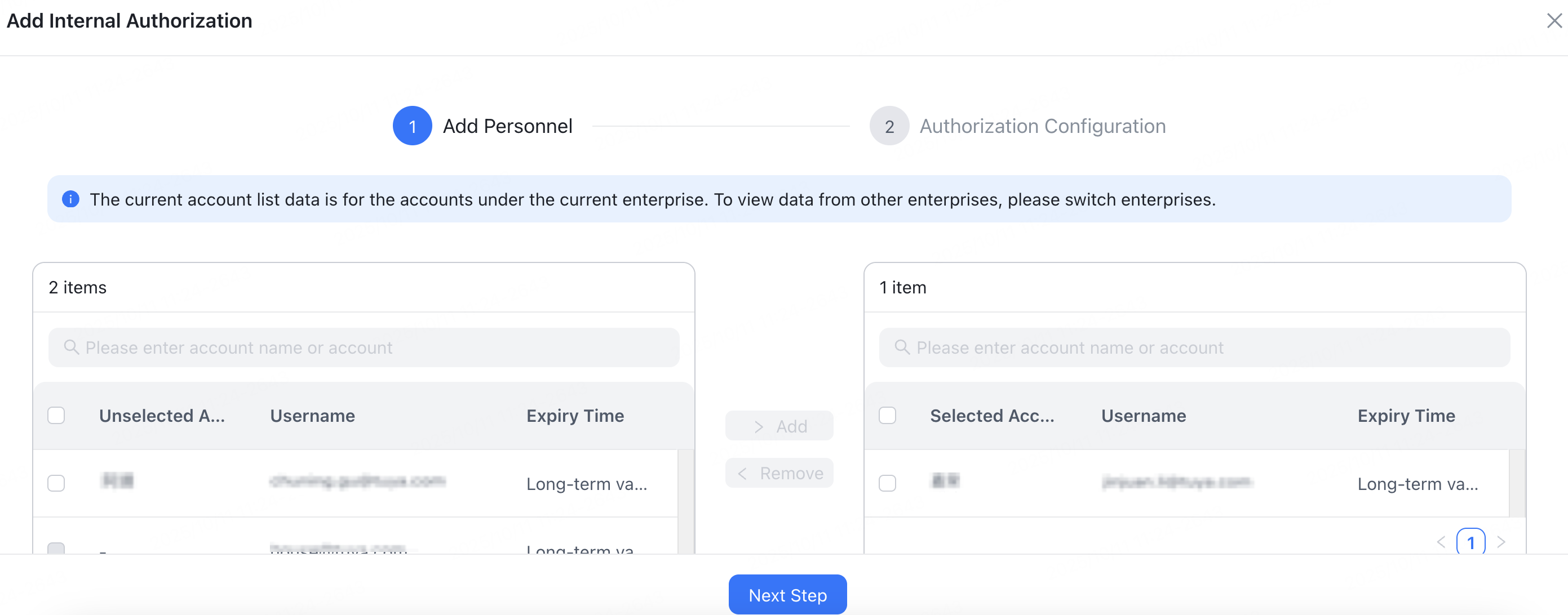
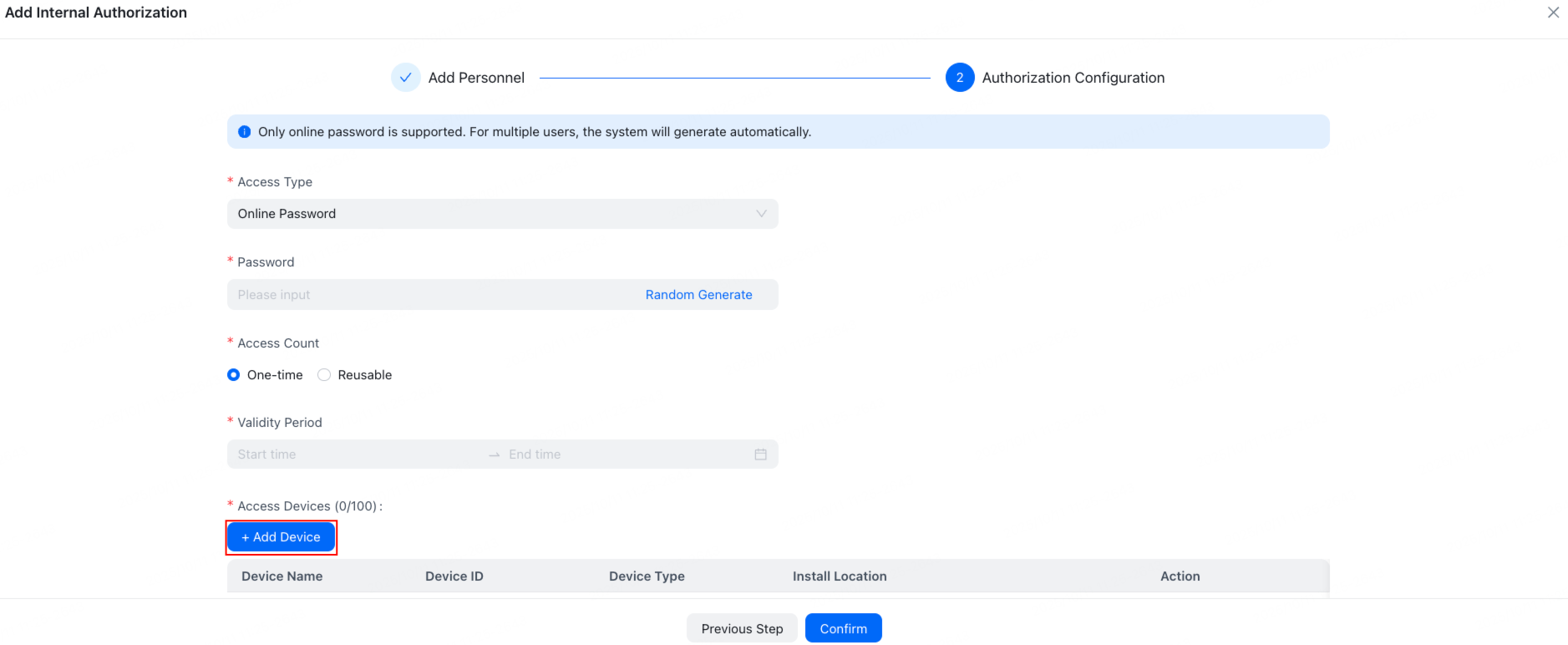
You can quickly select internal enterprise personnel and add temporary access users. Furthermore, you can batch assign access permissions across multiple devices using methods such as one-time passwords and recurring passwords. This flexibility caters to the requirements of various usage scenarios.
Add internal authorization
-
Choose Access Management > Access Permission and click Add Internal Authorization to add internal personnel.

-
Configure authorization and add access devices.

Add visitor authorization
Click Add Visitor Authorization to add visitors and configure their access permissions.


Access logs
Personnel access
The personnel access log is designed to record and show user access activities, enabling administrators and users to maintain comprehensive oversight of access events and achieve efficient security management and event tracing. The system automatically shows access records in reverse chronological order, ensuring the most recent entries are prioritized.
Features:
- Real-time recording: Accurately logs critical information such as access time, personnel identity, spatial location, device name, and access method.
- Convenient querying: Supports filtering logs by personnel, time, location, and other criteria to quickly locate target records.
- Detailed viewing: Clicking on an individual record expands it to reveal complete details, including specific spatial hierarchy, device ID, temporary passwords, and other relevant information.
- Efficient management: Assists administrators in rapidly identifying anomalies and verifying access status, thereby enhancing both security and operational efficiency.

Access authorization
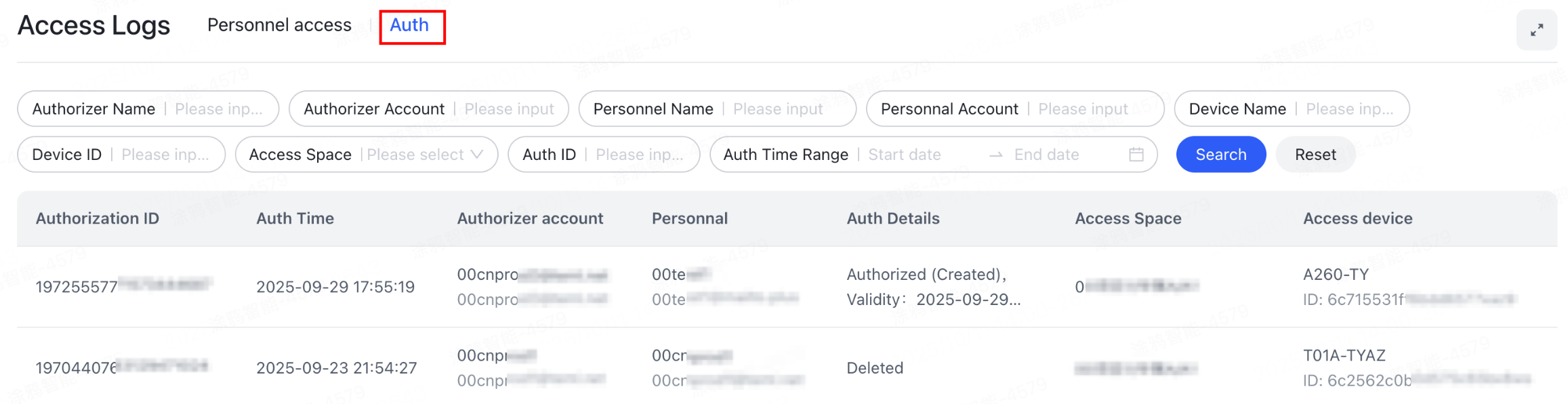
The access authorization logs are designed to record and show all operations related to access permissions. They help administrators monitor authorization changes in real-time, ensuring transparency and traceability in access permission management.
Features:
- Comprehensive recording: Logs the authorizing person, authorized person, assigned space, type of authorization action (create, enable, disable, and delete), and the operation timestamp.
- Status indication: Each log entry shows the authorization result status, such as Authorization Successful or Deletion Successful, helping administrators quickly verify if an operation was effective.
- Convenient tracking: Filter authorization logs by personnel, time, space, and other criteria to quickly locate specific authorization events.
- Operational support: Track the history of permission adjustments and troubleshoot anomalous access issues, thereby enhancing security compliance and management efficiency.
Is this page helpful?
YesFeedbackIs this page helpful?
YesFeedback




