

Device Management
Overview
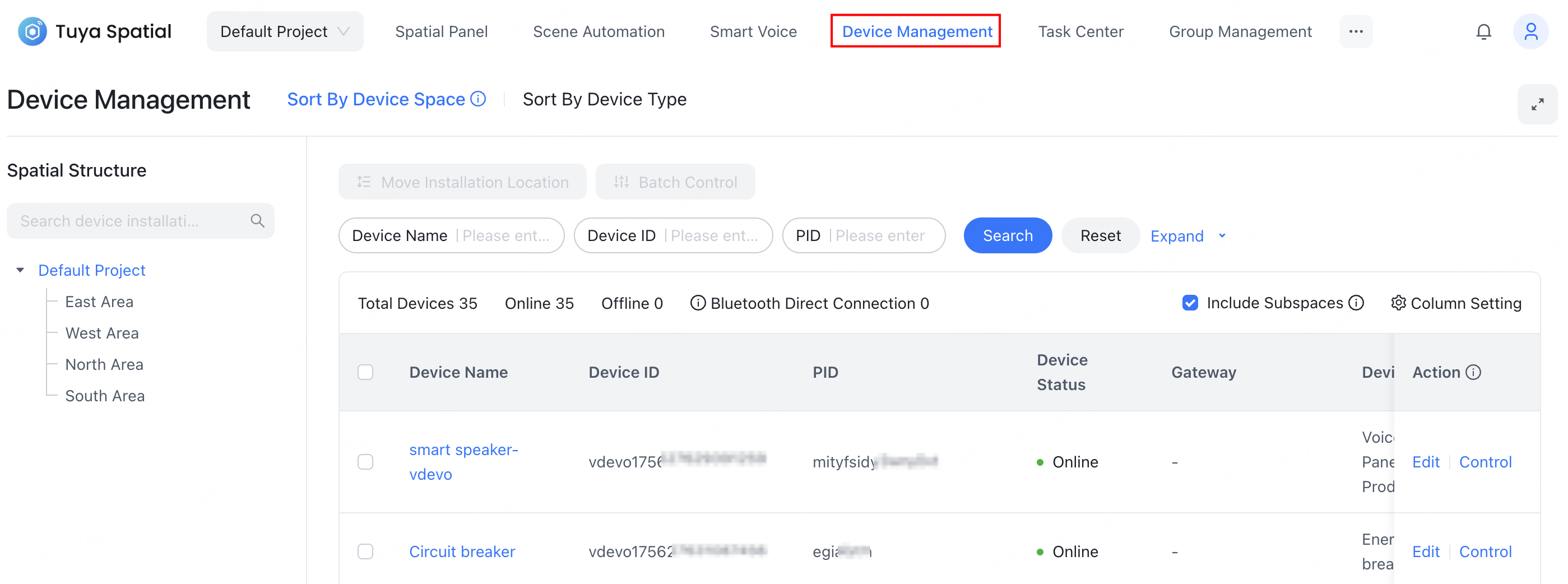
In Device Management, you can manage devices in different spaces all in one place. For example, you can remotely or bulk control devices, query device status, edit device information, and move devices to another space.
Features
Control a single device
You can perform remote control on a specific online device. Locate the target device, click Control in the Action column to open the device control panel, and then operate its data points.


Control multiple devices
You can perform remote control on multiple online devices simultaneously.
Only devices sharing the same product ID (PID) support batch control operations.
Select multiple target devices in the device list, click Batch Control to open the device control panel, and then operate the common data points shared by the selected devices.

Query devices
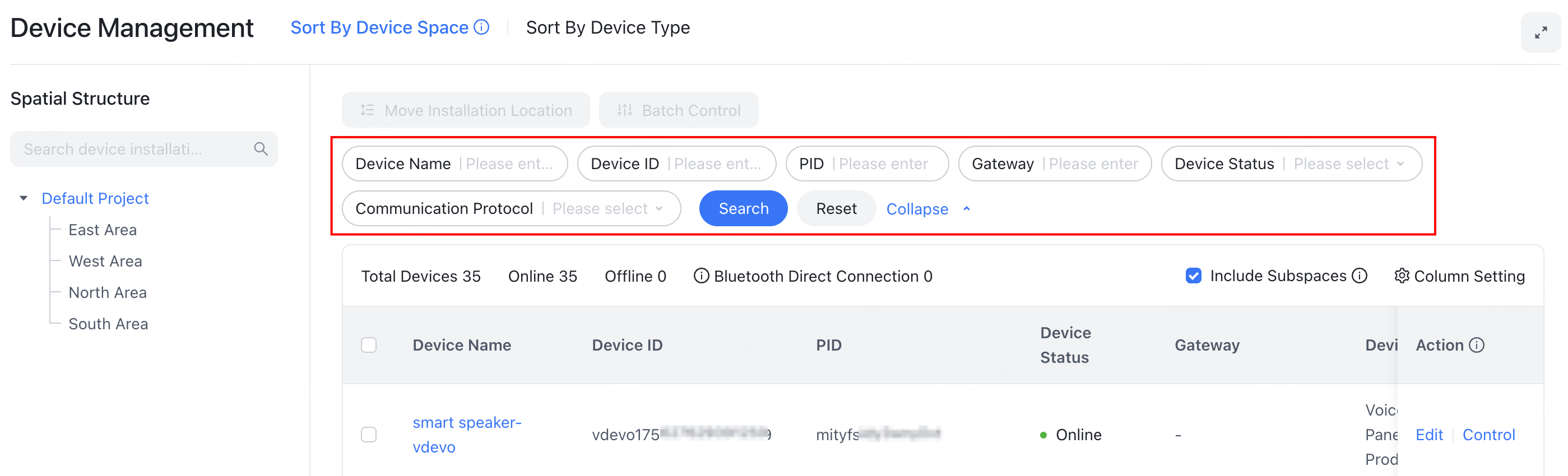
You can query devices based on device name, device ID, PID, gateway, device online/offline status, and communication protocol.
Edit devices
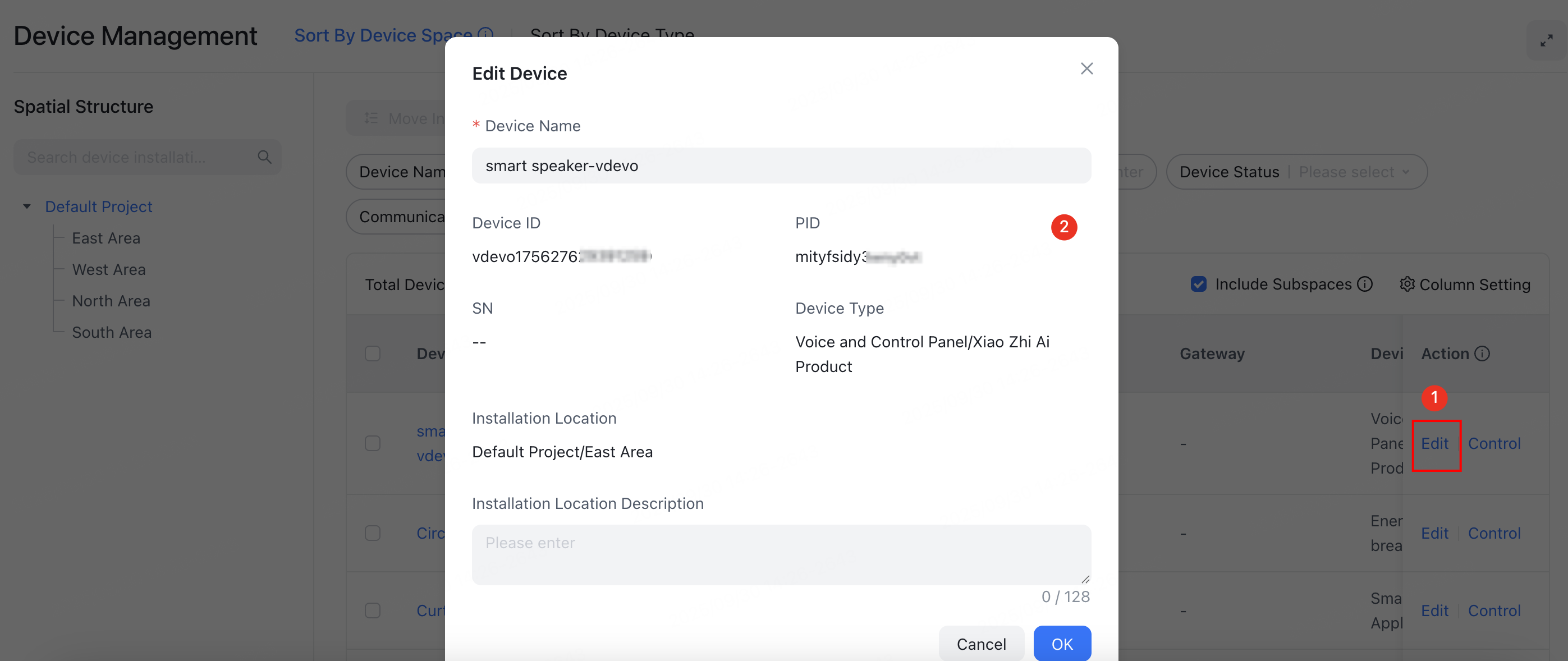
You can edit device information, such as modifying the device name or location details.
Locate the target device, click Edit in the Action column. In the Edit Device window that appears, modify the information and click OK to save.
Transfer devices
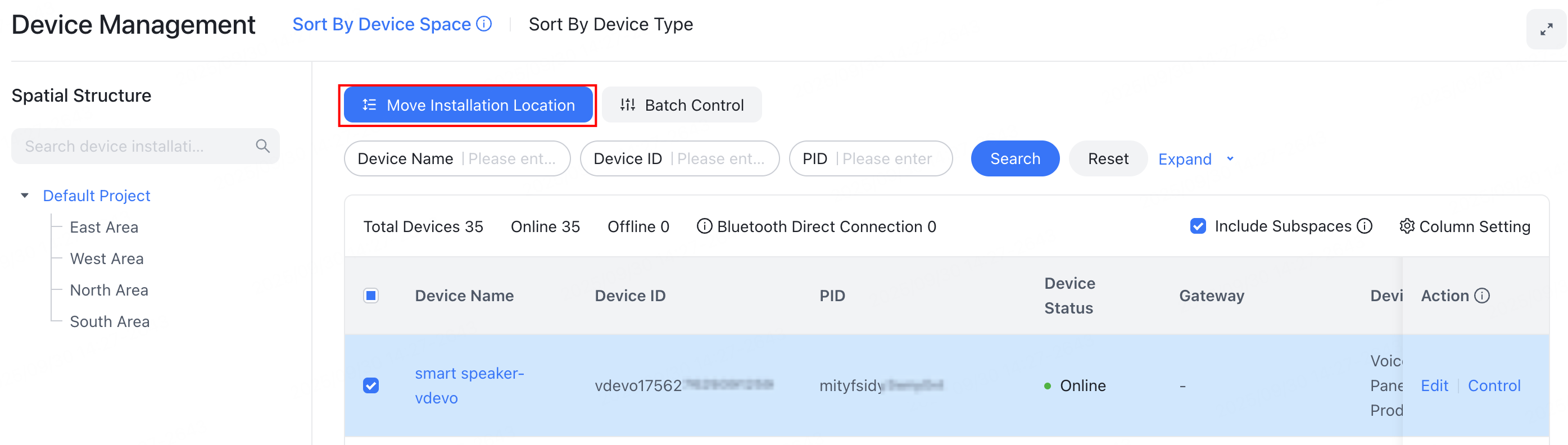
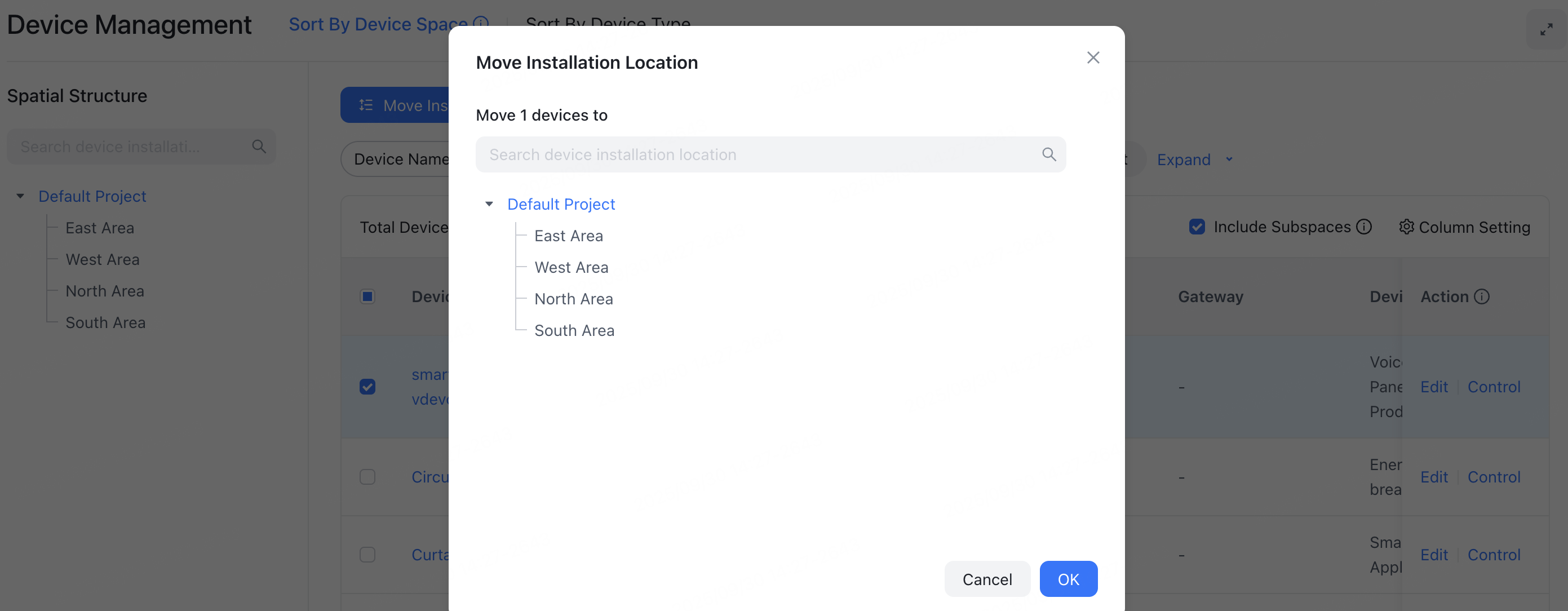
You can transfer a device from one space to another.
Select one or more devices, click Move Installation Location, and then select the target space to which you want to move them. Click OK to complete the action.
Is this page helpful?
YesFeedbackIs this page helpful?
YesFeedback




