

Label Filtering
You can select desired user groups based on different user labels. By segmenting users, you can reach ideal users in marketing campaigns, improving the conversion rate and user satisfaction.
Procedure
-
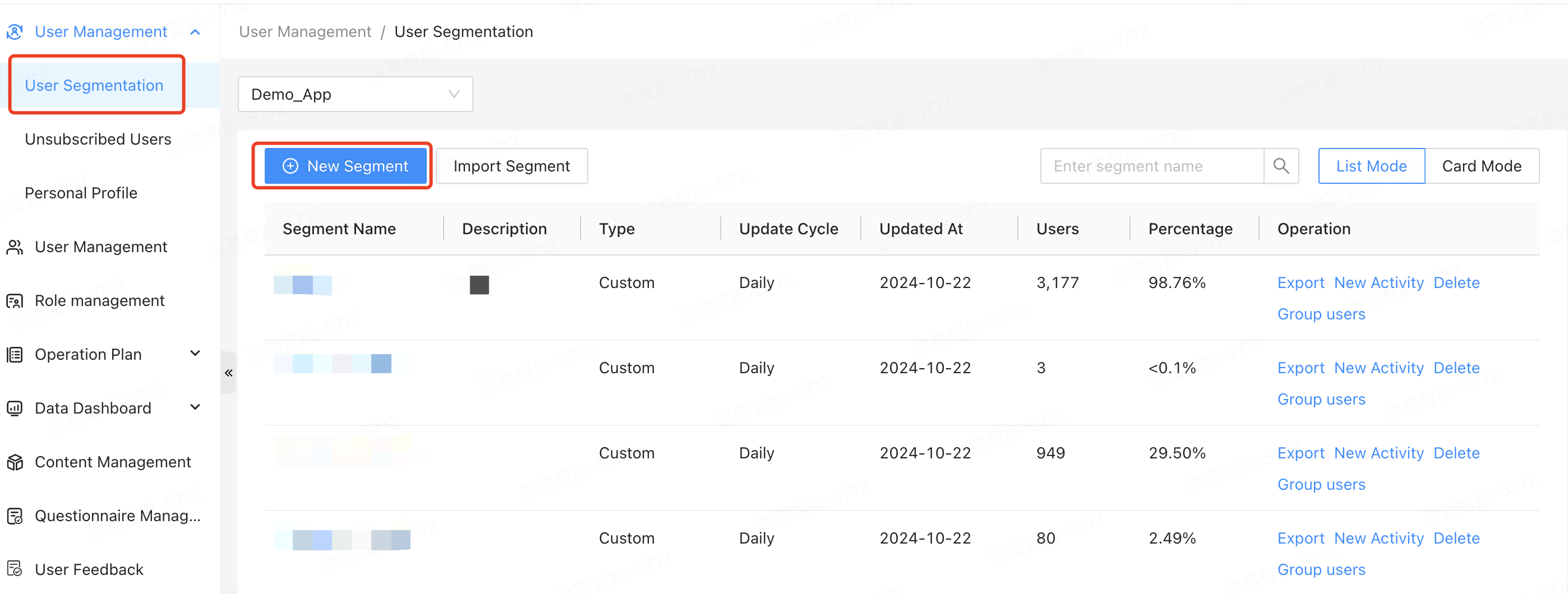
Click User Management > User Segmentation > New Segment.
-
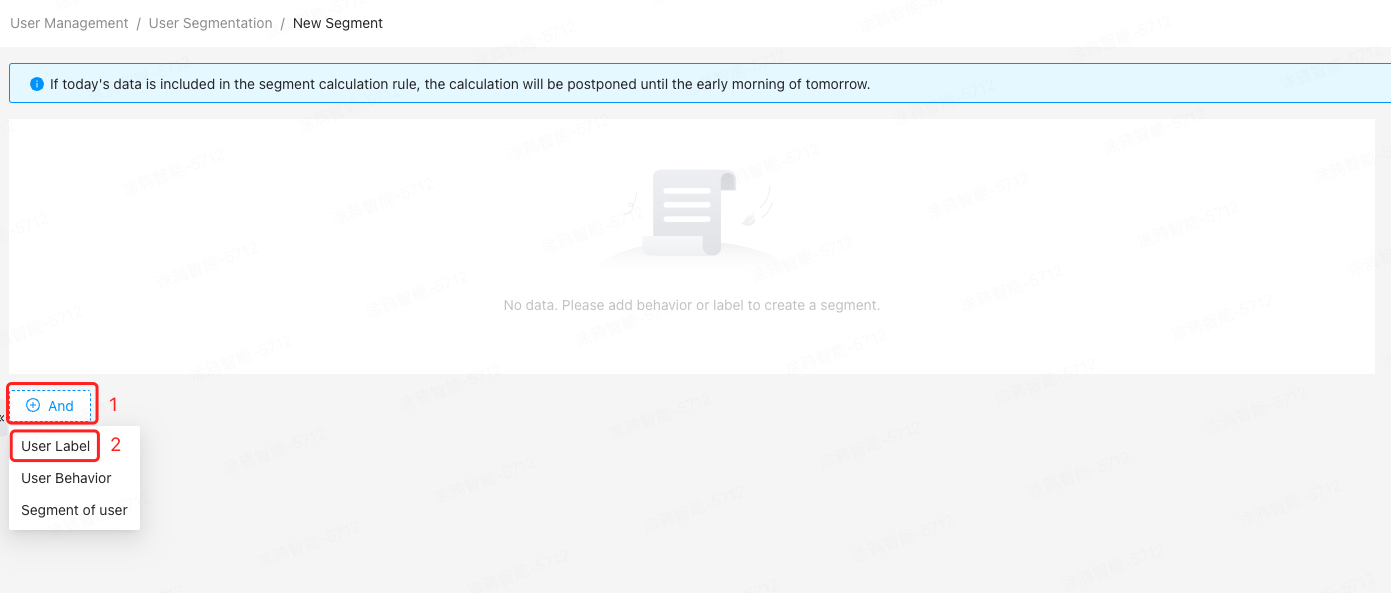
Click And in the lower-left corner of the page and select User Label.
-
Select desired user labels from different label categories and set label values.
- The available label categories include basic information, user behavior, shopping information, and product quantity. For more information, see User Labels.
- Label categories and names support fuzzy search.
- A maximum of 100 values can be displayed in the label value drop-down list. If no option in the drop-down list meets your needs, you can enter a custom value, which will then appear in the drop-down list for selection.
-
Click And or Or to add more label categories and labels, establishing a logical OR or AND relationship with the previously added labels.
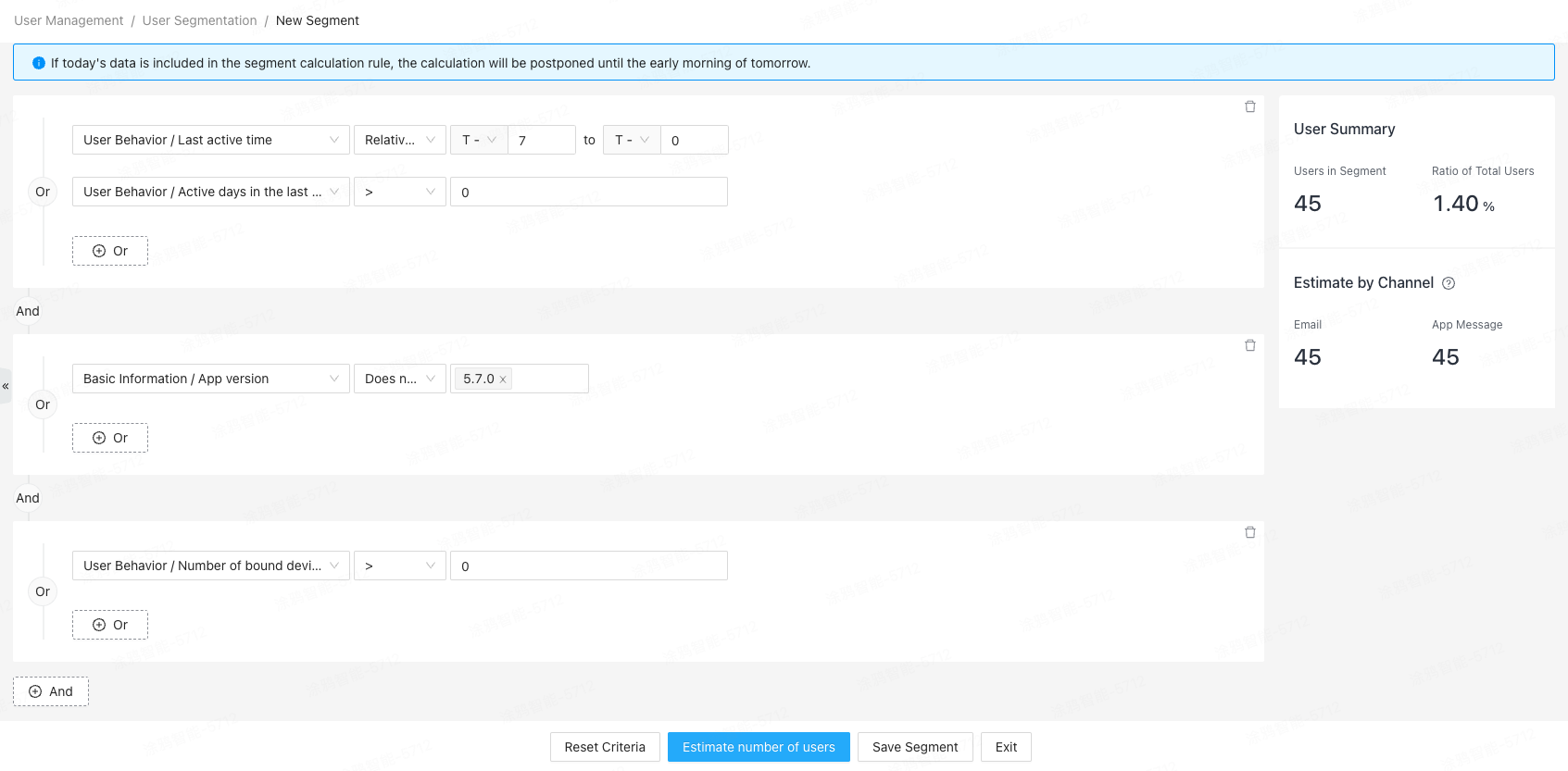
To ensure query performance, add no more than 10 user labels in the AND or OR conditions.
-
Click the delete icon on the right or in the top right corner to delete a label category or the entire label card.
-
Click Estimate number of users in the lower part of the page to display estimated number of users on the right.
-
Click Save Segment, enter the group name and description, set the update frequency to Daily or One-time, and then click OK.
Label data is not updated in real time. User attributes and behaviors that change during the current day will be updated at the start of the following day.
Label selection methods for different categories
If you select Basic Information as the label category, you can refer to the following table to check label types and filters.
| Label type | Filter |
|---|---|
| String | Equal to, unequal to, contain, not contain, empty, not empty |
| List | Contain, not contain, empty, not empty |
| Value | >, <, ≥, ≤, =, ≠, in between |
| Time | Absolute date, relative date |
| Boolean | True, false |
Filters and values
Select a filter and enter one or more values to match users.
Equal to or unequal to
Scenario 1: select a single label value
The system performs an exact match based on label values to estimate the number of matched users.
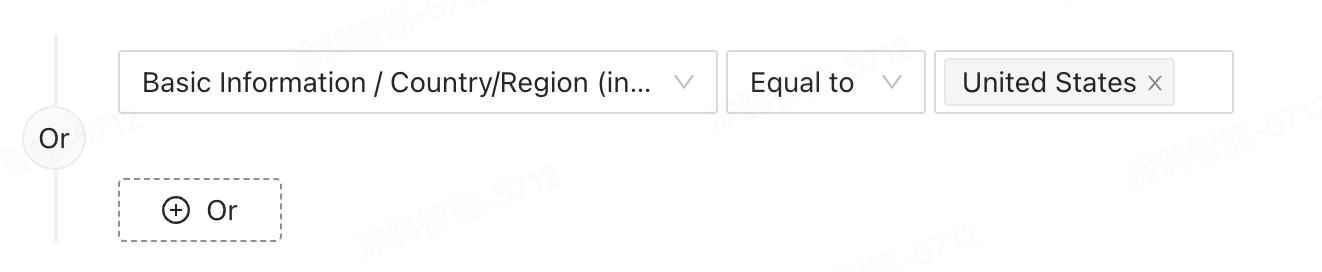
After you select a value from the drop-down list, such as selecting United States for the Registration country (in Chinese) label, the system will count the number of users labeled with United States and return the data as the estimated results.
Scenario 2: select multiple label values
-
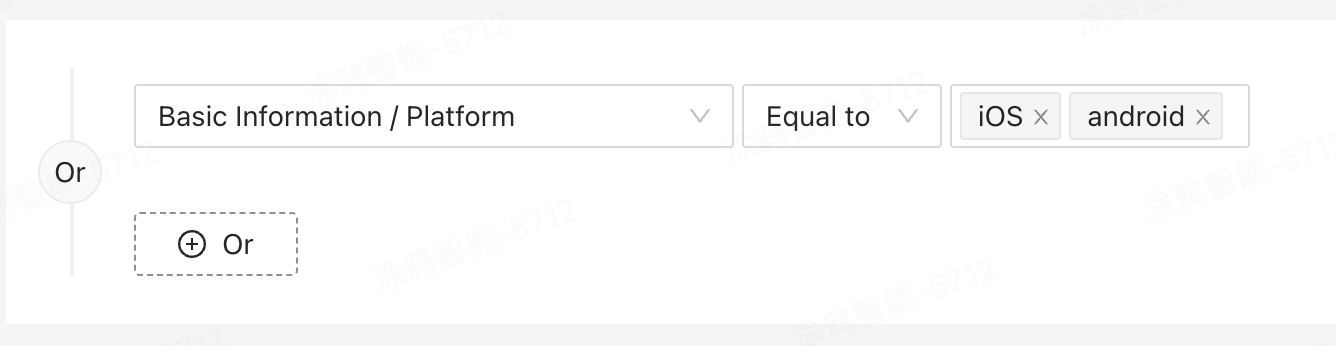
If you select Equal to as the filter, label values are in a logical OR relationship.
After you select multiple values from the drop-down list, such as selecting iOS and Android for the Platform label, the system will count the number of users labeled with iOS or Android and return the data as the estimated results.
Recommended usage: Query users based on multiple label values.
-
If you select Unequal to as the filter, label values are in a logical AND relationship.
After you select multiple values from the drop-down list, such as selecting iOS and Android for the Platform label, the system will count the number of users not labeled with iOS or Android and return the data as the estimated results.
Recommended usage: Perform a reverse query based on all selected values, excluding users labeled with the selected values.
Contain or not contain
Different from Equal to and Unequal to, when you use Contain or Not contain, the system will perform a fuzzy match based on label values and return the number of matched users as the estimated results.
Scenario 1: select a single label value
Perform a fuzzy match based on label values to estimate the number of users.
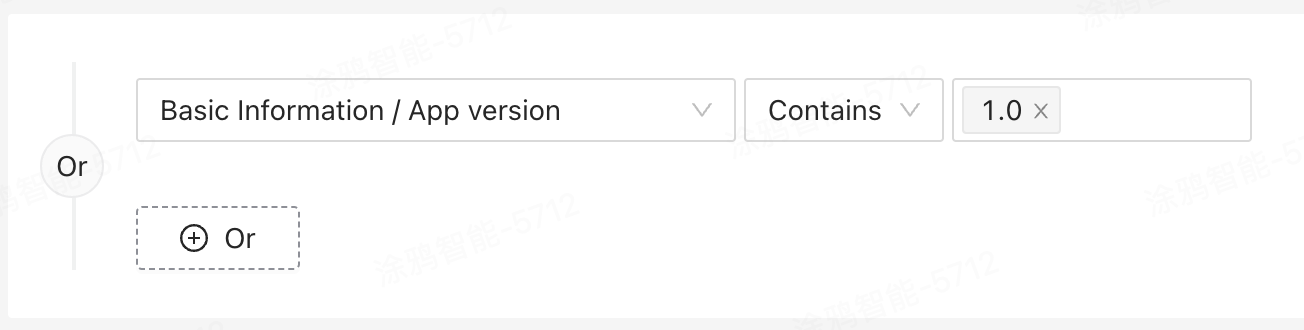
After you select a value from the drop-down list, such as selecting 1.0 for the App version label, the system will count the number of users whose app version label contains 1.0 and return the data as the estimated results.
Scenario 2: select multiple label values
-
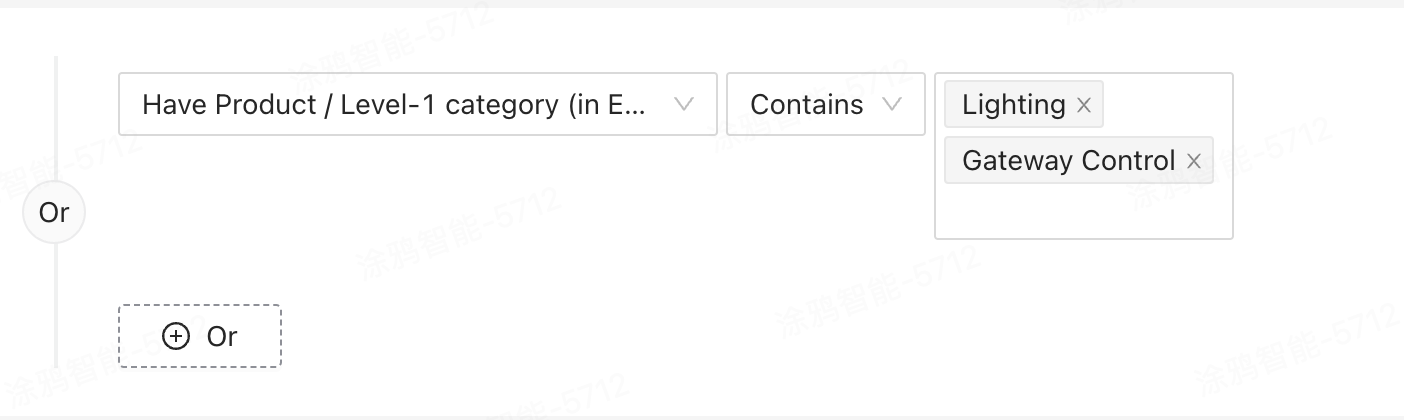
If you select Contains as the filter, label values are in a logical OR relationship.
After you select multiple values from the drop-down list, such as selecting Gateway Control and Lighting for the Level-1 category label, the system will count the number of users whose level-1 category contains Gateway Control or Lighting and return the data as the estimated results.
Recommended usage: Perform a fuzzy match based on multiple label values.
-
If you select Does not contain as the filter, label values are in a logical AND relationship.
After you select multiple values from the drop-down list, such as selecting Gateway Control and Lighting for the Level-1 category label, the system will count the number of users whose level-1 category label does not contain Gateway Control or Lighting and return the data as the estimated results.
Recommended usage: Perform a reverse query based on all selected values, excluding users labeled with the selected values.
Empty or not empty
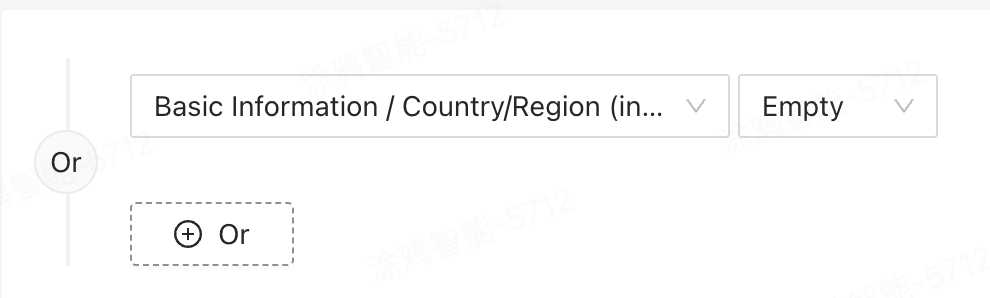
If you select Empty or Not empty as the filter, the system will perform a specific query.
- If you select Empty, the system will count the number of users whose label value is unknown or an empty value.
- If you select Not empty, the system will exclude the preceding values and count the number of users whose label has a value.
The system will return the estimated number of users based on all filters.
Absolute date or relative date
-
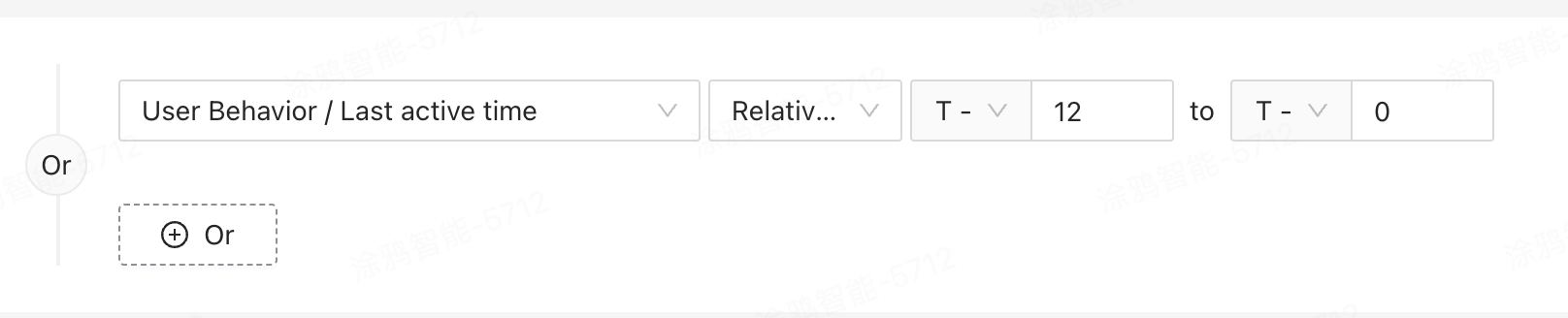
Relative date: Specific symbols are used to indicate the relationship with the date of the current day.
- The symbol - indicates the number of days counted backward from the current day. For example, -N indicates the Nth day before the current day.
- The symbol + indicates the number of days counted forward from the current day. For example, +N indicates the Nth day after the current day.
- 0 indicates the current day.
-
Absolute date: The statistical time is determined based on the time zone of the server. Data centers in China operate on GMT+8, while data centers outside China operate on GMT+0.
Is this page helpful?
YesFeedbackIs this page helpful?
YesFeedback




